EasyManua.ls Logo

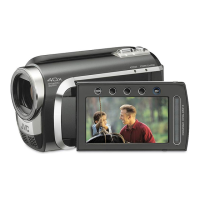
JVC GZ-MG650 - User Manual

JVC GZ-MG650
56 pages
Print Icon
To Next Page IconTo Next Page
Loading...
JVC
111111111
"11111
"II
"1111111
II
LYT1979-001B-M
Dear
Customers
Thank you for purchasing this camcorder.
Before use, please read the safety
information and precautions contained
in
pages 2 and 3 to ensure safe use of
this product.
INSTRUCTIONS
MANUAL
DE
INSTRUCCIONES
HARD DISK CAMERA
VIDEOCAMARA CON DISCO DURO
GZ-MG680
(ID
GZ-MG650
(ID
GZ-MG630
(ID
Please read
the
instruction manual prior to
connecting
or
operating this product.
Por favor,
lea
el
manual
de
instrucciones
antes
de
conectar
u
operar
este
producto.
For Future Reference:
Enter the Model
No.
(located
on
the
bottom of the camcorder) and Serial
No.
(located
on
the battery pack mount of the
camcorder) below.
Model No.
Serial No.
Apreciado cliente
Muchas gracias por haber adquirido
esta camara con disco duro integrado.
Antes de usarla, lea la informacion de
seguridad y las precauciones contenidas
en las paginas 2 y 3 para garantizar
un
uso seguro de este producto.
Para futuras consultas:
Escriba a continuacion
el
numero
de modelo (situado
en
la base de la
camara) y
el
numero de serie (situado
en
el
compartimiento de la baterfa de la
camara).
Numero de modelo
Numero de serie
PLEASE
DO
NOT IMMEDIATELY RETURN THIS
PRODUCT TO YOUR PLACE
OF
PURCHASE.
••
ASSISTANCE IN PRODUCT HOOK-UP AND USE
IS AVAILABLE
AT:
www.jvc.com or by phone at 1-800-252-5722
NO DEVUELVA INMEDIATAMENTE, POR FAVOR,
ESTE PRODUCTO AL LUGAR DE ADQUISICION.
ASISTENCIA PARA CONEXION Y UTILIZACION
DEL PRODUCTO DISPONIBLE EN:
www.jvc.comoportel.aI1-800-252-5722
[I]
DOLBY
DIGITAL
I
STEREO
CREATOR
ENGLISH
JVC
111111111
"11111
"II
"1111111
II
LYT1979-001B-M
Dear
Customers
Thank you for purchasing this camcorder.
Before use, please read the safety
information and precautions contained
in
pages 2 and 3 to ensure safe use of
this product.
INSTRUCTIONS
MANUAL
DE
INSTRUCCIONES
HARD DISK CAMERA
VIDEOCAMARA CON DISCO DURO
GZ-MG680
(ID
GZ-MG650
(ID
GZ-MG630
(ID
Please read
the
instruction manual prior to
connecting
or
operating this product.
Por favor,
lea
el
manual
de
instrucciones
antes
de
conectar
u
operar
este
producto.
For Future Reference:
Enter the Model
No.
(located
on
the
bottom of the camcorder) and Serial
No.
(located
on
the battery pack mount of the
camcorder) below.
Model No.
Serial No.
Apreciado cliente
Muchas gracias por haber adquirido
esta camara con disco duro integrado.
Antes de usarla, lea la informacion de
seguridad y las precauciones contenidas
en las paginas 2 y 3 para garantizar
un
uso seguro de este producto.
Para futuras consultas:
Escriba a continuacion
el
numero
de modelo (situado
en
la base de la
camara) y
el
numero de serie (situado
en
el
compartimiento de la baterfa de la
camara).
Numero de modelo
Numero de serie
PLEASE
DO
NOT IMMEDIATELY RETURN THIS
PRODUCT TO YOUR PLACE
OF
PURCHASE.
••
ASSISTANCE IN PRODUCT HOOK-UP AND USE
IS AVAILABLE
AT:
www.jvc.com or by phone at 1-800-252-5722
NO DEVUELVA INMEDIATAMENTE, POR FAVOR,
ESTE PRODUCTO AL LUGAR DE ADQUISICION.
ASISTENCIA PARA CONEXION Y UTILIZACION
DEL PRODUCTO DISPONIBLE EN:
www.jvc.comoportel.aI1-800-252-5722
[I]
DOLBY
DIGITAL
I
STEREO
CREATOR
ENGLISH

Questions and Answers

  • W
    William SanchezAug 15, 2025
    How to fix JVC GZ-MG650 when no power is supplied?
    • D
      David CastilloAug 15, 2025
      If your JVC Camcorder isn't getting power, ensure the AC adapter is correctly connected and that the battery pack is recharged.

  • R
    roynicoleAug 18, 2025
    What to do if I cannot find a recorded video on my JVC Camcorder?
    • M
      Mary MasonAug 18, 2025
      If you cannot find a recorded video on your JVC Camcorder: * Select [PLAYBACK MPG FILE] and search for the video on the index screen. * Cancel group display and date search functions. * Change the setting in [REC MEDIA FOR VIDEO] or [REC MEDIA FOR IMAGE].
  • R
    Robert RossAug 21, 2025
    Why doesn't the lamp flash when charging my JVC GZ-MG650 Camcorder battery?
    • M
      Michelle BranchAug 21, 2025
      The lamp on your JVC Camcorder may not flash during battery pack charging for the following reasons: * The battery pack may be fully charged. * The battery may be recharging outside of the permitted temperature range (too hot or too cold).
  • K
    Kari MooreAug 25, 2025
    How to start recording on JVC Camcorder?
    • A
      Abigail SilvaAug 26, 2025
      To start recording on your JVC Camcorder, slide the mode switch to select the desired mode (! or #).
  • Z
    zhortonAug 27, 2025
    What to do if image or sound does not appear when connecting JVC GZ-MG650 to TV with HDMI?
    • J
      joseph02Aug 28, 2025
      If the image or sound does not appear properly on your TV when connecting your JVC Camcorder with an HDMI cable: * Disconnect the HDMI cable and connect it again. * Turn off and then turn on the camcorder again.
  • P
    Pamela FieldsAug 31, 2025
    Why does my JVC GZ-MG650 stop recording by itself?
    • P
      patrickfloresAug 31, 2025
      Your JVC Camcorder might stop recording for several reasons: * The camcorder's temperature may have increased. If 'REC' flashes on the LCD monitor, turn off the camcorder, wait, and then restart recording. * Excessive sound or vibration may be affecting the camcorder. Move away from the source of the sound or vibration. * There may be a malfunction in the camcorder's HDD. Try recording to a microSD card instead. * Recording stops automatically after 12 hours of continuous recording.
  • D
    Dana HernandezSep 3, 2025
    Why is the battery display incorrect on my JVC Camcorder?
    • P
      Penny RuizSep 3, 2025
      If the remaining battery display on your JVC Camcorder is incorrect, especially after using it in high or low temperatures, or after repeated charging, fully charge the battery pack, run it down completely, and then recharge it again.
  • M
    meganmclaughlinSep 7, 2025
    Why is the LCD monitor difficult to see on my JVC Camcorder?
    • L
      Laura RileySep 7, 2025
      The LCD monitor on your JVC Camcorder may be difficult to see if you are using it in bright areas, such as under direct sunlight.
  • A
    Angela RowlandSep 10, 2025
    Why HDMI-CEC functions do not work with my JVC GZ-MG650?
    • A
      Anthony MunozSep 10, 2025
      If HDMI-CEC functions are not working properly with your JVC Camcorder, set [HDMI CONTROL] to [OFF]. TVs may operate differently even if they are HDMI-CEC compliant.

JVC GZ-MG650 Specifications

General IconGeneral
BrandJVC
ModelGZ-MG650
CategoryCamcorder
LanguageEnglish

Related product manuals