EN 33
Edit To
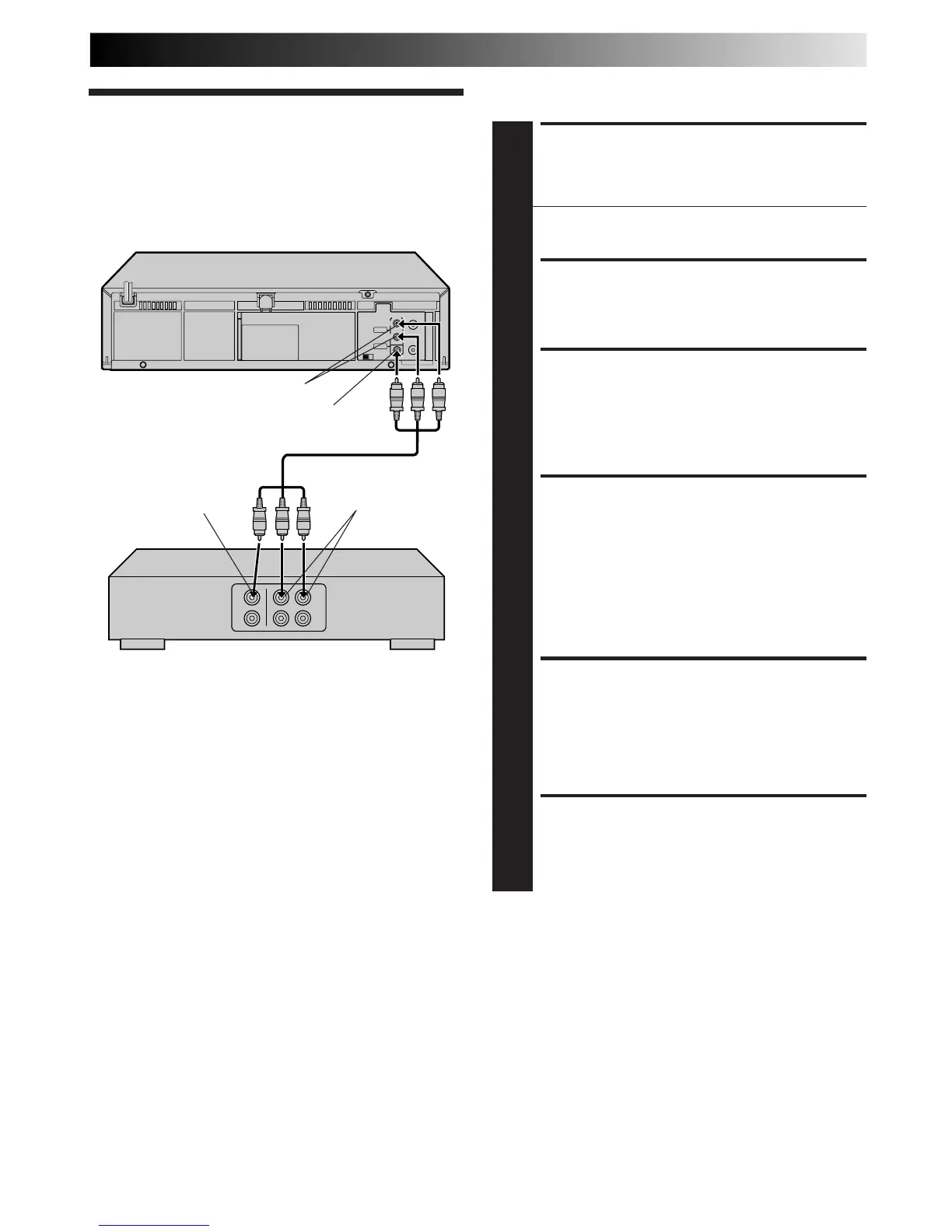
Another VCR
You can use your VCR as the player and another VCR as the
recorder.
EDITING
MAKE CONNECTIONS
1
Connect an AV cable between your VCR’s VIDEO OUT
and AUDIO OUT connectors and another VCR’s
VIDEO IN and AUDIO IN connectors.
● When connecting to a monaural VCR, connect your
VCR’s AUDIO OUT L connector to the AUDIO IN
connector on the monaural VCR.
LOAD CASSETTES
2
Insert the playback cassette into your VCR and the
cassette to be recorded on into the other VCR.
SET RECORDER’S INPUT
MODE
3
Set the other VCR's auxiliary (AV) input mode.
SELECT “EDIT” FOR PIC-
TURE CONTROL SET MODE
4
Follow the “Picture Control” section on page 21, then
select “EDIT.”
NOTE:
When you select “EDIT” to dub tapes, be sure to select
AUTO or (NORM when AUTO PICTURE is set to OFF)
after you finish dubbing the tapes.
START PLAYER
5
Set to its play mode.
NOTE:
If the player is equipped with a superimpose/OSD
disable feature then set "SUPERIMPOSE" to OFF before
pressing PLAY (
墌
pg. 24).
START RECORDER
6
Set to its record mode.
Another VCR
Player Your VCR
Recorder
VIDEO IN
AUDIO IN
VIDEO OUT
AUDIO OUT
Audio/Video cable
(not supplied)



 To Next Page
 Loading...









