33
Minimizing
Picture
Degradation
While Editing
Advantages Of S-VHS
Video Recorders
You can edit from VHS to S-VHS, S-VHS to VHS, or, from
S-VHS to S-VHS.
● From VHS to S-VHS: Record VHS playback signals in the
S-VHS mode. Although the picture quality is inherently
limited by that of the original, the edited tape has better
picture quality than those made by VHS-to-VHS editing.
● From S-VHS to VHS: Because the picture quality of the
source material is very high, the edited tape has better
picture quality than those made by VHS-to-VHS editing.
● From S-VHS to S-VHS: All signals will be transferred with
minimum degradation.
1 2 3
4 5 6
7
8 9
0
2
T W
4
1
DV VHS
3
MENU
Picture Control
(VHS Deck Only)
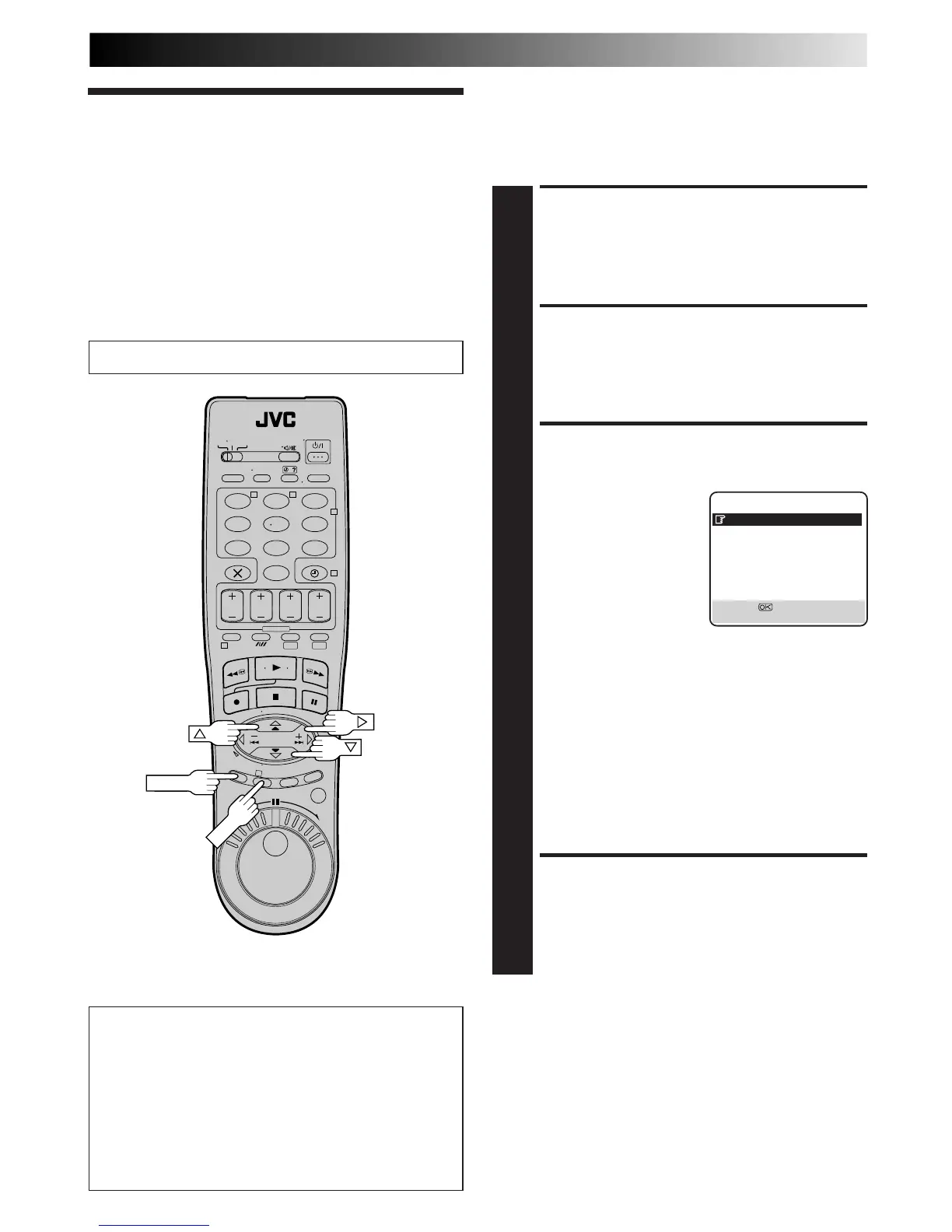
This feature helps you to adjust the playback picture quality
according to your preference. *The default setting is "AUTO."
ACCESS MAIN MENU
SCREEN
1
Press MENU.
ACCESS VHS MODE SET
SCREEN
2
Move the highlighted bar (pointer) to "VHS MODE SET"
by pressing %fi, then press OK or
#
.
SELECT PICTURE
CONTROL SET MODE
3
Move the highlighted bar
(pointer) to "PICTURE
CONTROL" by pressing
%fi, then press OK or
#
to
select the desired mode.
AUTO: Provides optimised
picture benefits of
B.E.S.T. Picture
System. Normally
select AUTO.
EDIT: Minimizes picture degradation during editing
(recording and playback).
SOFT: Reduces image coarseness when viewing
overplayed tapes containing a lot of noise.
SHARP:Clearer, sharper-edged picture when viewing
images with lots of flat, same-coloured surfaces
such as cartoons.
NOTES:
●
When you select EDIT, SOFT or SHARP, the selected
mode will not change until you select again.
●
When you select EDIT to dub tapes, be sure to select
AUTO after you finish dubbing the tapes.
RETURN TO NORMAL
SCREEN
4
Press MENU.
NOTES:
●
When B.E.S.T. is OFF, "PICTURE CONTROL" switches
automatically from AUTO to NORM.
●
Select EDIT when you are dubbing tapes. Refer to page 42.
Turn on the TV and select the AV mode.



 To Next Page