77
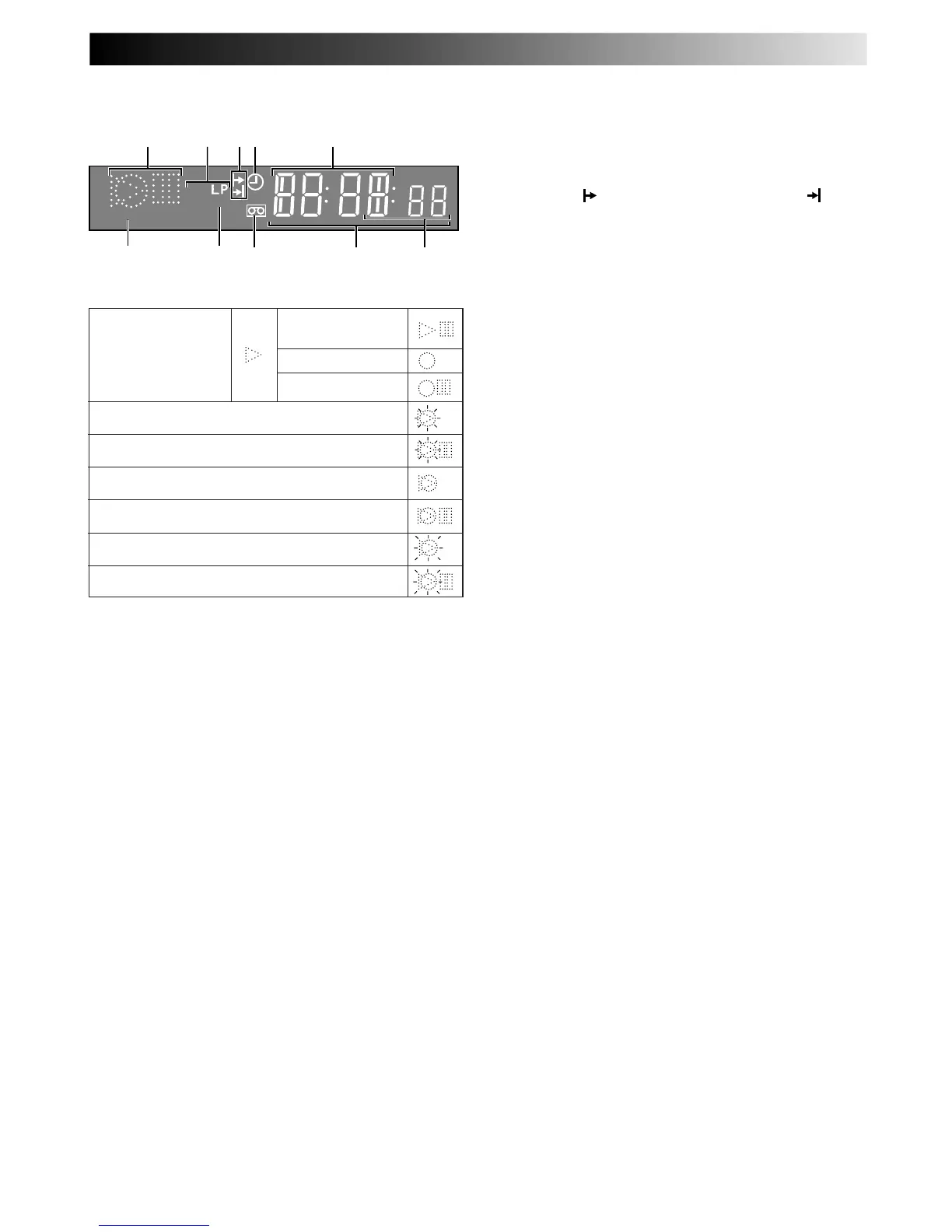
DV DISPLAY PANEL
1 Symbolic Mode Indicators
SP
VCR
VPS/PDC
76
8
9
1 5
2 43
0
STILL:
SLOW:
RECORD:
RECORD PAUSE:
PLAY:
FF/REW VARIABLE
SEARCH:
AUDIO DUBBING:
AUDIO DUBBING PAUSE:
INSERT:
INSERT PAUSE:
AUDIO DUBBING INSERT:
AUDIO DUBBING INSERT PAUSE:
2 Tape Speed Indicators display mode of recording; light
during Record or Play mode. Z pg. 15
3 Programme Time Indicators show the programme
start time (
) and the programme stop time ( ) for
timer-recording.
Z pg. 20
4 "Timer" Indicator lights when ‰ has been pressed to
engage Timer mode.
Z pg. 19, 21
5 Channel Display shows preset position where the
station currently being received is stored.
Clock Display shows current time.
Z pg. 10
6 PDC Indicator lights when PDC has been engaged
for timer recording.
Z pg. 19, 21
* VPS (Video Programme System) recording is not currently
available in the U.K. and not possible with this recorder.
7 VCR Indicator lights when the video recorder is in
the video mode. At this point, the TV automatically
enters AV mode.
Z pg. 12
8 "Cassette Loaded" Mark lights once a cassette is
inserted; remains lit until cassette ejected.
9 Time Code Display shows time elapsed since
playback or recording began.
Z pg. 14
0 Mode shows external input mode selected (L-1, L-2 or
L-3).



 To Next Page