72 EN
REMOTE CONTROL
1 VCR/TV/CABLE/DBS Switch (Z pg. 60)
2 TV/VCR Button (Z pg. 40)
3 Instant REVIEW Button (Z pg. 27)
4 NUMBER Buttons (Z pg. 23, 46)
5 DBS Button (Z pg. 51)
6 CANCEL Button (Z pg. 52)
Counter [C.] RESET Button (Z pg. 27)
7 STOP +/– Button (Z pg. 50)
8 START +/– Button (Z pg. 50)
9 PROG. Button (Z pg. 38, 50)
0 PROG. CHECK Button (Z pg. 52)
! Rewind [REW] Button (Z pg. 22)
@ Record [REC] Button (Z pg. 23)
# STOP Button (Z pg. 22)
$ TIME SCAN %fi Button (Z pg. 10)
TV Channel [CH] +/– Button (Z pg. 60, 61, 62)
% MENU Button (Z pg. 10)
^ A/B Code Button (Z pg. 63)
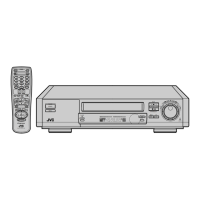
& JOG Dial (Z pg. 14)
* AUDIO MONITOR Button (Z pg. 30)
TV Muting Button (Z pg. 60)
( POWER On/Off Button (Z pg. 10)
) ENTER Button (Z pg. 23)
On-Screen Display [OSD] Button (Z pg. 29)
q DISPLAY Button (Z pg. 27)
w DAILY Timer Recording Button (Z pg. 47, 51)
e WEEKLY Timer Recording Button (Z pg. 47, 51)
r "AUX" Mode Select Button (Z pg. 54)
t TIMER Button (Z pg. 47, 51)
y DATE +/– Button (Z pg. 50)
u Channel [CH] +/– Button (Z pg. 23, 51)
i SKIP SEARCH Button (Z pg. 26, 30)
o Recording Speed [SP/EP] Button (Z pg. 23)
p PLAY Button (Z pg. 22)
Q Fast-Foward [FF] Button (Z pg. 22)
W PAUSE Button (Z pg. 24)
E TIME SCAN ™£ ( ) Button
(Z pg. 24, 38)
TV Volume [VOL] +/– Button (Z pg. 60)
R OK Button (Z pg. 10)
T JOG/SHUTTLE Button (Z pg. 22)
Y SHUTTLE Ring (Z pg. 22)
Installing Batteries
1 Open the battery compartment cover.
2 Insert 2 "AA"-size batteries (provided) in the direction
indicated under the battery cover.
3 Replace the cover.
How To Use
The remote control can operate most of your VCR's functions.
1 Point the remote control toward the sensor window.
(Z pg. 70)
2 Press the appropriate operation button.
3 The maximum operating distance of the remote control is
about 8 m.
NOTES:
●
This remote control can also operate various brands of TVs,
Cable Boxes and DBS Receivers. For instructions,
Z
pg. 60 – 62.
●
If the remote control doesn't work properly, remove its
batteries, wait a short time, replace the batteries and then
try again.
%
fi
CANCEL
TIMER
START STOP DATE
PLAY
REW
REC
STOP
PAUSE
FF
CH
POWER
TV/VCR
C. RESET
DBS
DAILY(M-F)
AUX
WEEKLY
PROG
CHECK
PROG
SP/EP SKIP SEARCH
DISPLAY
ENTER/OSD
AUDIO
MONITOR
VCR TV CABLE/DBS
123
456
7
89
0
2
4
1
3
EXPRESS PROGRAMMING
TIME
SCAN
JOG/
SHUTTLE
M
E
N
U
A
/
B
O
K
TV CH +
TV CH –
TV
VOL
+
TV
VOL
–



 To Next Page
 Loading...