36
EN
OPERATIONS ON VCR DECK (cont.)
Express Timer
Programing
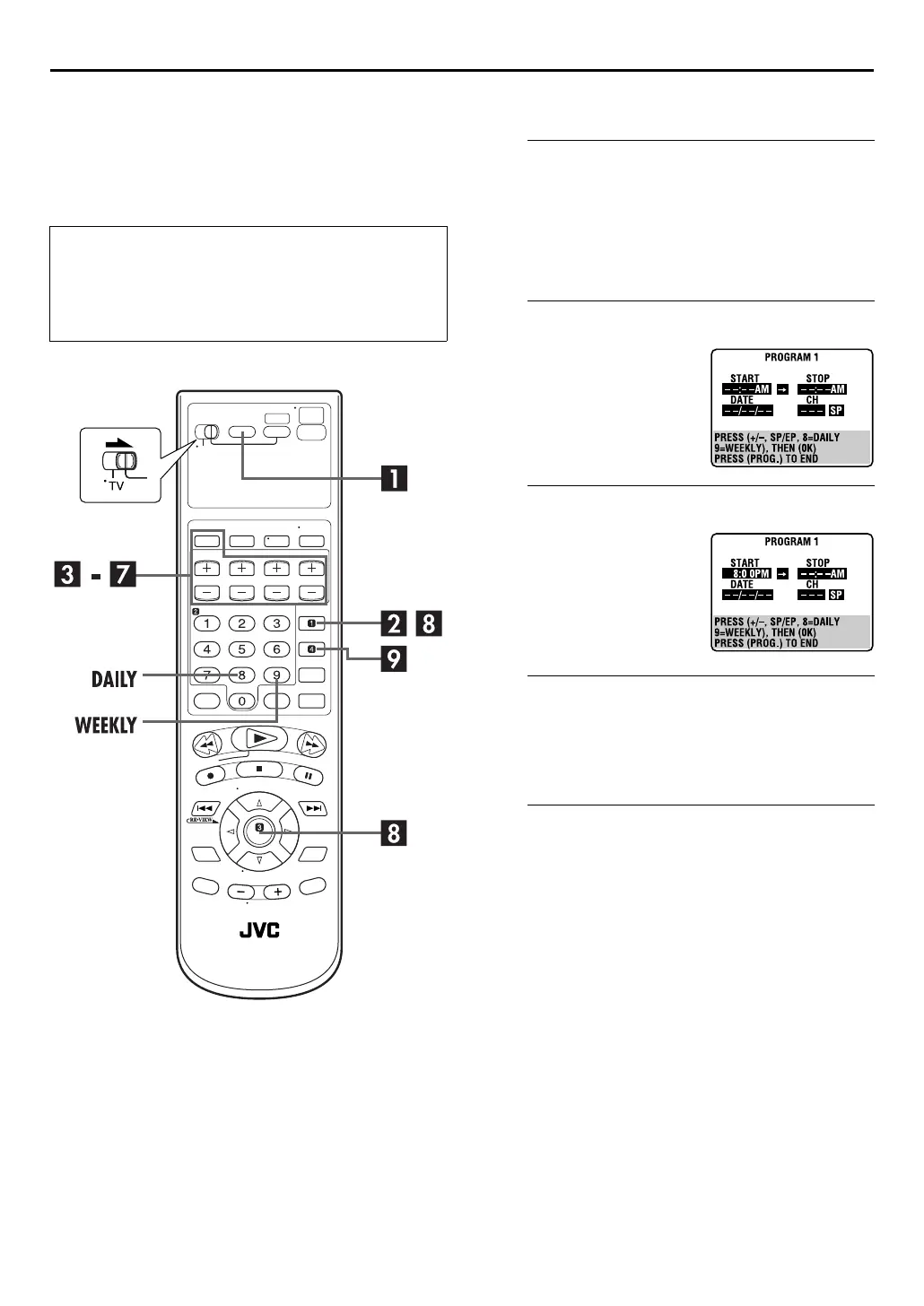
Example: To timer-record the program from 8:00 to
10:00 on 24th December, on channel 12.
A
Select the VCR deck.
On the unit
Press
VCR/DVD
repeatedly so that the VCR indicator
lights up.
On the Remote
Press
VCR
so that the VCR indicator lights up.
B
Access the Program screen.
C
Enter the program start time.
D
Enter the program stop time.
Press
STOP +/–
to enter the time you want recording to
stop.
●
Press and hold
STOP +/–
to move in 30-minute increments, or
press and release repeatedly to move 1 minute at a time.
E
Enter the program date.
Press
DATE +/–
.
●
The current date appears on the TV screen. The date you enter
appears in its place.
Before performing Express Timer Programing:
●
Make sure that the unit’s built-in clock is set properly.
●
Insert a cassette with the safety tab in place. The unit will
come on automatically.
●
Turn on the TV and select the VCR channel (or AV mode).
●
Slide the
TV/VCR/DVD
switch to the right.
Press
PROG.
. (If you’re just
starting out, “P1” appears.)
Press
START +/–
to enter the
time you want recording to
start.
●
Press and hold
START +/–
to
move in 30-minute
increments, or press and
release repeatedly to move
1 minute at a time.



 To Next Page
 Loading...






