Masterpage:Right-No-Heading
EN
21
Filename [XVS44U_06Index.fm]
Page 21 25 August 2003 10:46 am
On-screen Language Set (DVD deck)
This DVD deck offers you the choice to view on-screen
messages in 3 different languages. You can change the
language setting manually as required.
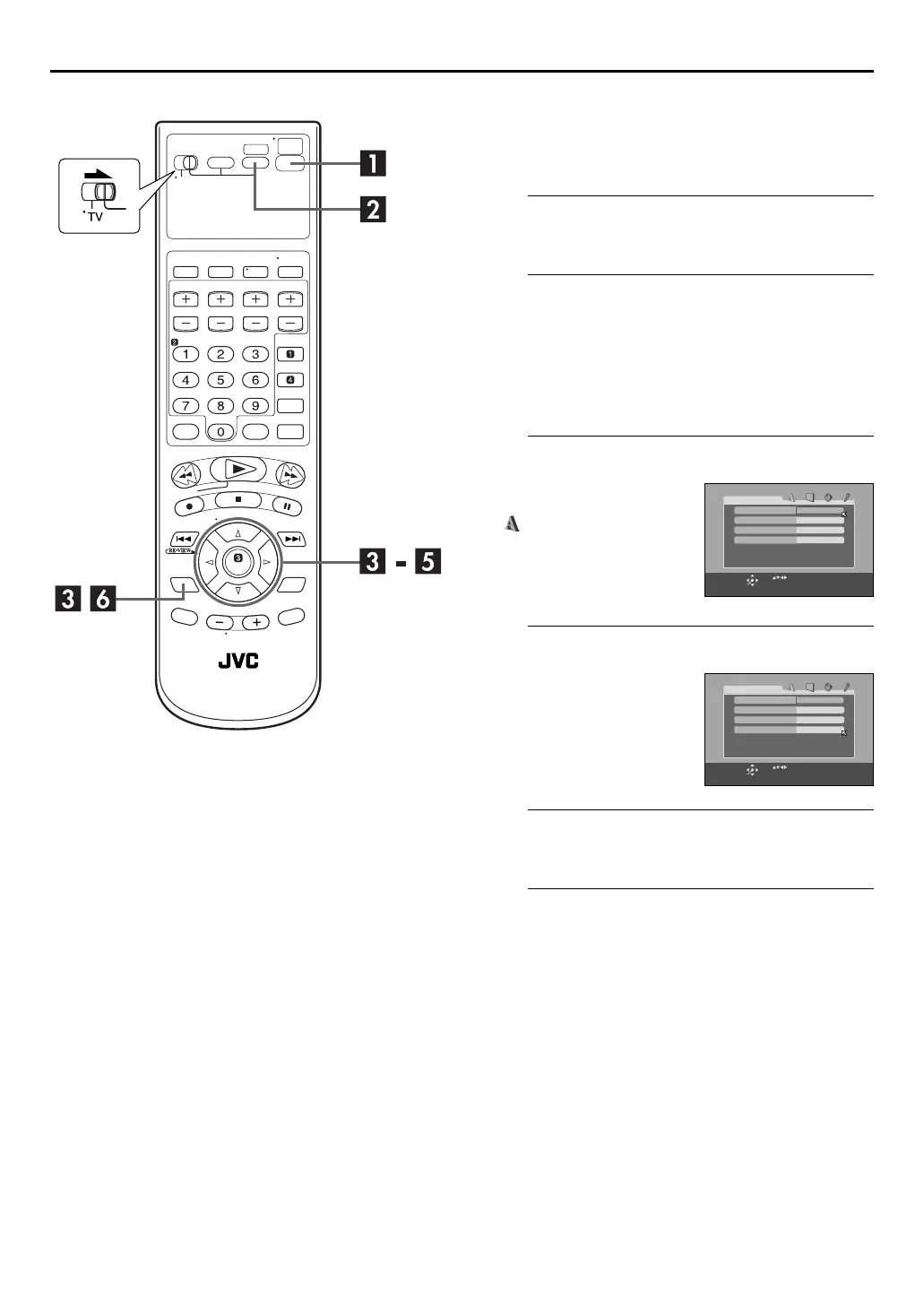
A
Turn on the unit.
Press
POWER
(
1
).
B
Select the DVD deck.
On the unit
Press
VCR/DVD
repeatedly so that the DVD indicator
lights up.
On the Remote
Press
DVD
so that the DVD indicator lights up.
C
Access the DVD Set Up menu screen.
D
Select the mode.
E
Select the mode setting.
Press
rt
to select the desired setting, then press
OK
.
F
Return to the normal screen.
Press
SET UP MENU
.
A
Press
SET UP MENU
.
B
Press
we
to select
“ LANGUAGE”.
Press
rt
to move
0
to “ON
SCREEN LANGUAGE”, then
press
OK
.
ENGLISH
ENGLISH
ENGLISH
OFF
LANGUAGE
MENU LANGUAGE
ON SCREEN LANGUAGE
AUDIO LANGUAGE
SUBTITLE
USE TO SELECT, USE OK TO CONFIRM.
TO EXIT, PRESS [SET UP MENU].
OK
SELECT
ENGLISH
ENGLISH
ENGLISH
OFF
LANGUAGE
MENU LANGUAGE
ON SCREEN LANGUAGE
AUDIO LANGUAGE
SUBTITLE
USE TO SELECT, USE OK TO CONFIRM.
TO EXIT, PRESS [SET UP MENU].
OK
SELECT
XVS44U_01.book Page 21 Monday, August 25, 2003 11:08 AM



 To Next Page
 Loading...






