ENGLISH
17OPERATIONS
5 Change to the selected item.
A If File List is selected
The list disappears and playback
starts.
B If Folder List is selected
• If the current folder is selected, File List
appears, then repeat steps 4 and 5 A to
start playback.
• If another folder is selected, playback starts
from the 1st file of the selected folder.
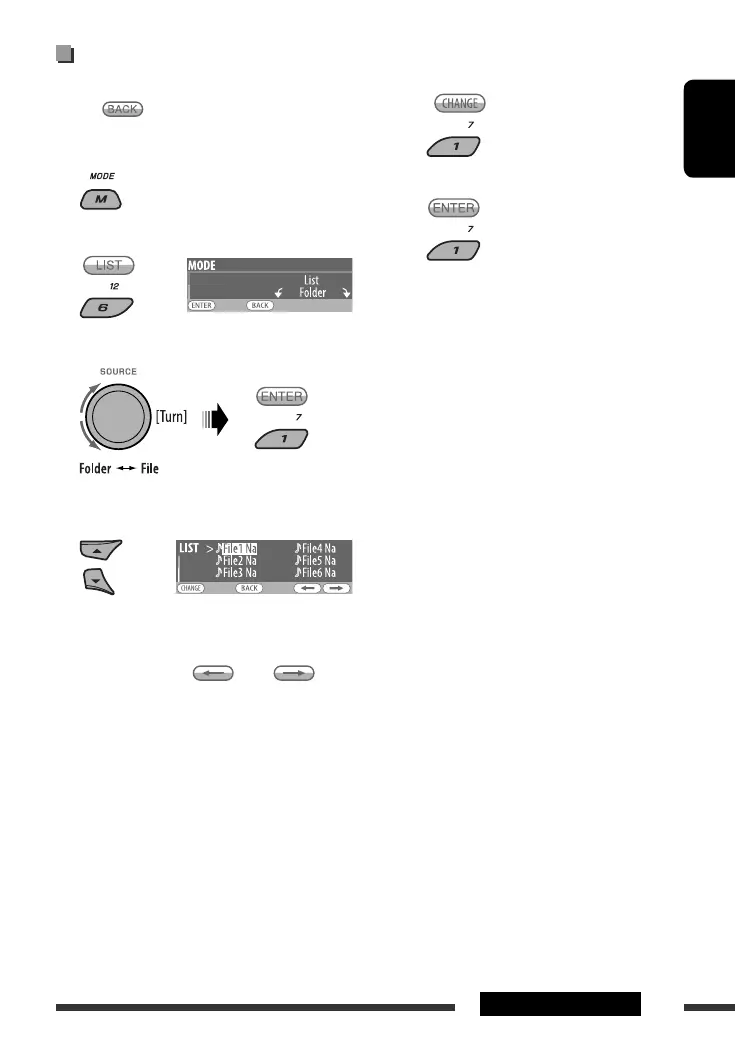
Selecting a folder/track on the list
(only for MP3/WMA/WAV file)
• When is shown on the display, you can move
back to the previous screen by pressing number
button 3.
1
2
Select “LIST.”
3 Select the list type.
4 Select an item.
• You can move to the other lists by pressing
number button 5 ( ) or 6 ( )
repeatedly.
Ex.: When “File” is selected in step 3
EN10-17_KD-ADV8490[J]_1.indd 17EN10-17_KD-ADV8490[J]_1.indd 17 3/11/08 10:34:26 AM3/11/08 10:34:26 AM



 To Next Page