ENGLISH
36
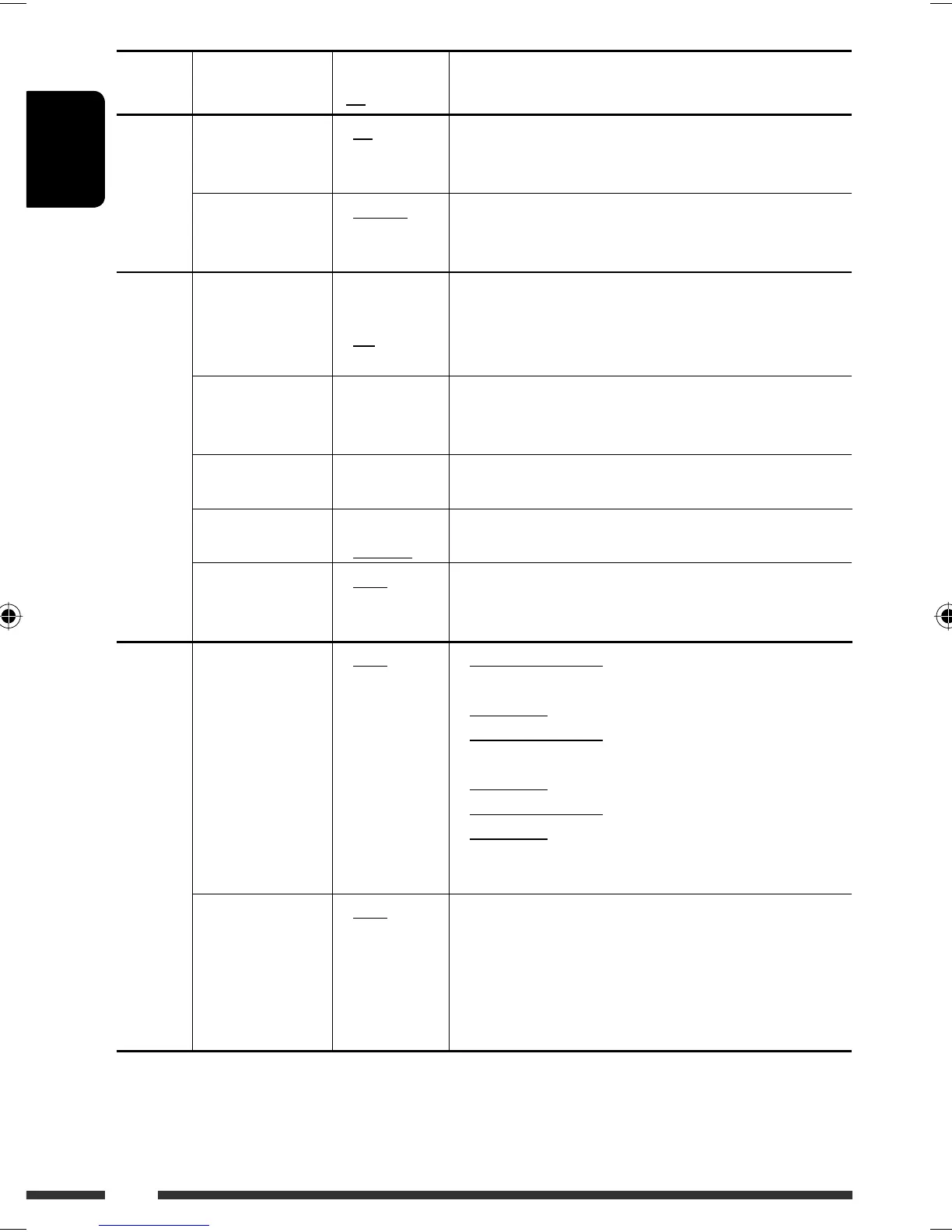
Category Indication Item
( : Initial)
Setting, [reference page]
MOVIE
Demo
Display
demonstration
• On
• Off
: Display demonstration will be activated automatically if no
operation is done for about 20 seconds, [6].
: Cancels.
LevelMeter
Audio level meter
• Meter 1
• Meter 2
• Meter 3
: Select the different level meter patterns.
• Press D DISP to show the selected level meter.
CLOCK
Clock Disp *
1
Clock display
• On
• Off
: Clock time is shown on the display at all times when the
power is turned off.
: Cancels; pressing D DISP will show the clock time for about
5 seconds when the power is turned off, [6].
Clock Hr
Hour adjustment
0 – 23
(1 – 12AM/
1 – 12PM)
: Initial: 0 (0:00AM), [6].
Clock Min
Minute adjustment
00 – 59 : Initial: 00 (0:00AM), [6].
24H/12H
Time display mode
• 12Hours
• 24Hours
: See also page 6 for setting.
Clock Adj
Clock adjustment
• Auto
• Off
: The built-in clock is automatically adjusted using the CT
(clock time) data in the RDS signal.
: Cancels.
DISPLAY
Scroll *
2
Scroll
• Once
• Auto
• Off
: For track information: scrolls the track information only
once.
For DAB text: scrolls the detailed DAB text.
: For track information: repeats the scroll (in 5-second
intervals).
For DAB text: scrolls the detailed DAB text.
: For track information: cancels.
For DAB text: shows only headline if any.
• Pressing D DISP for more than one second can scroll the
display regardless of the setting.
Dimmer
Dimmer
• Auto
• Off
• On
• Time Set
: Dims the display when you turn on the headlights.
: Cancels.
: Dims the display and button illumination.
: Set the timer for dimmer, [39].
Any hour – Any hour
From – To *
3
— : Initial: 18 – 7.
*
1
If the power supply is not interrupted by turning off the ignition key of your car, it is recommended to select “Off” to
save the car’s battery.
*
2
Some characters or symbols will not be shown correctly (or will be blanked) on the display.
*
3
Adjustable only when “Dimmer” is set to “Time Set.”
EN34-43_KD-BT1_003A_3.indd 36EN34-43_KD-BT1_003A_3.indd 36 2/2/07 10:13:17 AM2/2/07 10:13:17 AM



 To Next Page