
 To Next Page
R
Rachel PhillipsSep 13, 2025
What does 'Not Support' mean on my JVC Car Receiver?
- Mmichael22Sep 13, 2025
If “NOT SUPPORT” appears on your JVC Car Receiver, the connected phone does not support the Voice Recognition feature.

What does 'Not Support' mean on my JVC Car Receiver?
If “NOT SUPPORT” appears on your JVC Car Receiver, the connected phone does not support the Voice Recognition feature.
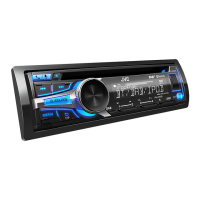
What does 'Chk Antenna' mean on my JVC KD-DB97BT Car Receiver?
If “CHK ANTENNA” appears on your JVC Car Receiver, check the DAB antenna. If a passive antenna (without a booster) is used, set [DAB ANT PWR] to [OFF].
How to improve DAB reception on my JVC Car Receiver?
If you are experiencing poor DAB reception with your JVC Car Receiver, make sure [ON] is selected for [DAB ANT PWR].
Why does 'No Device' or 'Reading' keep flashing on my JVC KD-DB97BT?
If “NO DEVICE” or “READING” keeps flashing on your JVC Car Receiver, switch off the developer options on the Android device. If the issue continues, reconnect the Android device. If this does not solve the problem, the connected Android device does not support [AUTO MODE].
What does 'H/W Error' mean on my JVC Car Receiver?
If “H/W ERROR” appears on your JVC Car Receiver, reset the unit and try the operation again.
Why does 'Loading' appear when searching on my JVC KD-DB97BT Car Receiver?
If “LOADING” appears when you enter search mode by pressing . on your JVC Car Receiver, the unit is still preparing the iPod/iPhone music list. It may take some time to load, so try again later.
Why can't I hear any sound from my JVC Car Receiver?
If you cannot hear any sound from your JVC Car Receiver, first, adjust the volume to the optimum level. If the issue persists, check the cords and connections to ensure they are properly connected.
Why does the sound skip on my JVC KD-DB97BT Car Receiver?
If the playback is intermittent or the sound skips on your JVC Car Receiver, turn off the power saving mode on the Android device.
Why can't I playback in Auto Mode on my JVC KD-DB97BT?
If you cannot playback at [AUTO MODE] on your JVC Car Receiver, make sure JVC MUSIC PLAY APP is installed on the Android device. If it is installed, reconnect the Android device and select the appropriate control mode. If the problem persists, the connected Android device may not support [AUTO MODE].
What does 'Error' mean on my JVC Car Receiver?
If “ERROR” appears on your JVC Car Receiver, try the operation again. If “ERROR” appears again, check if the device supports the function you have tried.
Key safety and operational guidelines to follow before using the product.
Critical warnings about operating functions while driving.
How to connect and begin playing media from CD, USB, iPod, or Android sources.
Step-by-step guide to connect a phone or audio device via Bluetooth for the first time.
Auto-pairing via USB and procedures for answering/rejecting incoming calls.
Solutions for common problems like no sound, wiring, reception, and media playback errors.
Resolving issues with Android playback modes, Bluetooth pairing, and sound interruptions.
Critical safety warnings and the fundamental steps for installing the unit.
Diagrams and explanations for all necessary wiring connections, including ISO terminals.
 General
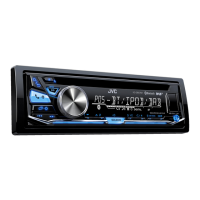
| Brand | JVC |
|---|---|
| Model | KD-DB97BT |
| Category | Car Receiver |
| Language | English |