EasyManua.ls Logo

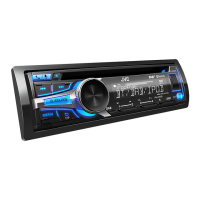
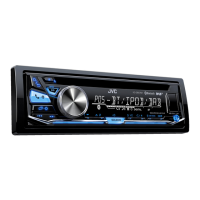
JVC KD-DB97BT - User Manual

JVC KD-DB97BT
88 pages
Print Icon
To Next Page IconTo Next Page
Loading...
Data Size: B6L (182 mm x 128 mm)
Book Size: B6L (182 mm x 128 mm)
ENGLISH
FRANÇAIS
DEUTSCH
B5A-0817-00 [E]
KD-DB97BT
CD RECEIVER
INSTRUCTION MANUAL
RÉCEPTEUR CD
MANUEL D’INSTRUCTIONS
CD-RECEIVER
BEDIENUNGSANLEITUNG
JS_JVC_KD_DB97BT_E_C_00.indd 1JS_JVC_KD_DB97BT_E_C_00.indd 1 12/11/2015 9:56:30 AM12/11/2015 9:56:30 AM

Questions and Answers

  • T
    Terri TranSep 3, 2025
    What does 'Please Wait' mean on my JVC KD-DB97BT?
    • C
      Cassandra MorrisSep 3, 2025
      If “PLEASE WAIT” appears on your JVC Car Receiver, the unit is preparing to use the Bluetooth function. If the message does not disappear, turn off and then turn on the unit, then connect the device again.
  • A
    amandarogersSep 2, 2025
    What does 'Pairing Full' mean on my JVC Car Receiver?
    • D
      Daniel RiveraSep 2, 2025
      If “PAIRING FULL” appears on the display of your JVC Car Receiver, it means that the number of registered devices has reached its limit. To resolve this, retry after deleting an unnecessary device.
  • M
    Mr. Antonio DoyleSep 1, 2025
    What does 'Miswiring Check Wiring Then Pwr On' mean on my JVC KD-DB97BT Car Receiver?
    • S
      Shari BrownSep 1, 2025
      If the message “MISWIRING CHECK WIRING THEN PWR ON” appears on your JVC Car Receiver, turn the power off, then check to be sure the terminals of the speaker wires are insulated properly. After checking the wiring, turn the power on again.
  • F
    freeseAug 31, 2025
    What does 'Cannot Play' mean on my JVC KD-DB97BT?
    • M
      Megan RileySep 1, 2025
      If “CANNOT PLAY” appears on your JVC Car Receiver, make sure the connected Android device contains playable audio files. If it does, try reconnecting the Android device or restarting the Android device.
  • C
    cjenkinsAug 30, 2025
    How to select a source on my JVC Car Receiver?
    • M
      Mark WeeksAug 31, 2025
      If you are unable to select a source on your JVC Car Receiver, check the [SRC SELECT] setting.
  • M
    Michael ToddAug 30, 2025
    Why is the phone sound quality poor on my JVC Car Receiver?
    • R
      rosemorrisAug 30, 2025
      If the phone sound quality is poor when using your JVC Car Receiver, try reducing the distance between the unit and the Bluetooth device. Additionally, move the car to a location where you can get better signal reception.
  • A
    Austin HarrisAug 29, 2025
    How to fix pairing issues with my JVC KD-DB97BT?
    • P
      Pamela SmithAug 29, 2025
      If you are unable to pair your device with the JVC Car Receiver, ensure you have entered the same PIN code on both the unit and the Bluetooth device. If the problem persists, delete the pairing information from both the unit and the Bluetooth device, then perform pairing again.
  • T
    Travis BeardAug 28, 2025
    How to control a Bluetooth device from my JVC KD-DB97BT Car Receiver?
    • V
      Vanessa MorganAug 28, 2025
      If you cannot control the connected Bluetooth audio player with your JVC Car Receiver, verify that the connected Bluetooth audio player supports Audio/Video Remote Control Profile (AVRCP). If it does, disconnect and connect the Bluetooth player again.
  • R
    Robert RobbinsAug 27, 2025
    Why is the radio reception so poor on my JVC Car Receiver?
    • C
      Cody WeberAug 27, 2025
      If you are experiencing poor radio reception with your JVC Car Receiver, ensure the antenna is firmly connected. Static noise while listening to the radio can also indicate a reception problem.
  • D
    David LunaAug 26, 2025
    What to do if disc cannot be ejected from my JVC KD-DB97BT?
    • R
      Rachel JonesAug 27, 2025
      If the disc cannot be ejected from your JVC Car Receiver, press and hold to forcibly eject the disc. Be careful not to drop the disc when it is ejected.

Summary

Getting Started and Initial Setup

Important Usage Instructions

Key safety and operational guidelines to follow before using the product.

Driving Safety Warnings

Critical warnings about operating functions while driving.

Radio Operation

Media Playback

Connecting and Starting Media Playback

How to connect and begin playing media from CD, USB, iPod, or Android sources.

Bluetooth Connectivity

Pairing and Connecting Bluetooth Devices

Step-by-step guide to connect a phone or audio device via Bluetooth for the first time.

Mobile Phone Functions and Call Management

Auto-pairing via USB and procedures for answering/rejecting incoming calls.

Audio and Display Settings

References and Troubleshooting

Troubleshooting Common Issues

Solutions for common problems like no sound, wiring, reception, and media playback errors.

Troubleshooting Android and Bluetooth Problems

Resolving issues with Android playback modes, Bluetooth pairing, and sound interruptions.

Technical Specifications

Installation and Connection

Installation Warnings and Basic Procedure

Critical safety warnings and the fundamental steps for installing the unit.

Wiring Connection Diagrams and ISO Connectors

Diagrams and explanations for all necessary wiring connections, including ISO terminals.

JVC KD-DB97BT Specifications

General IconGeneral
BrandJVC
ModelKD-DB97BT
CategoryCar Receiver
LanguageEnglish

Related product manuals