EasyManua.ls Logo

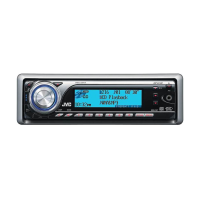
JVC KD-G730 - User Manual

JVC KD-G730
141 pages
Print Icon
To Next Page IconTo Next Page
Loading...
ENGLISHESPAÑOL
FRANÇAIS
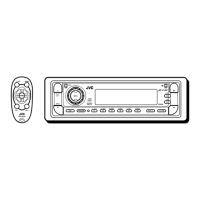
CD RECEIVER KD-AR780/KD-G730
RECEPTOR CON CD KD-AR780/KD-G730
RÉCEPTEUR CD KD-AR780/KD-G730
For canceling the display demonstration, see page 6.
Para cancelar la demostración en pantalla, consulte la página 6.
Pour annuler la démonstration des affichages, référez-vous à la page 6.
For installation and connections, refer to the separate manual.
Para la instalación y las conexiones, refiérase al manual separado.
Pour l’installation et les raccordements, se référer au manuel séparé.
INSTRUCTIONS
MANUAL DE INSTRUCCIONES
MANUEL D’INSTRUCTIONS
GET0433-001A
[J]
For customer Use:
Enter below the Model
No. and Serial No. which
are located on the top or
bottom of the cabinet. Retain
this information for future
reference.
Model No.
Serial No.
Cover_KD-AR780_G730[J]2.indd 1Cover_KD-AR780_G730[J]2.indd 1 1/24/07 11:44:43 AM1/24/07 11:44:43 AM

Questions and Answers

  • A
    Andrea JohnsAug 29, 2025
    Why is JVC Car Stereo System disc sound sometimes interrupted?
    • J
      jessicariveraAug 29, 2025
      If the disc sound on your JVC Car Stereo System is sometimes interrupted, consider the following: - Stop playback while driving on rough roads. - Try changing the disc. - Check the cords and connections.
  • D
    Dr. Lisa Gonzalez DDSAug 30, 2025
    How to play CD-R/CD-RW on JVC KD-G730?
    • D
      Daniel CalhounAug 30, 2025
      To play a CD-R/CD-RW on your JVC Car Stereo System, make sure you insert a finalized CD-R/CD-RW.
  • J
    Johnathan LawrenceAug 30, 2025
    Why does “Please Eject” appear on my JVC KD-G730 display?
    • P
      Paul HernandezAug 30, 2025
      The “Please Eject” message on your JVC Car Stereo System display sometimes appears due to over-heating. Try ejecting the disc or changing to another playback source.
  • B
    becklindseyAug 25, 2025
    How to fix JVC KD-G730 when no sound from speakers?
    • R
      Robert RobinsonAug 25, 2025
      If you cannot hear any sound from the speakers of your JVC Car Stereo System, first, adjust the volume to the desired level. If the sound is still not audible, check the cords and connections to ensure they are properly connected.
  • E
    Erik HughesSep 1, 2025
    Why can't I skip tracks on CD-R/CD-RW on my JVC KD-G730?
    • M
      Marc FitzpatrickSep 1, 2025
      If you cannot skip tracks on a CD-R/CD-RW using your JVC Car Stereo System, finalize the CD-R/CD-RW with the component you used for recording.
  • S
    Scott MooreSep 1, 2025
    What to do if JVC Car Stereo System cannot recognize disc?
    • O
      Oscar GatesSep 2, 2025
      If your JVC Car Stereo System displays “No Disc,” “Loading Error,” or “Eject Error,” try to forcibly eject the disc.
  • T
    Tiffany StewartSep 2, 2025
    What to do if JVC KD-G730 Car Stereo System disc can't be played or ejected?
    • N
      nancynguyenSep 2, 2025
      If the disc in your JVC Car Stereo System can neither be played back nor ejected, try to unlock the disc or eject it forcibly.
  • A
    Anna JacksonSep 3, 2025
    Why is JVC KD-G730 Bluetooth audio skipping?
    • K
      karenwilliamsSep 3, 2025
      If the sound is interrupted or skipped during playback of a Bluetooth audio device on your JVC Car Stereo System: - Reduce the distance between the unit and the Bluetooth audio device. - Disconnect the device connected for “Bluetooth Phone.” - Turn off, then turn on the unit. - If the sound is still not restored, connect the device again.
  • M
    Margaret ChurchSep 3, 2025
    How to fix “Connect Error” on JVC KD-G730?
    • C
      Cynthia CarrilloSep 3, 2025
      If “Connect Error” appears on the display of your JVC Car Stereo System, remove the control panel, wipe the connector, and then reattach it.
  • L
    Lisa PenaSep 4, 2025
    How to stop echo or noise on JVC Car Stereo System?
    • V
      Victoria GreenSep 4, 2025
      If you experience echo or noise on your JVC Car Stereo System, adjust the microphone unit position.

Summary

CD Receiver

How to reset your unit

How to use the M MODE and SEL buttons

How to forcibly eject a disc

Preparation

Cancel the display demonstration and set the clock

Instructions to disable the display demo and configure the unit's clock time.

Basic operations

Using the control panel

Detailed explanation of each button and function on the main control panel.

Using the remote controller (RM-RK50)

Instructions for operating the unit using the included RM-RK50 remote control.

Listening to the radio

Disc operations

Using the Bluetooth devices

Registering a Bluetooth device

Process for pairing and establishing a Bluetooth connection with a device.

Registration (Pairing) methods

Details on different methods for registering Bluetooth devices, such as 'Open' and 'Search'.

Using the Bluetooth cellular phone

Making a call

Using the Bluetooth audio player

Listening to the CD changer

Listening to the satellite radio

Listening to the iPod; D. player

Selecting a track from the menu

Listening to the other external components

Selecting a preset sound mode

Adjusting the sound

Fader;Balance and Subwoofer Adjustments

Adjusting speaker output balance and setting subwoofer parameters.

Volume and Loudness Settings

Modifying input volume levels and enabling loudness for enhanced sound.

General settings-PSM

Bluetooth settings

Connection Settings (Auto Connect, Auto Answer, Message Info)

Configuring automatic connection, call answering, and message notifications.

MIC Setting and Version Information

Adjusting microphone volume and checking Bluetooth software/hardware versions.

Assigning titles

Maintenance

Cleaning Connectors and Discs

Instructions for cleaning the unit's connectors and maintaining disc cleanliness.

Handling New Discs and Discs

Advice on handling new and used discs, including what types to avoid.

More about this unit

Playing a CD-R or CD-RW

Guidelines for playing recordable and rewritable CD formats.

Bluetooth operations

General notes and icons related to Bluetooth device connectivity.

Playing an MP3;WMA disc

iPod or D. player

General Settings-PSM

Notes on PSM settings, especially regarding dimmer and amplifier gain adjustments.

Troubleshooting

Specifications

JVC KD-G730 Specifications

General IconGeneral
Power Output50W x 4
CD PlaybackYes
MP3 PlaybackYes
Radio TunerAM/FM
Aux InputYes
USB PortNo
BluetoothNo
DIN SizeSingle DIN
Detachable FaceYes
Preamp Voltage2.5V
RMS Power Output22W x 4
Peak Output50W x 4
RMS Power Bandwidth20Hz - 20kHz
Sub Preamp OutputYes
iPod CompatibilityNo
Memory Card SlotNo
Satellite Radio ReadyNo
HD RadioNo
CEA-2006 CompliantYes
Display ColorBlue
CD Frequency Response20Hz - 20kHz
Bass/TrebleYes
Equalizer3-band
WMA PlaybackYes
Display TypeLCD
Preamp Outputs2 pairs
Presets18

Related product manuals