SRS
Circle Surround
Auto™
is
made
of
...
SRS
Circle Surround
Auto™
is
a surround
technology specially aimed for car audio, and
it can reproduce S.l-channel sound system
through conventional4-door mounted speaker
system (with
or
without subwoofer.)
2
1
~
..
j-
C
FAD
---.
BAL
J
,SEt.. •
.
..
'\.
VOL~SUB.W
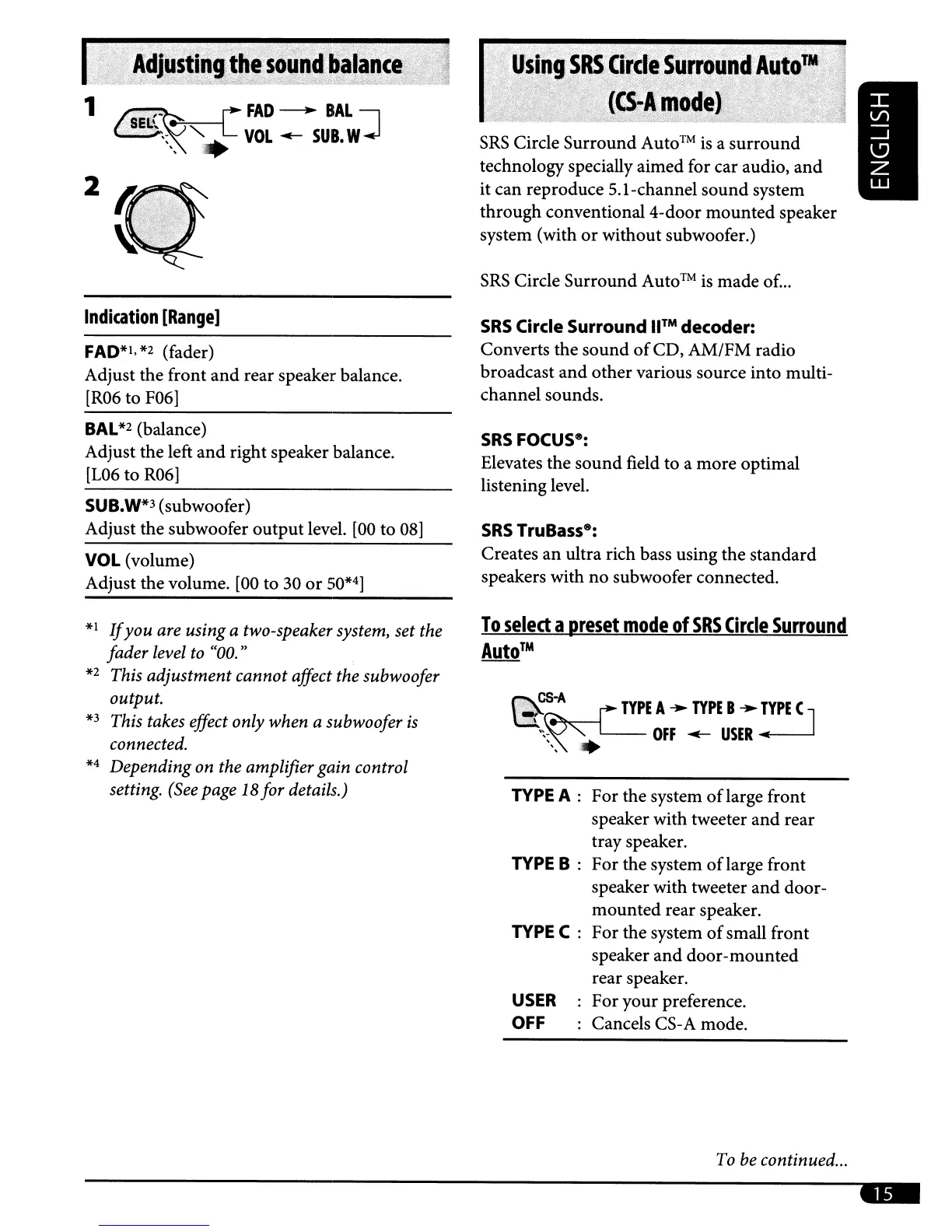
Indication
[Range]
FAD*I,
*2
(fader)
Adjust the front
and
rear speaker balance.
[R06 to
F06]
SRS
Circle Surround
WM
decoder:
Converts the sound
of
CD, AM/FM radio
broadcast and other various source into multi-
channel sounds.
BAL
*2
(balance)
Adjust the left
and
right speaker balance.
[L06
to
R06]
SUB.W*3
(subwoofer)
Adjust the subwoofer outputlevel.
[00
to
08]
VOL
(volume)
Adjust the volume.
[00
to 30
or
SO*4]
SRS
FOCUS8:
Elevates the sound field to a more optimal
listening level.
SRS
TruBass
8
:
Creates
an
ultra rich bass using the standard
speakers with no subwoofer connected.
To
select
a
preset
mode
of
SRS
Circle
Surround
Auto™
~~s-A.
TYPE
A
..
TYPE
B
..
:YPE
( J
'~-.
OFF
~
USER
",
.
*1
If
you
are using a two-speaker system, set the
fader level to "00."
*2
This adjustment cannot affect the subwoofer
output.
*3
This takes effect only when a subwoofer
is
connected.
*4
Depending on the amplifier gain control
setting. (See page
18for details.)
TYPE
A :
TYPE
B :
TYPEC:
USER
OFF
For the system oflarge front
speaker with tweeter
and
rear
tray speaker.
For the system oflarge front
speaker with tweeter and door-
mounted rear speaker.
For the system
of
small front
speaker
and
door-mounted
rear speaker.
For your preference.
Cancels
CS-
A mode.
To
be continued...
..



 To Next Page
 Loading...









