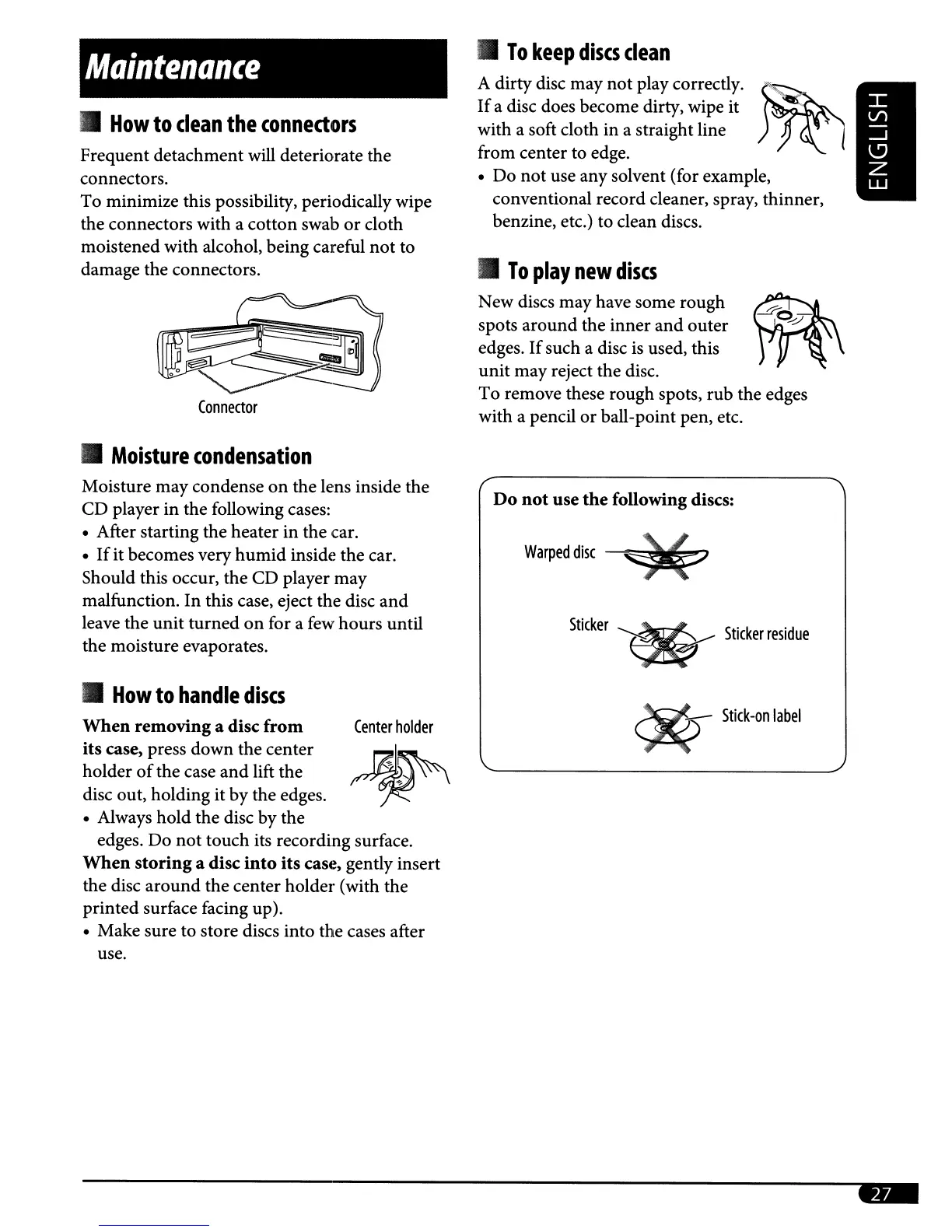
Center
holder
Maintenance
•
How
to
clean
the
connedors
Frequent detachment will deteriorate the
connectors.
To minimize this possibility, periodically wipe
the connectors with a cotton swab or cloth
moistened with alcohol, being careful
not
to
damage the connectors.
•
Moisture
condensation
Moisture may condense
on
the lens inside the
CD player in the following cases:
• After starting the heater in the car.
•
If
it becomes very
humid
inside the car.
Should this occur, the CD player may
malfunction.
In
this case, eject the disc and
leave the unit turned
on
for a
few
hours until
the moisture evaporates.
•
How
to
handle
discs
When
removinga disc
from
its case, press down the center
holder
of
the case
and
lift the
disc out, holding it by the edges.
• Always hold the disc by the
edges. Do
not
touch its recording surface.
When
storing
a disc
into
its case, genrly insert
the disc
around
the center holder (with the
printed surface facing up).
• Make sure to store discs into the cases after
use.
•
To
keep
discs
clean
A dirty disc may
not
play correcrly.
If
a disc does become dirty, wipe it
with a soft cloth in a straight line
from center to edge.
• Do
not
use any solvent (for example,
conventional record cleaner, spray, thinner,
benzine, etc.) to clean discs.
•
To
play
new
discs
New discs may have some rough
spots around the inner and outer
edges.
If
such a disc
is
used, this
unit may reject the disc.
To remove these rough spots, rub the edges
with a pencil or ball-point pen, etc.
Do
not
use
the
following discs:
Warped
disc
-#
Sticker
*
Stickerresidue
~
Stick-on
label



 To Next Page