Selecting
tracks
using
lists
1
2 AV
Menu
~Mode
~Repeat
~Track
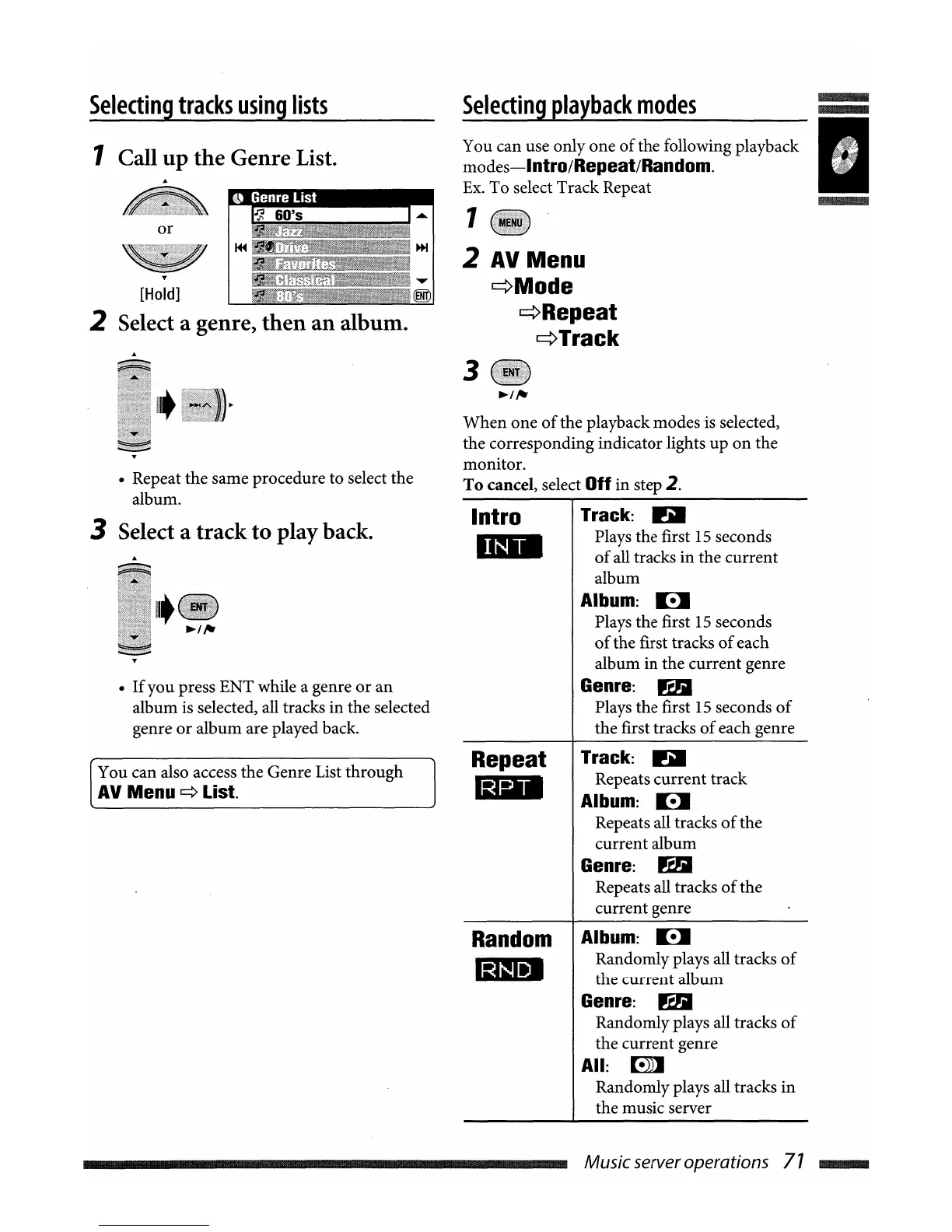
You can use only one
of
the following playback
modes-Intro/Repeat/Random.
Ex.
To select Track Repeat
Selecting
playback
modes
I
....
1"1
60's
or
1 Call
up
the
Genre List.
......
[Hold]
2 Select a genre,
then
an
album.
3
When
one
of
the playback modes
is
selected,
the corresponding indicator lights up
on
the
monitor.
To
cancel, select Off in step 2.
• Repeat the same procedure to select the
album.
3 Select a track
to
play back.
•
If
you press ENT while a genre
or
an
album is selected, all tracks in the selected
genre
or
album are played back.
Intro
mill
Track: D
Plays the first 15 seconds
of
all tracks in the current
album
Album: B
Plays the first
15
seconds
of
the first tracks
of
each
album in the current genre
Genre: rt1i
Plays the first 15 seconds
of
the first tracks
of
each genre
You can also access the Genre List through
AV
Menu
~
List.
Repeat
1mB
Track: D
Repeats current track
Album: B
Repeats all tracks
of
the
current album
Genre: rt1i
Repeats all tracks
of
the
current genre
Random
IDI
Album: B
Randomly plays all tracks
of
the current album
Genre: rt1i
Randomly plays all tracks
of
the current genre
All:
[!))]
Randomly plays all tracks in
the music server
Music serveroperations
71
IIIIIIIIIIIII



 To Next Page