To register another device after you have
registered a device, make sure
New Device
is
selected.
(l@"
[85])
Registering
using
Open
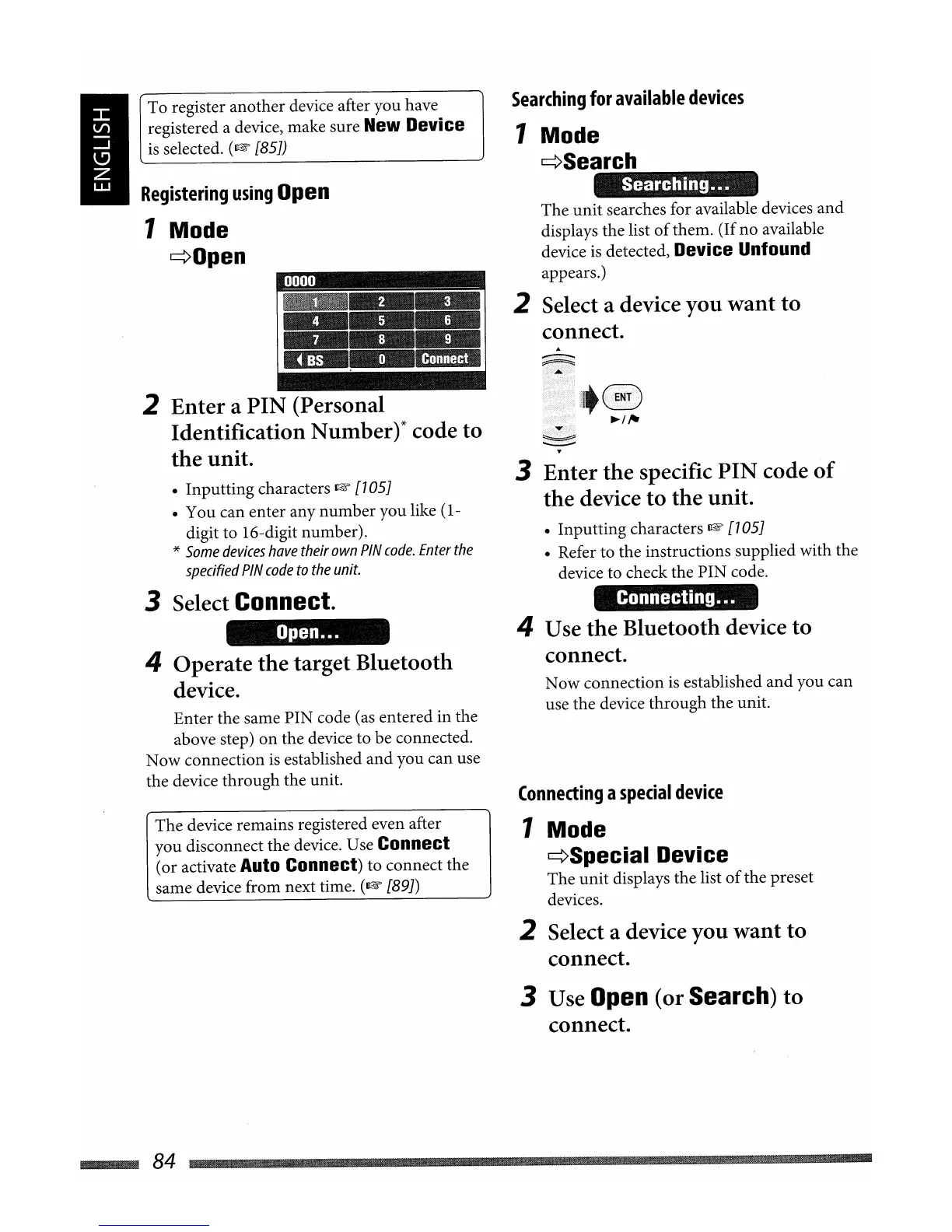
1 Mode
¢Open
2 Enter a PIN (Personal
Identification Number)* code to
the unit.
• Inputting characters
l@"
[705]
• You can enter any number you like (1-
digit to 16-digit number).
*
Some
devices
have
their
own
PIN
code.
Enter
the
specified
PIN
code
to
the
unit.
3 Select Connect.
Open
...
4 Operate the target Bluetooth
device.
Enter the same PIN code (as entered in the
above step)
on
the device to be connected.
Now connection
is
established
and
you can use
the device through the unit.
The device remains registered even after
you disconnect the device. Use
Connect
(or activate Auto Connect) to connect the
same device from next time.
(l@"
[89])
Searching
for
available
devices
1 Mode
¢Search
The
unit
searches for available devices
and
displays the list
of
them. (Ifno available
device
is
detected, Device Unfound
appears.)
2 Select a device
you
want to
connect.
3 Enter the specific PIN code
of
the device
to
the unit.
• Inputting characters
I&'
[705]
• Refer to the instructions supplied with the
device to check the PIN code.
Connecting
.•.
4 Use the Bluetooth device to
connect.
Now connection
is
established
and
you can
use the device through the unit.
Connecting
a
special
device
1 Mode
¢Special
Device
The
unit
displays the list
of
the preset
devices.
2 Select a device you want to
connect.
3 Use Open (or Search) to
connect.
~84


 To Next Page