EasyManua.ls Logo

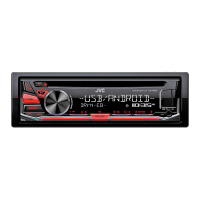
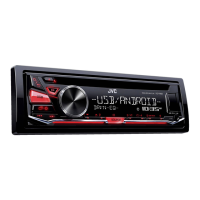
JVC KD-R486 - User Manual

JVC KD-R486
84 pages
Print Icon
To Next Page IconTo Next Page
Loading...
Data Size: B6L (182 mm x 128 mm)
Book Size: B6L (182 mm x 128 mm)
ENGLISH
ไทย
B5A-1350-00 [M]
KD-R681 / KD-R489 / KD-R486 / KD-R481
CD RECEIVER
INSTRUCTION MANUAL
เครื่องเลน CD

JS_JVC_KD_R681_M_C_00.indd 1JS_JVC_KD_R681_M_C_00.indd 1 6/20/2016 4:11:55 PM6/20/2016 4:11:55 PM

Questions and Answers

  • D
    Dakota SmithSep 1, 2025
    Why does 'READING' keep flashing on my JVC Car Receiver?
    • P
      Patricia JoyceSep 1, 2025
      If “READING” keeps flashing on your JVC Car Receiver: * Do not use too many hierarchical levels and folders. * Reload the disc or reattach the USB device.
  • S
    Samantha HarperSep 2, 2025
    What does 'NOT SUPPORT' mean on my JVC Car Receiver?
    • D
      David MillerSep 2, 2025
      If “NOT SUPPORT” appears on your JVC Car Receiver and the track skips, check whether the track is in a playable format.
  • S
    Scott ArcherSep 3, 2025
    Why is the elapsed playing time incorrect on my JVC Car Receiver?
    • W
      williamssteveSep 3, 2025
      If the elapsed playing time is not correct on your JVC Car Receiver, this depends on the recording process earlier.
  • D
    Dennis HansonSep 3, 2025
    Why are correct characters not displayed on JVC Car Receiver?
    • R
      Rhonda MorganSep 3, 2025
      If correct characters are not displayed on your JVC Car Receiver: * This unit can only display uppercase letters, numbers, and a limited number of symbols. * Depending on the display language you have selected, some characters may not be displayed correctly.
  • J
    john34Sep 4, 2025
    What does 'IN DISC' mean on my JVC Car Receiver?
    • C
      Carrie AdamsSep 4, 2025
      If the message “IN DISC” appears on your JVC Car Receiver, make sure nothing is blocking the loading slot when you eject the disc.
  • W
    wallacejohnathanSep 5, 2025
    What does 'PROTECTING SERVICE' mean on JVC KD-R486 Car Receiver?
    • W
      Willie SmithSep 5, 2025
      If the message “PROTECTING SERVICE” appears on your JVC Car Receiver, send the unit to the nearest service center.
  • A
    amanda58Sep 6, 2025
    What does 'PLS LOGIN' mean on my JVC KD-R486?
    • E
      Elizabeth LeeSep 6, 2025
      If the message “PLS LOGIN” appears on your JVC Car Receiver, log in again.
  • G
    georgedavisSep 6, 2025
    What does 'STATION NOT AVAILABLE' mean on my JVC KD-R486?
    • S
      Sarah RothSep 7, 2025
      If “STATION NOT AVAILABLE” appears on your JVC Car Receiver, it means the broadcast from the station is over.

Summary

KD-R681; KD-R489; KD-R486; KD-R481 CD RECEIVER INSTRUCTION MANUAL

BEFORE USE

GETTING STARTED

Initial Setup Procedures

Steps to cancel demonstration, set clock/date, and configure basic system settings.

CD;USB;iPod;ANDROID

Pandora (for KD-R681)

iHeartRadio (for KD-R681)

AUDIO SETTINGS

Equalizer Settings

Detailed configuration of preset, easy, and pro equalizers for sound tuning.

Volume, Gain, and Speaker Output

Adjusting volume, amplifier gain, and configuring speaker output configurations.

DISPLAY SETTINGS

TROUBLESHOOTING

General and Device Troubleshooting

Troubleshooting steps for common issues across different sources like Radio, iPod, and Android.

Pandora and iHeartRadio Troubleshooting

Specific solutions for errors encountered with Pandora and iHeartRadio applications.

INSTALLATION;CONNECTION

Installation Safety and Procedures

Critical safety warnings and step-by-step guides for unit installation.

Wiring Connections Diagram

Detailed guide for connecting the unit's wiring harness to the vehicle's electrical system.

JVC KD-R486 Specifications

General IconGeneral
BrandJVC
ModelKD-R486
TypeCar Receiver
Maximum Output Power50W x 4
RMS Power22W x 4
USBYes
AUX InputYes
MP3 PlaybackYes
WMA PlaybackYes
FLAC PlaybackNo
AAC PlaybackYes
AM/FM RadioYes
RDSYes
Display TypeLCD
Display ColorWhite
Button IlluminationRed
Steering Wheel Control ReadyYes
BluetoothNo
Detachable FaceYes
iPod ControlYes
iPhone ControlYes
Pre-Output Voltage2.5V
Frequency Response20Hz - 20kHz
Signal-to-Noise Ratio80dB
Remote ControlOptional
Pre-Output Impedance10k ohms

Related product manuals