ENGLISH
14
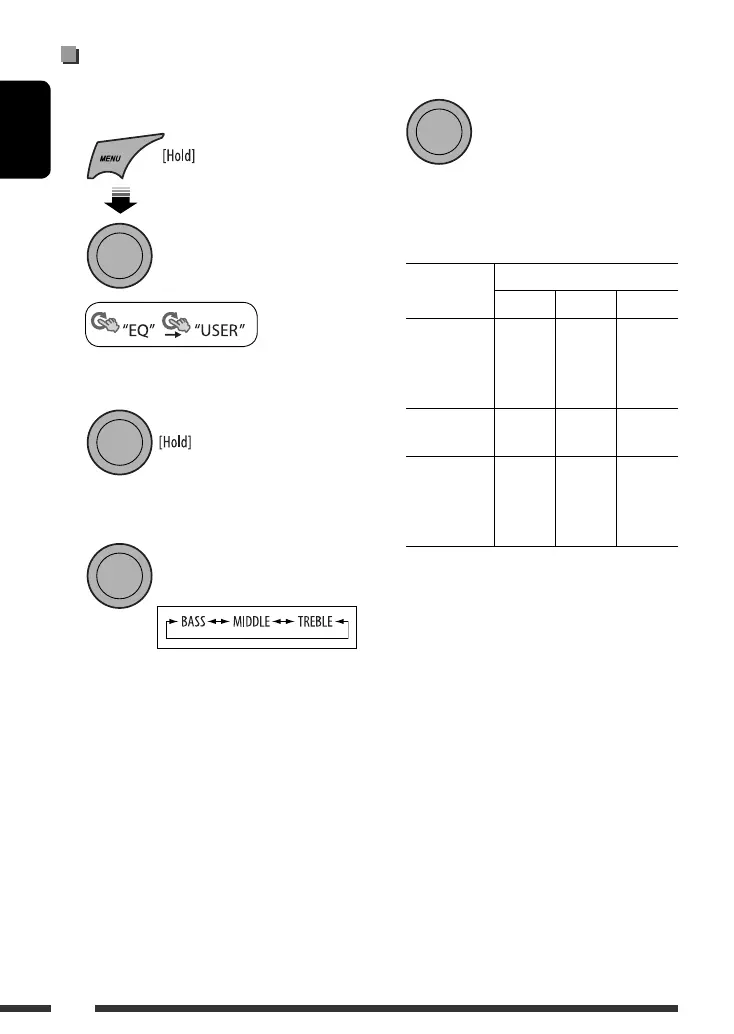
4 Adjust the sound elements of the selected
tone.
1 Adjust the frequency.
2 Adjust the level.
3 Adjust the Q-slope.
Sound
elements
Range/selectable items
BASS MIDDLE TREBLE
Frequency 60 Hz
80 Hz
100 Hz
120 Hz
0.5 kHz
1.0 kHz
1.5 kHz
2.5 kHz
7.5 kHz
10.0 kHz
12.5 kHz
15.0 kHz
Level –06 to
+06
–06 to
+06
–06 to
+06
Q Q0.5
Q1.0
Q1.5
Q2.0
Q0.75
Q1.0
Q1.25
Q1.5
Q0.75
Q1.25
5 Repeat steps 3 and 4 to adjust other sound
characteristics.
The adjustment made will be stored automatically.
Storing your own sound mode
You can store your own adjustments in memory.
1 Select “USER.”
2 While “USER” is shown on the display...
3 Select a tone.
[Turn] = [Press]
[Turn] = [Press]
[Turn] = [Press]
EN10-15_KD-R507[EE]_1.indd 14EN10-15_KD-R507[EE]_1.indd 14 28/10/08 11:54:41 AM28/10/08 11:54:41 AM

 To Next Page
 Loading...