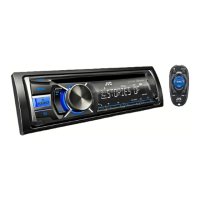
Why does my JVC KD-R721BT display “READING” continuously?
- MMelanie WilliamsSep 3, 2025
If “READING” keeps flashing on the display, a longer readout time is required. Alternatively, turn off the power and then on again, or reattach the USB device.

Why does my JVC KD-R721BT display “READING” continuously?
If “READING” keeps flashing on the display, a longer readout time is required. Alternatively, turn off the power and then on again, or reattach the USB device.
What to do if my JVC KD-R721BT displays “CANNOT PLAY” or “NO USB”?
If “CANNOT PLAY” flashes, or “NO USB” appears, or the unit cannot detect the USB device, check whether the connected USB device is compatible with this unit. You can also try reattaching the USB device.
Why does my JVC Car Receiver display “ERROR CNNCT”?
If “ERROR CNNCT” appears on the display, it indicates that the device is registered but the connection has failed. Use to connect the device again.
Why does my JVC Car Receiver display “ERROR”?
If “ERROR” appears on the display, first, try the operation again. If “ERROR” appears again, check if the device supports the function you have tried.
What to do if my JVC Car Receiver CD-R/CD-RW cannot be played?
If a CD-R/CD-RW cannot be played back, insert a finalized CD-R/CD-RW (finalize it with the component you used for recording).
| MP3 playback | Yes |
|---|---|
| Audio formats supported | MP3, WAV, WMA |
| Tuner type | HS-IV |
| Output power | 200 W |
| Audio output channels | 4.0 channels |
| Maximum power per channel | 50 W |
| I/O ports | USB x 2 AUX-IN |
Essential safety warnings for laser products, general cautions, and proper disposal methods for equipment and batteries.
Procedures for panel detachment/attachment, unit reset, disc ejection, cleaning, and disc handling.
Canceling display demonstration and setting the unit's clock.
Guide to remote controller preparation and basic unit operations and button functions.
Overview of the main unit's controls, terminals, and general button operations.
Tuning stations, improving FM reception, automatic presetting (SSM), PTY Search, and TA reception.
Instructions for playing discs, stopping playback, and ejecting discs.
Selecting tracks, playback modes (repeat/random), and changing display for MP3/WMA files.
Connecting, operating, and cautions for USB devices, including compatibility and file formats.
Overview of Bluetooth, supported profiles, pairing procedures, and connection confirmation.
Managing phone calls, contacts, settings, and using the Bluetooth audio player.
Connecting, controlling, selecting tracks, and navigating menus for iPod/iPhone playback.
Connecting external devices via AUX and selecting/storing sound modes for audio customization.
Navigating menu operations and configuring settings like display, dimmer, and tuner preferences.
Solutions for common issues with playback, connectivity, Bluetooth, and general unit operation.
Detailed technical data for audio, USB, Bluetooth, general hardware, and dimensions.
List of countries where the Bluetooth function is supported and usable.
Loading...