14
ENGLISH
○○○○○○○○○
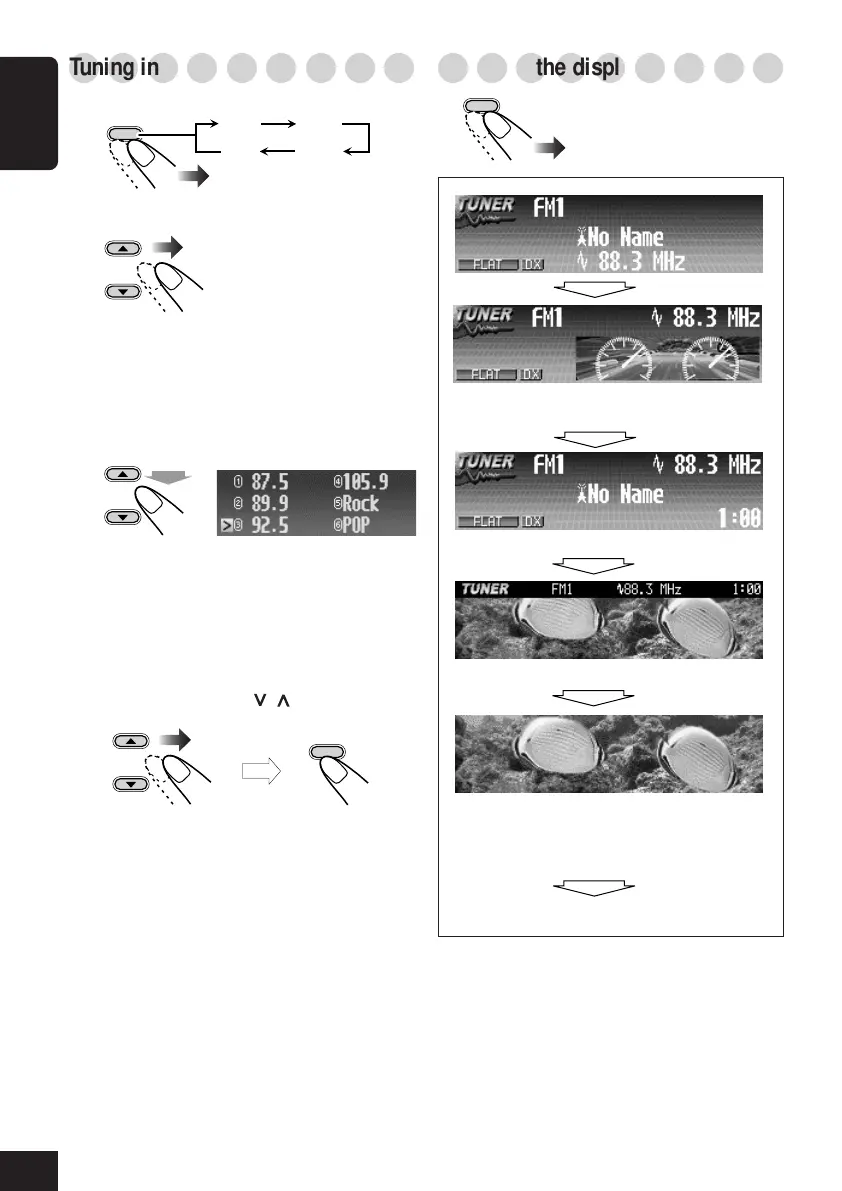
Tuning in to a preset station
1
2
Select a preset number (1 – 6).
To select a preset station using the
Preset Station List
1
While listening to a station...
• Station frequencies or assigned names
(see page 35) of the preset stations are
shown on the list.
2
Select a preset number.
• If the current band is FM, you can move
to the lists of the other FM bands by
pressing 4/¢ (
/ ).
○○○○○○○○○
Changing the display pattern
Clock time is displayed.
A window (see page 33) is displayed.
Goes back to the initial display pattern.
Hold
OK
BAND
BACK
DISP
OK
BAND
FM1 FM2
FM3AM
then
*You can use your edited file for graphic screen
(see pages 26 to 30).
Semi-graphic screen*
Full graphic screen*
(Full graphic screen will be temporarily
changed to the semi-graphic screen when
you operate the unit.)
08-14_KD-SHX705[U]f.p65 4/1/04, 3:20 PM14



 To Next Page
 Loading...










