31
ENGLISH
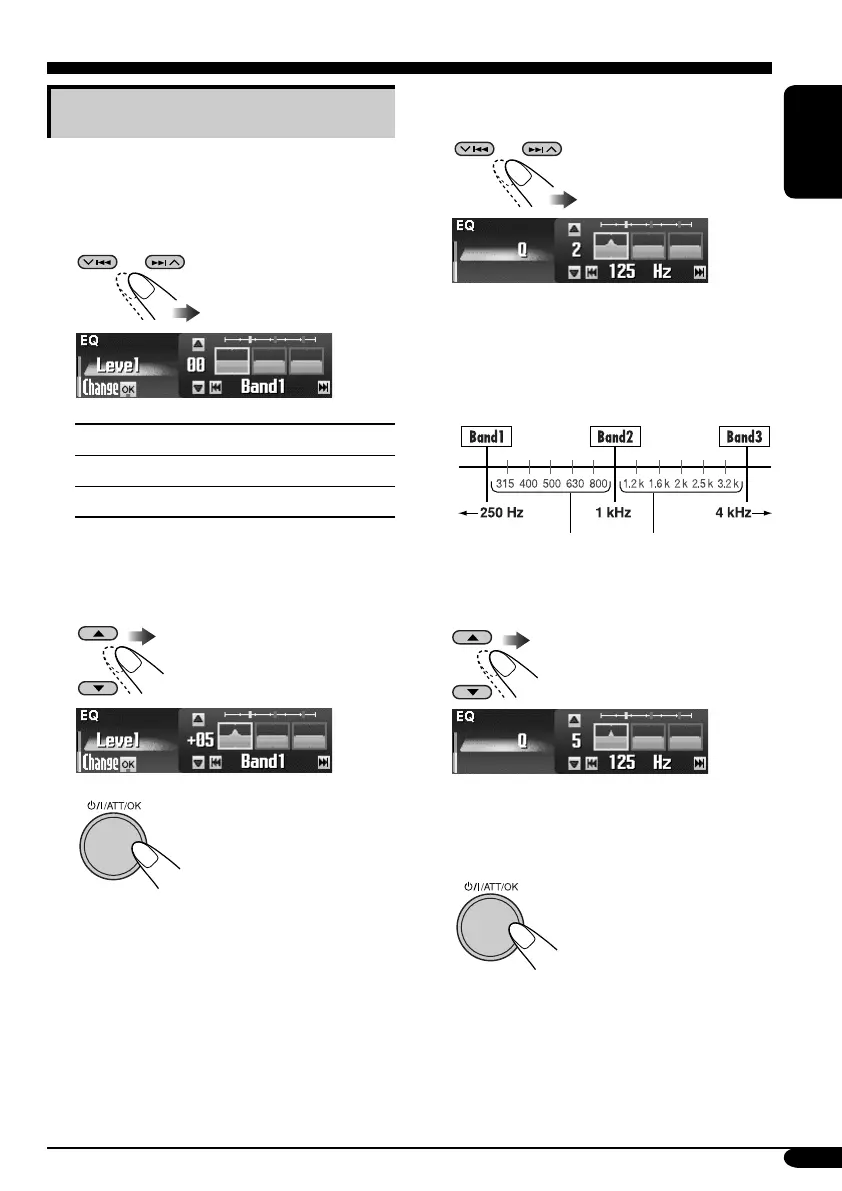
5 Select the frequency (adjustable
between 20 Hz – 20 kHz).
• Band 1/2/3 are required to be preset at
least 5 steps (frequencies) away from each
other. (Only selectable frequencies are
shown on the display.)
Ex.: When “1 kHz” is selected for “Band2”
6 Select the band width (Q)—
0.7/1/2/3/4/5.
• To adjust the other bands, press BACK.
Then repeat steps 2 to 6.
7 Finish the procedure.
• Once you have made adjustments, it is
memorized. The memorized setting is recalled
next time you select Parametric EQ.
Adjusting Parametric EQ
1 Follow steps ~ to ! on page 28.
• In step Ÿ, select “Parametric.”
2 Select the band—Band1/2/3.
Band1:
Low band (20 Hz to 1.2 kHz)
Band2:
Mid band (80 Hz to 5 kHz)
Band3:
High band (315 Hz to 20 kHz)
3 Adjust the enhanced level for the
selected band within the range of –10
to +10.
4
Not selectable
EN25-31_KD-SHX851[EX_EU]f.indd 31EN25-31_KD-SHX851[EX_EU]f.indd 31 05.4.11 1:23:17 PM05.4.11 1:23:17 PM



 To Next Page
 Loading...









