41
ENGLISH
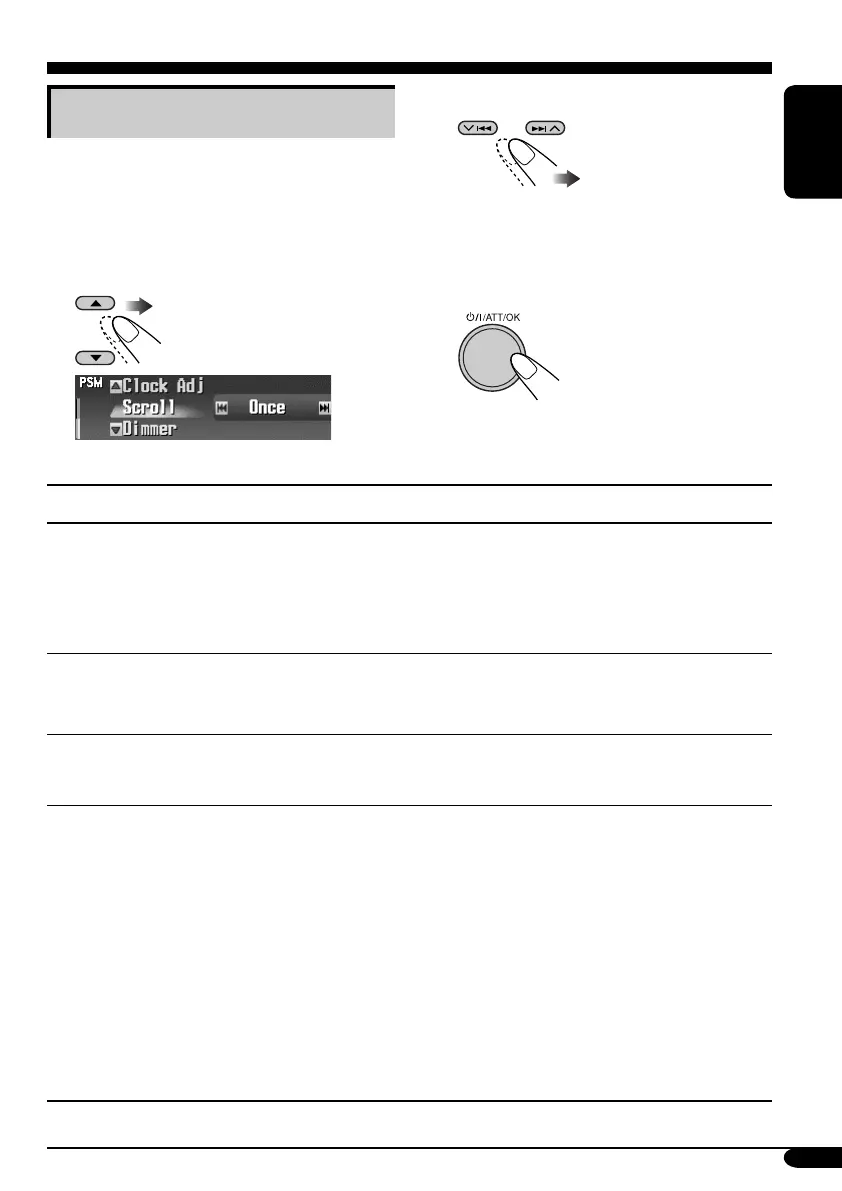
3 Adjust the setting.
4 Repeat steps 2 and 3 to adjust the
other PSM items if necessary.
5 Finish the procedure.
General settings — PSM
Basic procedure
You can change PSM (Preferred Setting Mode)
items listed in the table that follows.
1 Enter the PSM menu (see page
5).
2 Select a PSM item.
Ex.: When “Scroll” is selected
Indications Selectable settings, [reference page]
Demo/Link
Display
demonstration
Demo: [Initial]; Display demonstration (animation) appears.
ImageLink: To show a still image while playing back an
MP3/WMA track, [17, 19, 58].
Off: Cancels.
• These graphics appear if no operation is done for about 45 seconds.
WallPaper
Wall paper
You can select the background screen of the display window.
Standard 1 [Initial] O Standard 2 O Standard 3
O (back to the beginning)
LevelMeter
Audio level meter
You can select the level meter.
Meter1 [Initial] O Meter2 O Meter3 O (back to the beginning)
• Press DISP repeatedly to show the selected level meter.
PICT
Pictures
You can activate the graphic screen using either movie or picture, [40].
Select the picture size first.
Large: [Initial]; 256 x 64 pixel (full screen size)
Small: 64 x 64 pixel (CD jacket image)
After select the picture size, you can select one of the following items
separately for “Large” and “Small.”
Picture: [Initial]; One of your edited still images stored in
“Picture” is activated.
Slideshow: All stored still images are activated and shown in
sequence (UserSlide).
Movie: Your edited animation stored in “Movie” is activated.
• Press DISP repeatedly to show the selected graphics.
To be continued....
EN41-48_KD-SHX851[EX_EU]f.indd 41EN41-48_KD-SHX851[EX_EU]f.indd 41 05.4.8 8:51:11 PM05.4.8 8:51:11 PM


 To Next Page
 Loading...










