10
ENGLISH
6
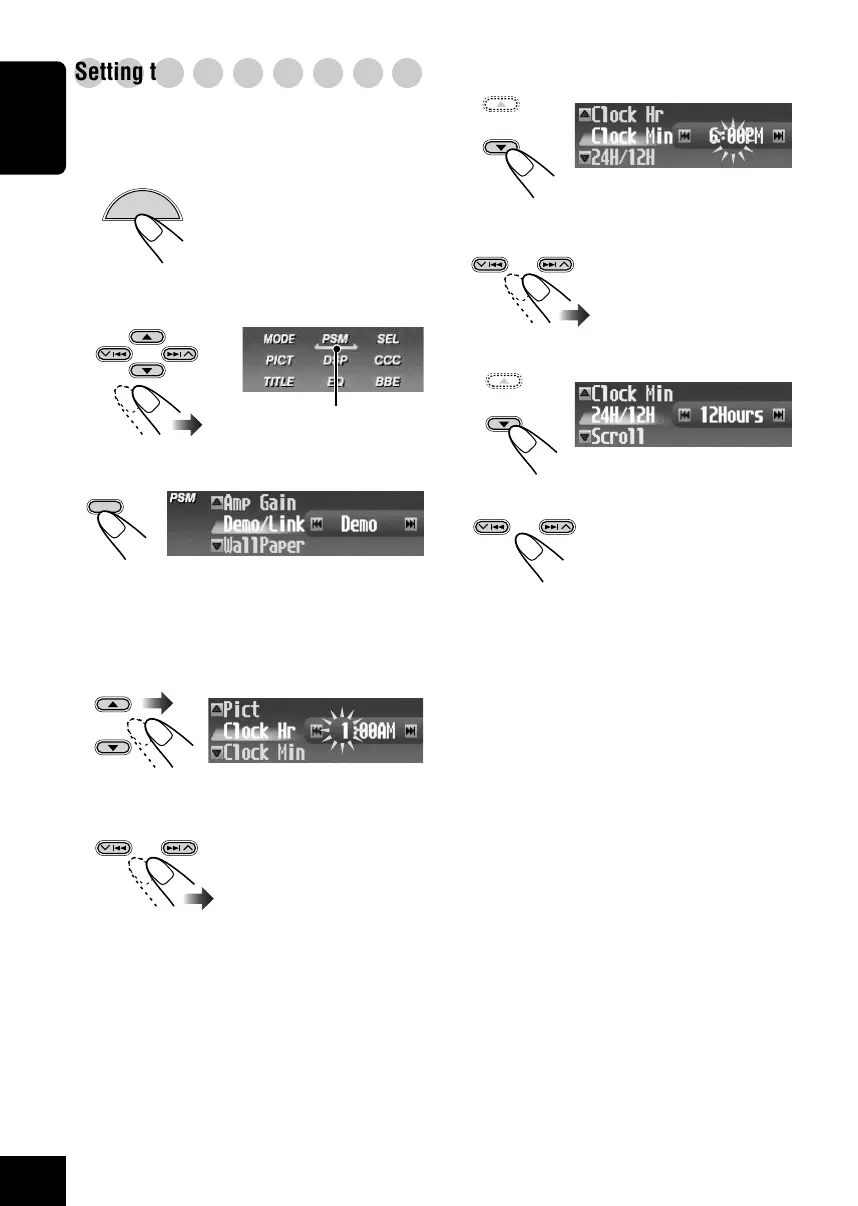
Select “Clock Min.”
7
Adjust the minute.
8
Select “24H/12H.”
9
Select “24Hours” or “12Hours.”
To exit from the Menu operation, press
MENU again.
○○○○○○○○○
Setting the clock
You can also set the clock system to 24 hours or
12 hours.
1
While playing any source...
The Main Menu appears on
the display.
2
Move the cursor to “PSM” on the Main
Menu.
3
Enter the PSM Menu.
The last selected item appears (highlighted)
with the current setting.
4
Select “Clock Hr.”
5
Adjust the hour.
OK
BAND
Cursor
MENU
08-17_KD-SHX900[J]f.p65 04.6.1, 8:30 PM10



 To Next Page
 Loading...








