30
ENGLISH
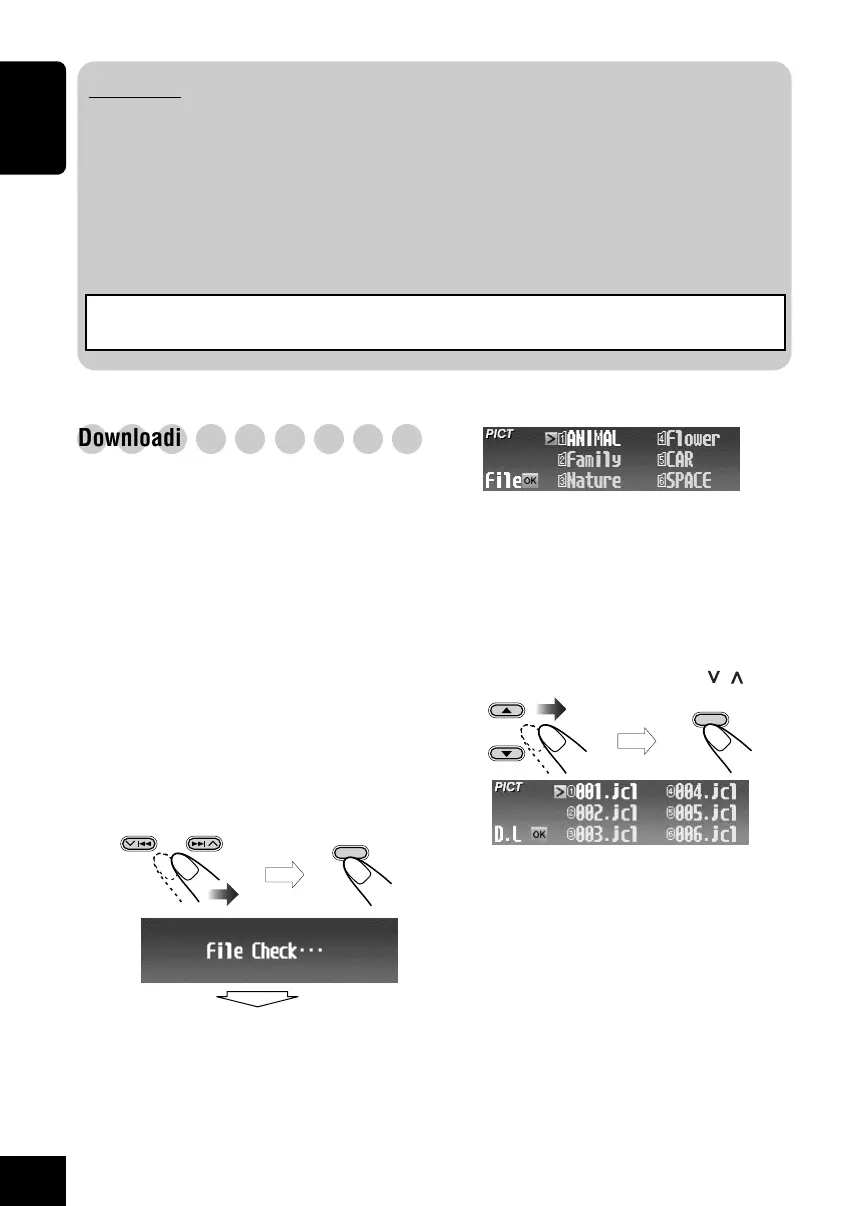
The folder list appears.
• Only the folders including the selected
file type <jcl> or <jca> are shown.
3
Select (highlight) a folder where the file
you want is located.
• If a disc includes more than 6 folders,
you can also display the other lists of
folders by pressing 4/¢ (
/ ).
The file list appears.
○○○○○○○○○
Downloading the files
Download an animation (consisting of 55
frames maximum) or pictures (total of 18 still
images: each one frame—see also page 49)
which can be used for the graphic screen.
• It takes a long time to download an animation.
For details, see page 49.
• To activate the downloaded files, see page 33.
1
Repeat steps
1
to
6
on page 29 (in step
6
select “Download”).
• Downloading is only possible when the
source is “CD.” If any source other than
“CD” is selected, “Download” will not be
shown as a PICT Menu item.
2
Select the file type—either “Picture”
<jcl> or “Movie” <jca>.
OK
BAND
OK
BAND
then
then
IMPORTANT:
• Refer to Image Converter Operation Guide (or Manual) included in the supplied CD-ROM.
• Still images (pictures) should have <jcl>, and animations (movies) should have <jca> as their
extension code in their file names.
• Before you download or delete the files, observe the following:
– Do not download a file while driving.
– Do not turn off the ignition key of the car while downloading or deleting a file.*
– Do not detach the control panel while downloading or deleting a file.*
* If you do it, the file download or deletion will not be done correctly.
Note: The picture quality of the downloaded animation (movie) file may decrease when it is
shown on the receiver's display (compared to its quality on the PC).
29-33_KD-SHX900[J]f.p65 04.6.1, 8:30 PM30



 To Next Page
 Loading...








