EasyManua.ls Logo

JVC KS-F350R - User Manual

JVC KS-F350R
122 pages
Print Icon
To Next Page IconTo Next Page
Loading...
FSUN3101-311
[E]
INSTRUCTIONS
BEDIENUNGSANLEITUNG
MANUEL D’INSTRUCTIONS
GEBRUIKSAANWIJZING
KS-FX453R/KS-FX450R
KS-F353R/KS-F350R
CASSETTE RECEIVER
CASSETTEN-RECEIVER
RADIOCASSETTE
RADIO/CASSETTESPELER
ENGLISH
DEUTSCH
NEDERLANDS
FRANÇAIS
For installation and connections, refer to the separate manual.
Angaben zu Einbau und Verkabelung entnehmen Sie bitte der gesonderten Anleitung.
Pour l’installation et les raccordements, se référer au manuel séparé.
Zie de afzonderlijke handleiding voor details aangaande het installeren en verbinden van het
toestel.
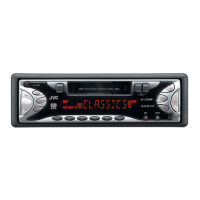
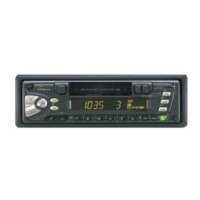
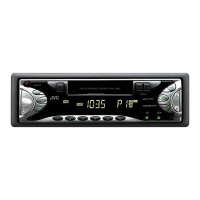
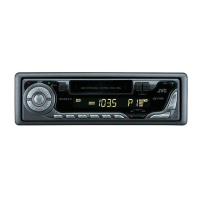
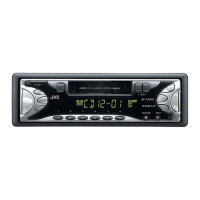
KS-FX450R
KS-FX453R
40Wx4
CD CHANGER CONTROL
AM
CD-
CH
FM
SOUND
PTY
SSM
PROG
TP
RDS
789101112
/I ATT
MO/FIND
DISP
SEL
KS-FX453R
40Wx4
DETACHABLE CONTROL PANEL
AM
TP
FM
SOUND
PTY
SSM
PROG
RDS
/I ATT
MO
DISP
SEL
KS-F353R
40Wx4
CD CHANGER CONTROL
AM
CD-
CH
FM
SOUND
PTY
SSM
PROG
TP
RDS
789101112
/I ATT
MO/FIND
DISP
SEL
KS-FX450R
40Wx4
DETACHABLE CONTROL PANEL
AM
TP
FM
SOUND
PTY
SSM
PROG
RDS
/I ATT
MO
DISP
SEL
KS-F350R
KS-F353R
KS-F350R
COVER.453/450/353/350[E]311 99.11.9, 3:22 PM3

Table of Contents

Other manuals for JVC KS-F350R

Questions and Answers

  • R
    richard02Aug 12, 2025
    Why sound cannot be heard from the JVC Car Receiver speakers?
    • R
      Ryan RussellAug 12, 2025
      If you cannot hear sound from the speakers, there are a couple of potential reasons. First, the volume control might be set to the minimum level. In this case, adjust the volume to a more audible level. Second, the connections might be incorrect. Therefore, check the cords and connections to ensure they are properly connected.
  • T
    traceyfergusonAug 16, 2025
    What does “RESET 8” mean on JVC Car Receiver display?
    • C
      Caleb CollinsAug 16, 2025
      If “RESET 8” appears on the display, the unit is not connected to a CD changer correctly. Connect this unit and the CD changer correctly and press the reset button of the CD changer.
  • D
    Dr. Nathaniel Martinez Jr.Aug 20, 2025
    What to do if static noise while listening to the radio on JVC Car Receiver?
    • J
      James BartlettAug 20, 2025
      If you are experiencing static noise while listening to the radio, it might be due to the antenna not being connected firmly. To resolve this, ensure that the antenna is securely connected.
  • S
    Sharon MillerAug 23, 2025
    What to do if sound is sometimes interrupted on JVC Car Receiver?
    • J
      jamesmullinsAug 23, 2025
      If the sound is intermittently interrupted, the connections may not be properly established. Check the cords and connections to ensure they are secure.
  • S
    shellyspenceAug 27, 2025
    What does “NO CD” or “NO DISC” mean on my JVC Car Receiver?
    • N
      Natasha MillerAug 27, 2025
      If “NO CD” or “NO DISC” appears on the display, it could mean that there is no CD in the magazine. In this case, insert CDs into the magazine. Alternatively, the CDs might be inserted incorrectly, so ensure they are inserted correctly.
  • B
    Brian BradleyAug 31, 2025
    Why SSM automatic preset does not work on JVC Car Receiver?
    • W
      William MartinAug 31, 2025
      If the SSM (Strong-station Sequential Memory) automatic preset is not working, it is likely that the signals are too weak. In this case, store stations manually.
  • C
    Carlos RiveraSep 3, 2025
    How to fix low tape sound quality on JVC Car Receiver?
    • C
      Christopher GilbertSep 4, 2025
      If the tape sound is at a very low level and the sound quality is degraded, the tape head might be dirty. Clean it with a head cleaning tape.
  • L
    Lance MullenSep 7, 2025
    What to do if a cassette tape cannot be inserted into JVC Car Receiver?
    • D
      Dominique OwenSep 8, 2025
      If a cassette tape cannot be inserted, you might be trying to insert it the wrong way. Insert the cassette with the exposed tape facing right.

Summary

Basic Operations

Radio Basic Operations

Learn to tune and listen to radio stations.

Storing Stations in Memory

Save favorite radio stations for quick access.

RDS Operations

RDS EON Features

Explore Radio Data System capabilities.

Using Standby Reception

Switch to traffic or favorite programs automatically.

Tape and Sound Adjustments

Adjusting the Sound

Customize bass, treble, and balance.

Control Panel, Maintenance, and Troubleshooting

Troubleshooting

Solve common operational issues.

JVC KS-F350R Specifications

General IconGeneral
TypeCD Receiver
Detachable FaceYes
Channels4
Radio TunerAM/FM
CD PlayerYes
CD TextYes
MP3 PlaybackYes
WMA PlaybackYes
USB PortYes
BluetoothNo
Preset EQYes
DisplayLCD
Remote ControlYes
Auxiliary InputYes
DIN Size1 DIN
Peak Power Output50 Watts
Preset Stations18
Dimensions7 x 2 x 6 inches

Related product manuals