EasyManua.ls Logo

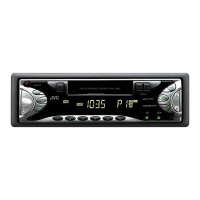
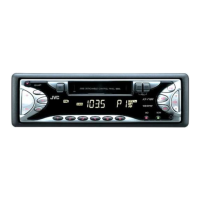
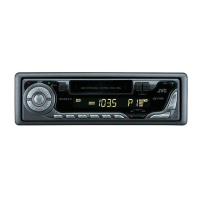
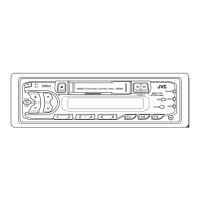
JVC KS-F172 - User Manual

JVC KS-F172
26 pages
Print Icon
To Next Page IconTo Next Page
Loading...
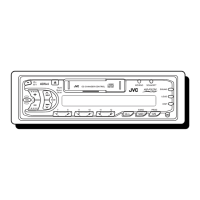
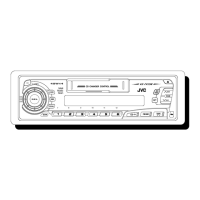
KS-FX222
KS-F172
GET0111-001A
[E/EX]
INSTRUCTIONS
BEDIENUNGSANLEITUNG
MANUEL D’INSTRUCTIONS
GEBRUIKSAANWIJZING
CASSETTE RECEIVER
CASSETTEN-RECEIVER
RADIOCASSETTE
RADIO/CASSETTESPELER
ENGLISH
DEUTSCH
NEDERLANDS
FRANÇAIS
For installation and connections, refer to the separate manual.
Für den Einbau und die Anschlüsse siehe das eigenständige Handbuch.
Pour l’installation et les raccordements, se référer au manuel séparé.
Bijzonderheden over de installatie en aansluiting van het apparaat vindt u in de desbetreffende
handleiding.
KS-FX222
KS-F172
SEL
S.BASS
DISP
SSM
SCMMO/RND
7 9 10 12118
CD-
CH
AM
FM
KS-FX222
CD CHANGER CONTROL
SEL
S.BASS
DISP
SSM
SCMMO
EX
AM
FM
KS-F172
Cover001A.KS-FX222_F172[E]f.p65 10/8/02, 9:03 AM3

Questions and Answers

  • I
    Isabel WoodAug 12, 2025
    Why is there no sound coming from the speakers of my JVC Car Receiver?
    • R
      richard93Aug 12, 2025
      If you cannot hear sound from the speakers, there might be a problem with the connections, so check the cords. It's also possible that the volume level is set too low; try adjusting it. If neither of these solutions work, the built-in microcomputer may be malfunctioning. To resolve this, press and hold both the SEL (select) and buttons at the same time for several seconds to reset the unit.
  • M
    Megan ArmstrongAug 15, 2025
    Why does the “NO CD” appear on the display of my JVC KS-F172?
    • L
      Larry McbrideAug 16, 2025
      The message “NO CD” appears on the display for several reasons. First, make sure CDs are in the magazine and inserted correctly. Also, ensure the magazine is loaded in the CD changer. If you are using a CD changer, verify that the unit is connected to it correctly and press the reset button on the CD changer. If problems persist, the built-in microcomputer may be malfunctioning. To resolve this, press and hold both the SEL (select) and buttons at the same time for several seconds to reset the unit.
  • S
    samanthaperezAug 19, 2025
    Why is the sound sometimes interrupted on my JVC KS-F172?
    • N
      Nicole HansonSep 12, 2025
      Sound interruptions can occur due to several reasons. First, check the cords and connections to ensure they are correct. Also, verify that the volume level is not set to the minimum. If the issue persists, the built-in microcomputer may be functioning incorrectly. Reset the unit by pressing and holding both the SEL (select) and buttons at the same time for several seconds.
  • D
    Douglas CampbellAug 23, 2025
    What to do if the CD changer on my JVC Car Receiver does not work?
    • J
      Juan FrostAug 23, 2025
      If the CD changer isn't working, start by checking if CDs are in the magazine and inserted correctly. Ensure the magazine is loaded in the CD changer. Verify that the unit is correctly connected to the CD changer, and then press the reset button on the CD changer. If the problem continues, the built-in microcomputer may be malfunctioning; try resetting the unit by pressing and holding both the SEL (select) and buttons simultaneously for a few seconds.
  • N
    Nicole HarrisAug 27, 2025
    Why SSM (Strong-station Sequential Memory) automatic preset does not work on my JVC KS-F172 Car Receiver?
    • M
      Meredith ThomasAug 27, 2025
      If the SSM automatic preset isn't working, it could be due to weak signals. In this case, store stations manually. Another possible reason is that the antenna is not connected firmly; make sure to connect it properly.
  • S
    Shane LyonsAug 31, 2025
    What to do if tape sound is at very low level and sound quality is degraded on my JVC Car Receiver?
    • B
      belljoeAug 31, 2025
      If the tape sound is at a very low level and the sound quality is degraded, the tape head may be dirty. Clean it with a head cleaning tape.
  • J
    Jacob Porter Jr.Sep 3, 2025
    What to do if a cassette tape cannot be inserted into my JVC KS-F172 Car Receiver?
    • D
      Don RodriguezSep 3, 2025
      If you cannot insert a cassette tape, it is possible that you are trying to insert the cassette in the wrong way. Insert the cassette with the exposed tape facing right.
  • P
    perry37Sep 7, 2025
    Why do cassette tapes become hot in my JVC KS-F172?
    • M
      Michael BurkeSep 7, 2025
      This is not a malfunction.

Summary

How to reset your unit

BASIC OPERATIONS

Turning on the power

Instructions for powering the unit on and off, including notes on auto-operation.

Setting the clock

Guide to setting the current time on the unit's display and changing display modes.

RADIO OPERATIONS

Listening to the radio

General guidance on how to listen to radio broadcasts, including band selection.

TAPE OPERATIONS

Listening to a cassette

Instructions for playing audio cassettes, including auto-reverse features.

SOUND ADJUSTMENTS

CD CHANGER OPERATIONS

TROUBLESHOOTING

General

Troubleshooting steps for general unit issues like interrupted sound or non-operation.

FM;AM

Troubleshooting specific to radio reception problems like static or SSM errors.

Tape playback

Solutions for issues encountered during cassette playback, such as tape not inserting or poor sound quality.

Only for KS-FX222

Specific troubleshooting for the CD changer function, addressing common error messages.

INSTALLATION

ELECTRICAL CONNECTIONS

Detailed instructions for making all necessary electrical connections, including power, speakers, and antenna.

PRECAUTIONS on power supply and speaker connections

Crucial safety warnings regarding power supply and speaker wiring to prevent damage.

JVC KS-F172 Specifications

General IconGeneral
TypeCar Receiver
Max Power Output50W x 4
RMS Power Output22W x 4
Number of Channels4
TunerAM/FM
CD PlaybackYes
MP3 PlaybackYes
USB PortYes
Aux InputYes
BluetoothNo
Display TypeLCD
DIN SizeSingle DIN
Built-In EqualizerYes
EQ Bands3
Button IlluminationYes
Radio Data SystemYes
Frequency Response20Hz - 20kHz
Weight1.2 kg
Preamp Voltage2.5V
PlaybackMP3

Related product manuals