EasyManua.ls Logo

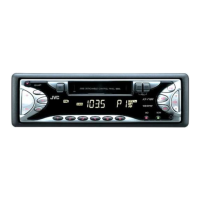
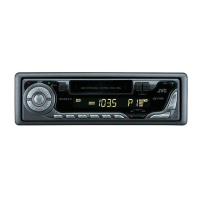
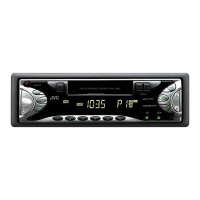
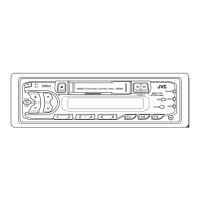
JVC KS-F150 - User Manual

JVC KS-F150
19 pages
Print Icon
To Next Page IconTo Next Page
Loading...
CASSETTE RECEIVER KS-F150
ENGLISH
ESPAÑOL
RECEPTOR-REPRODUCTOR DE
CASSETTE KS-F150
RADIOCASSETTE KS-F150
INSTRUCTIONS
MANUAL DE INSTRUCCIONES
MANUEL DINSTRUCTIONS
For customer Use:
Enter below the Model No. and
Serial No. which are located on
the top or bottom of the cabinet.
Retain this information for future
reference.
Model No.
Serial No.
FSUN3096-631
[J]
For installation and connections, refer to the separate manual.
Para la instalación y las conexiones, refiérase al manual separado.
Pour l’installation et les raccordements, se référer au manuel séparé.
FRANÇAIS
EN00.COVER.KS-FX150[J]/f 99.11.24, 3:29 PM3

Other manuals for JVC KS-F150

Questions and Answers

  • J
    John SpearsAug 17, 2025
    Why can't I hear any sound from my JVC Car Receiver speakers?
    • C
      Cynthia MarshallAug 17, 2025
      If you cannot hear sound from the speakers, there might be a couple of reasons. First, check if the volume control is set to the minimum level and adjust it to a more suitable level. Also, verify that all the cords and connections are correctly and firmly connected.
  • P
    paulnguyenAug 20, 2025
    What to do if the sound is interrupted on my JVC Car Receiver?
    • S
      Samuel ThomasAug 20, 2025
      If the sound from your JVC Car Receiver is being interrupted, the connections might not be secure. Check all cords and connections to ensure they are properly connected.
  • C
    Chelsea BrayAug 23, 2025
    What to do if my JVC Car Receiver does not work at all?
    • W
      Whitney RileyAug 23, 2025
      If your JVC Car Receiver is not working, the built-in microcomputer may be malfunctioning due to noise or other factors. To reset the unit, hold the SEL button and press it for more than 2 seconds. Keep in mind that this will erase the clock setting and preset stations stored in the memory.
  • S
    Sarah McphersonAug 26, 2025
    What to do if no sound from JVC Cassette Player speakers?
    • A
      Amanda MartinezAug 26, 2025
      If you cannot hear any sound from the speakers of your JVC Cassette Player, there might be a couple of things to check. First, make sure the volume control isn't set to the minimum level; adjust it to a suitable listening level. Second, verify that all the cords and connections are correctly and securely connected.
  • K
    kingmaryAug 28, 2025
    Why is my JVC Cassette Player sound interrupted?
    • J
      Jennifer BanksAug 28, 2025
      If the sound from your JVC Cassette Player is intermittently interrupted, the issue might stem from poor connections. Ensure that all cords are securely connected and check for any loose connections.
  • E
    emillerAug 30, 2025
    How to fix static noise on JVC Cassette Player radio?
    • D
      Duane WellsAug 30, 2025
      If you're experiencing static noise while listening to the radio on your JVC Cassette Player, the antenna connection might be the culprit. Ensure the antenna is firmly connected to improve the reception.
  • D
    Dr. Christopher YatesSep 2, 2025
    Why tape sound is low and degraded on JVC Cassette Player?
    • J
      James NorrisSep 2, 2025
      If the tape sound from your JVC Cassette Player is at a very low level and the sound quality is degraded, the tape head might be dirty. Clean it using a head cleaning tape to resolve this issue.
  • C
    Christopher WilsonSep 5, 2025
    How to insert cassette tape in JVC Cassette Player?
    • T
      Terri BrownSep 5, 2025
      If you're having trouble inserting a cassette tape into your JVC Cassette Player, you might be trying to insert it incorrectly. Make sure to insert the cassette with the exposed tape facing right.
  • J
    Jennifer TuckerSep 8, 2025
    How to fix static noise when listening to the radio on my JVC Car Receiver?
    • K
      Kimberly KellySep 8, 2025
      If you are experiencing static noise while listening to the radio, the antenna might not be firmly connected. Ensure the antenna is securely connected.
  • M
    Marc RichSep 12, 2025
    Why is the tape sound low quality on my JVC Car Receiver?
    • G
      gregoryharrisonSep 12, 2025
      If the tape sound is at a very low level and the sound quality is degraded, the tape head may be dirty. Clean it using a head cleaning tape.

Summary

Customer Information

BASIC OPERATIONS

Turn on the power

Instructions for powering the unit on and off, including notes on one-touch operation.

Play the source

Guidance on selecting and playing audio sources like radio or tape.

Adjust the volume

Steps to control the audio output level and momentarily mute.

Adjust the sound

How to fine-tune audio settings like bass and treble.

RADIO OPERATIONS

Listening to the radio

Basic steps for tuning into radio stations, including manual frequency selection.

Storing stations in memory

Methods for saving favorite radio stations using automatic preset (SSM) or manual preset.

Manual preset

How to manually store radio stations into preset numbers for quick access.

Storing favorite stations into the one-touch operation button (EX-extra)

Saving stations to the one-touch EX button for quick recall, even when the unit is off.

Tuning into a preset station

Retrieving stored radio stations using preset buttons or the favorite station button.

Other convenient tuner functions

Advanced radio features like scanning, selecting FM reception sound, and changing channel intervals.

TAPE OPERATIONS

Listening to a tape

Instructions for playing cassette tapes, inserting, selecting direction, and fast-winding.

SOUND ADJUSTMENTS

Turning on;off the loudness function

How to activate or deactivate the loudness feature for enhanced sound at low volumes.

Selecting preset sound modes

Choosing pre-defined audio equalization settings for different music genres.

Adjusting the sound

Customizing bass, treble, and speaker balance using the SEL button and volume controls.

Storing your own sound adjustments

Saving personalized sound settings (bass, treble, loudness) into memory.

OTHER MAIN FUNCTIONS

Setting the clock

Steps to set the unit's internal clock time and change display modes.

Detaching the control panel

Instructions for removing and reattaching the detachable control panel for security.

MAINTENANCE

To extend the lifetime of the unit

Tips for cleaning tape heads and keeping tapes in good condition to ensure longevity.

How to reset your unit

Procedure to reset the unit's microcomputer and memory, erasing preset adjustments.

TROUBLESHOOTING

Troubleshooting common issues

A guide to diagnosing and resolving common operational problems with causes and remedies.

SPECIFICATIONS

Audio Amplifier Section

Technical details of the audio amplifier, including power output and frequency response.

Cassette Deck Section

Technical details of the cassette playback mechanism, including wow & flutter and frequency response.

Tuner Section

Technical details of the radio tuner, including frequency ranges and sensitivities.

General

General technical information including power requirements, dimensions, and operating temperature.

JVC KS-F150 Specifications

General IconGeneral
BrandJVC
ModelKS-F150
CategoryCar Receiver
LanguageEnglish

Related product manuals