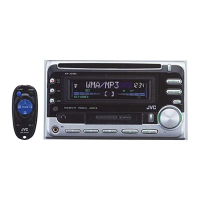
Remote controller
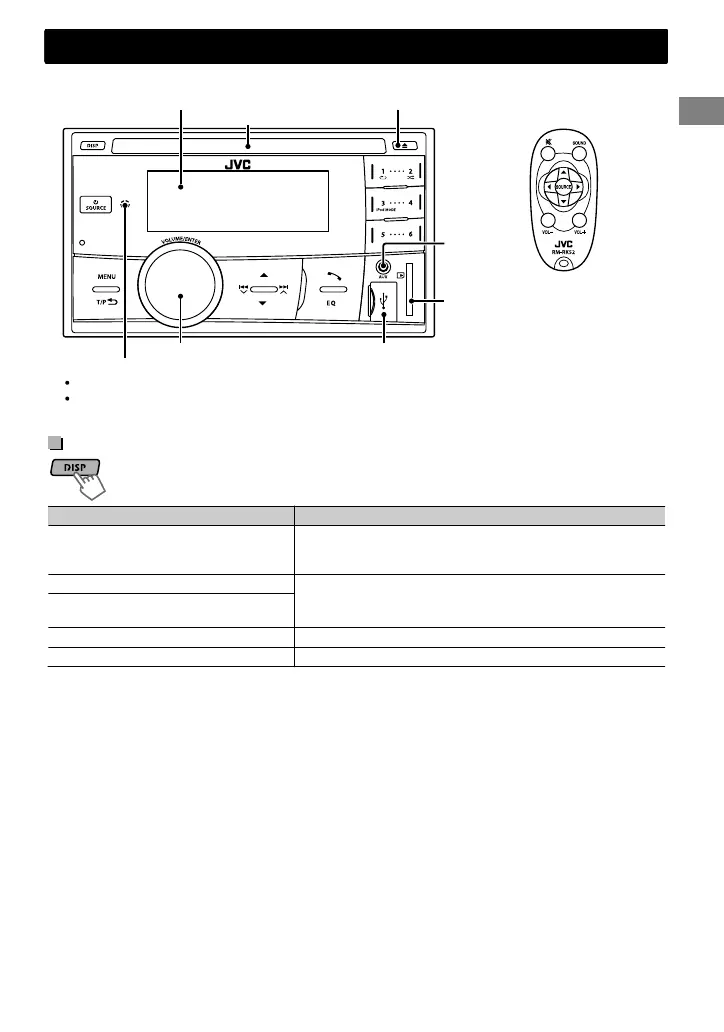
USB input terminal
DO NOT expose to bright sunlight.
Remote sensor
Ejects the disc
Display window
Control dial
Loading slot
Control panel
Aim the remote controller directly at the sensor.
SD card slot
AUX input
jack
Display information
Changes the display information. (Press)
Scrolls the current display information. (Hold)
Source Display (Normal display pattern)*1
Radio Non-Radio Data System station: Frequency
FM Radio Data System station: Programme type (PTY)/
Frequency/Station name (PS)
CD/USB/SD/Bluetooth Audio Track title/Album title/Artist*
* “No Name” appears for conventional CDs or if not
recorded.
iPod/iPhone (Headunit Mode/iPod
Mode)
iPod/iPhone (Application Mode) Application Mode
External Components (AUX) Aux In
*1 Display information varies for large font and large clock display patterns.
Basic operations
Basic operations
ENGLISHޓ|
5
2012/1/2ޓ21:44:54KW-SD70BT_E_EN



 To Next Page