EasyManua.ls Logo

JVC KW-XC838 - User Manual

JVC KW-XC838
47 pages
Print Icon
To Next Page IconTo Next Page
Loading...
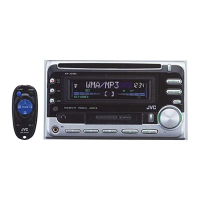
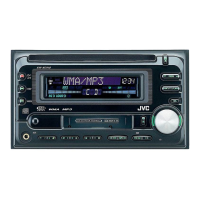
CD/CASSETTE RECEIVER
‡§√◊ËÕ߇≈àπ CD KW-XC838
ENGLISH
LVT0995-001A
[U]
SOUND
VOL
VOL
SOURCE
R
F
U
D
ATT
INSTRUCTIONS
§”·π–π”
For installation and connections, refer to the separate manual.
°√ÿ≥“¥Ÿ§Ÿà¡◊Õ∑’Ë·¬°µà“ßÀ“° „π°“√µ‘¥µ—Èß·≈–°“√‡™◊ËÕ¡µàÕ
‰∑¬
KW-XC838[U]cover 17/12/02, 22:441

Questions and Answers

  • W
    watsonsherryAug 15, 2025
    Why is the sound sometimes interrupted on my JVC Car Receiver?
    • H
      hflowersAug 15, 2025
      Sound interruption may occur due to several reasons: * Poor connections: Ensure all cords are firmly connected. * Low volume: Adjust the volume to an audible level. * Microcomputer malfunction: Press the reset button on the front panel of your JVC Car Receiver. * Incorrect connections: Ensure all cords are correctly connected.
  • S
    Sara JonesAug 18, 2025
    What to do if disc cannot be played back on JVC Car Receiver?
    • C
      Cynthia ThomasAug 18, 2025
      If your JVC Car Receiver is unable to play a disc, consider the following: * Disc Orientation: Ensure the disc is inserted correctly. * Rough Roads: Stop disc playback while driving on rough roads. * Disc Condition: Try a different disc in case the current one is scratched. * Connections: Check the cords and connections. * Disc Insertion: Make sure a disc is in the loading slot. * CD player malfunction: Press and hold both the /ATT and CD 0 buttons at the same time for several seconds. * Interrupted disc: Press CD 0, or press both the /ATT and CD 0 buttons together to clear the message. * CD-R/CD-RW: Change to a finalized CD- R/CD-RW or finalize the CD-R/CD-RW with the component which you used for recording.
  • J
    Justin EvansAug 22, 2025
    Why is my JVC Car Receiver not finding stations with SSM automatic preset?
    • L
      Lisa SparksAug 22, 2025
      If the SSM automatic preset function is not working on your JVC Car Receiver, it could be due to: * Weak signals: Try storing the stations manually. * Antenna connection: Ensure the antenna is firmly connected.
  • D
    Daniel PatelAug 25, 2025
    What to do if a cassette tape cannot be inserted into JVC Car Receiver?
    • M
      Melissa CarterAug 26, 2025
      If you're having trouble inserting a cassette tape into your JVC Car Receiver: * Check the cassette orientation: Insert the cassette with the exposed tape facing right. * Clean the tape head: Use a head cleaning tape to clean it.
  • L
    lindapatelAug 28, 2025
    What to do if my JVC Car Receiver displays “NO FILES” and ejects the disc?
    • T
      Tyler KimAug 28, 2025
      If your JVC Car Receiver displays “NO FILES” and then ejects the disc, it means that there are no MP3 files on the disc.
  • S
    Scott TorresAug 31, 2025
    Why does elapsed playing time is not correct on my JVC Car Receiver?
    • V
      valenzuelaanthonySep 1, 2025
      The elapsed playing time may be incorrect due to how the files are recorded on the disc. This sometimes occurs during playback.
  • C
    collinserikaSep 3, 2025
    What to do if no magazine is in the CD changer of JVC Car Receiver?
    • R
      Richard KingSep 3, 2025
      Insert the magazine.
  • J
    Jerry AndersonSep 7, 2025
    What to do if JVC Car Receiver is not connected to a CD changer correctly?
    • S
      Stephanie HaysSep 7, 2025
      Connect the unit and the CD changer correctly and then press the reset button on the CD changer.
  • C
    Christopher DavisSep 12, 2025
    What to do if the microcomputer in JVC Car Receiver malfunctions due to noise?
    • H
      Heather RogersSep 12, 2025
      Press the reset button on the front panel of your JVC Car Receiver.

Summary

Important Laser Product Precautions

Volume Setting Caution

Cautionary note regarding adjusting volume levels for CD playback.

Unit Reset Procedure

Before Use Safety Guidelines

Control Panel and Display Overview

Remote Controller Functions

Remote Controller Buttons

Detailed description of each button's function on the remote controller.

Remote Controller Preparation and Battery Installation

Basic Operations

Radio Operations

Storing Radio Stations in Memory

Favorite Station and Preset Tuning

Convenient Tuner Functions

CD Operations

Navigating Tracks on a CD

CD Playback Modes

CD Text and Advanced CD Functions

MP3 File Introduction

MP3 File Structure and Playback Order

MP3 Disc Playback

MP3 File Navigation and Display

MP3 Directory and File Skipping

MP3 Playback Modes

Tape Operations

Tape Ejection and Tune Finding

Convenient Tape Functions

Sound Adjustments

Preset Sound Modes

Storing Custom Sound Adjustments

Level Meter Setting

Other Main Functions

General Settings (PSM) Adjustment

Preferred Setting Mode (PSM) Options

Display and Input Settings

Assigning Names to Sources

External Component Operations

CD Changer Operations

CD Changer Track Navigation

CD Changer Playback Modes

Additional Information and Maintenance

Disc Handling and CD-R;RW Precautions

Troubleshooting Guide

General Operation Troubleshooting

Covers issues with sound interruption, no sound, unit not working, and preset problems.

FM;AM Radio Troubleshooting

Addresses static noise and issues with station preset functions.

Disc Playback Troubleshooting

Solutions for discs not playing, sound interruption, "NO DISC" errors, and playback/ejection issues.

MP3 Playback Troubleshooting

Tape and CD Changer Troubleshooting

Specifications

Installation and Connection Manual

In-Dash Mounting Procedure

Step-by-step guide for installing the unit into the dashboard.

Pre-installation Checks and Parts List

Important checks before installation and a list of included parts.

Installation Troubleshooting

Common issues and their solutions related to installation and basic operation.

Electrical Connections and Wiring

Power Supply and Speaker Connection Precautions

Critical warnings about connecting power and speakers to prevent damage.

Lead Connection and Handling

Detailed instructions on connecting wires and handling leads for proper operation.

Adding Other Equipment Connections

Guides for connecting amplifiers and other external audio equipment.

Typical Connection Diagrams

Pre-connection Checks and Sequence

Essential checks before connecting wires and the recommended connection sequence.

Connecting CD Changers and External Components

Specific guidance for connecting CD changers and external devices like MD players.

Nissan Car Installation Example

Illustrates specific installation steps for Nissan vehicles.

Speaker Wiring and Grounding Precautions

JVC KW-XC838 Specifications

General IconGeneral
BrandJVC
ModelKW-XC838
CategoryCar Receiver
LanguageEnglish

Related product manuals