EasyManua.ls Logo

JVC KW-XC770 - User Manual

JVC KW-XC770
38 pages
Print Icon
To Next Page IconTo Next Page
Loading...
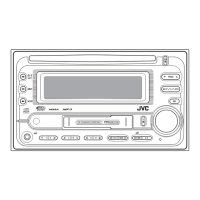
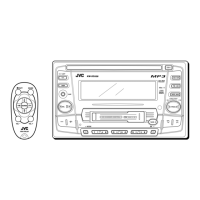
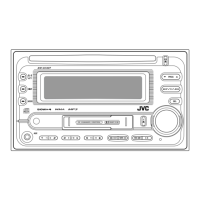
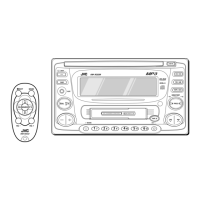
CD/CASSETTE RECEIVER KW-XC770
ENGLISH
ESPAÑOL
RADIOCASSETTE/CD KW-XC770
INSTRUCTIONS
MANUAL DE INSTRUCCIONES
MANUEL D’INSTRUCTIONS
For customer Use:
Enter below the Model No. and
Serial No. which are located on
the top or bottom of the cabinet.
Retain this information for future
reference.
Model No.
Serial No.
LVT0400-001A
[J]
FRANÇAIS
For installation and connections, refer to the separate manual.
Para la instalación y las conexiones, refiérase al manual separado.
Pour l’installation et les raccordements, se référer au manuel séparé.
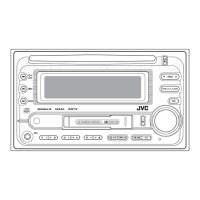
COMPACT
DIGITAL AUDIO
ATT
FUNC
BAND
PROG
PRESET
DISC
DISC
C D
CD-
CH
TAPE
FM/AM
789101112
RPT
MO
RND
B.SKIP
SCAN
EX
SEL
SCM
CD CHANGER CONTROL
D
IS
P
SSM
ATT
/
MULTI MODE SPECTRUM ANALYZER
40Wx4
SCM
DIRECT
SOURCE
SELECT
KW-XC770
DOLBY B NR
RECEPTOR DE CD-CASSETTE KW-XC770
00.COVER.KW-XC770[J] 99.11.24, 2:24 PM3

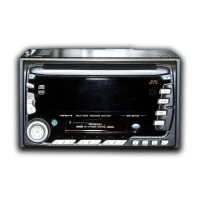
Table of Contents

Questions and Answers

  • D
    David DanielAug 17, 2025
    Why can't I hear any sound from the speakers of my JVC Car Receiver?
    • X
      xgibsonAug 17, 2025
      If you cannot hear sound from the speakers of your JVC Car Receiver, first, check if the volume control is set to the minimum level and adjust it to a more audible level. Also, verify that all cords and connections are correctly connected.
  • R
    ryan73Aug 20, 2025
    Why is the sound sometimes interrupted on my JVC Car Receiver?
    • C
      Colleen BatesAug 20, 2025
      If the sound from your JVC Car Receiver is being interrupted, check the cords and connections to ensure they are properly connected.
  • B
    Bruce LinAug 23, 2025
    What to do if my JVC KW-XC770 Car Receiver does not work at all?
    • T
      Taylor ParkerAug 23, 2025
      If your JVC Car Receiver or CD changer is not working, the built-in microcomputer may be malfunctioning due to noise or other factors. Press the reset button on the front panel.
  • L
    lisa29Aug 26, 2025
    What to do if CD can neither be played back nor ejected on JVC KW-XC770?
    • C
      Cody HurleyAug 26, 2025
      If the CD in your JVC Car Receiver can neither be played back nor ejected, the CD player may be functioning incorrectly. While holding the 0 button for the CD player, press the ATT button for more than 2 seconds. Be careful not to drop the CD when it is ejected.
  • L
    Lisa MillerAug 28, 2025
    What does “RESET 8” mean on my JVC KW-XC770 Car Receiver display?
    • C
      Christopher BushAug 28, 2025
      If “RESET 8” appears on the display of your JVC Car Receiver, this unit is not connected to a CD changer correctly. Connect this unit and the CD changer correctly and press the reset button of the CD changer.
  • D
    david13Aug 30, 2025
    How to fix static noise while listening to the radio on JVC KW-XC770?
    • L
      Lauren MillsAug 31, 2025
      If you are experiencing static noise while listening to the radio on your JVC Car Receiver, make sure the antenna is firmly connected.
  • D
    Danny SimmonsSep 2, 2025
    What to do if CD sound is sometimes interrupted on JVC KW-XC770?
    • C
      Christopher WrightSep 2, 2025
      If the CD sound on your JVC Car Receiver is sometimes interrupted, there might be several reasons: * If you are driving on rough roads, stop CD play. * The CD might be scratched, so try changing the CD. * There may be an issue with the connections; check the cords and connections.
  • J
    janet64Sep 5, 2025
    Why does “NO DISC” appear on the display of my JVC KW-XC770?
    • A
      April RhodesSep 5, 2025
      If “NO DISC” appears on the display of your JVC Car Receiver, it could be due to the following reasons: * There is no CD in the loading slot (or in the magazine), so insert a CD. * The CD is inserted incorrectly; insert it correctly.
  • D
    darrell03Sep 8, 2025
    Why SSM automatic preset does not work on my JVC Car Receiver?
    • D
      Deborah JonesSep 8, 2025
      If the SSM automatic preset is not working on your JVC Car Receiver, it could be because the signals are too weak. In this case, store stations manually.
  • C
    Corey FranklinSep 12, 2025
    Why does “NO MAGAZINE” appear on the display of my JVC KW-XC770 Car Receiver?
    • T
      tracy39Sep 12, 2025
      If “NO MAGAZINE” appears on the display of your JVC Car Receiver, it means there is no magazine in the CD changer. Insert the magazine.

Summary

Manual Instructions

Introductory Information and Safety

Laser Product Safety Precautions

Safety guidelines for operating equipment with laser components.

Unit Reset Procedure

Steps to reset the unit's microcomputer and its implications.

Before Unit Operation

Basic Operations

Power On Procedure

Procedure to power on the unit and initial display.

Source Selection

How to choose between tuner, CD player, tape deck, changer, or external device.

Volume Adjustment

Controlling the audio output level.

Radio Operations

Storing Radio Stations

Automatic Station Preset (SSM)

Automatically stores strongest stations into memory.

Manual Station Presets

Manually saving radio stations to preset channels.

Store Favorite Station to EX Button

Saving a preferred station for one-touch recall.

Tuning Preset Radio Stations

Tune to Favorite Station (EX)

Recalling a preset favorite station.

CD Operations

Playing a CD

Inserting and starting playback of a CD.

Stop and Eject CD

How to stop CD playback and remove the disc.

Tape Operations

Listening to a Tape

Inserting a cassette and starting playback.

Tape Control Functions

Stop and Eject Cassette

How to stop tape playback and remove the cassette.

Sound Adjustments

Select Preset Sound Modes

Choosing from predefined EQ settings like BEAT, SOFT, POP.

Adjusting Sound Characteristics

Storing Custom Sound Settings

Spectrum Analyzer

Other Main Functions

Set the Clock

Procedure to set the internal clock time.

Remote Operations

Using the Remote Controller

CD Changer Operations

Play CDs from Changer

Selecting and playing discs from the CD changer.

External Component Operations

Maintenance

Troubleshooting

Specifications

JVC KW-XC770 Specifications

General IconGeneral
Display TypeLCD
USB Ports1
Radio TunerAM/FM
CEA-2006 compliantYes
Remote ControlYes
Subwoofer OutputYes
DIN SizeDouble DIN
Compatible FormatsMP3, WMA
Peak Output50W x 4

Related product manuals