Setting Up
44
Setting Up
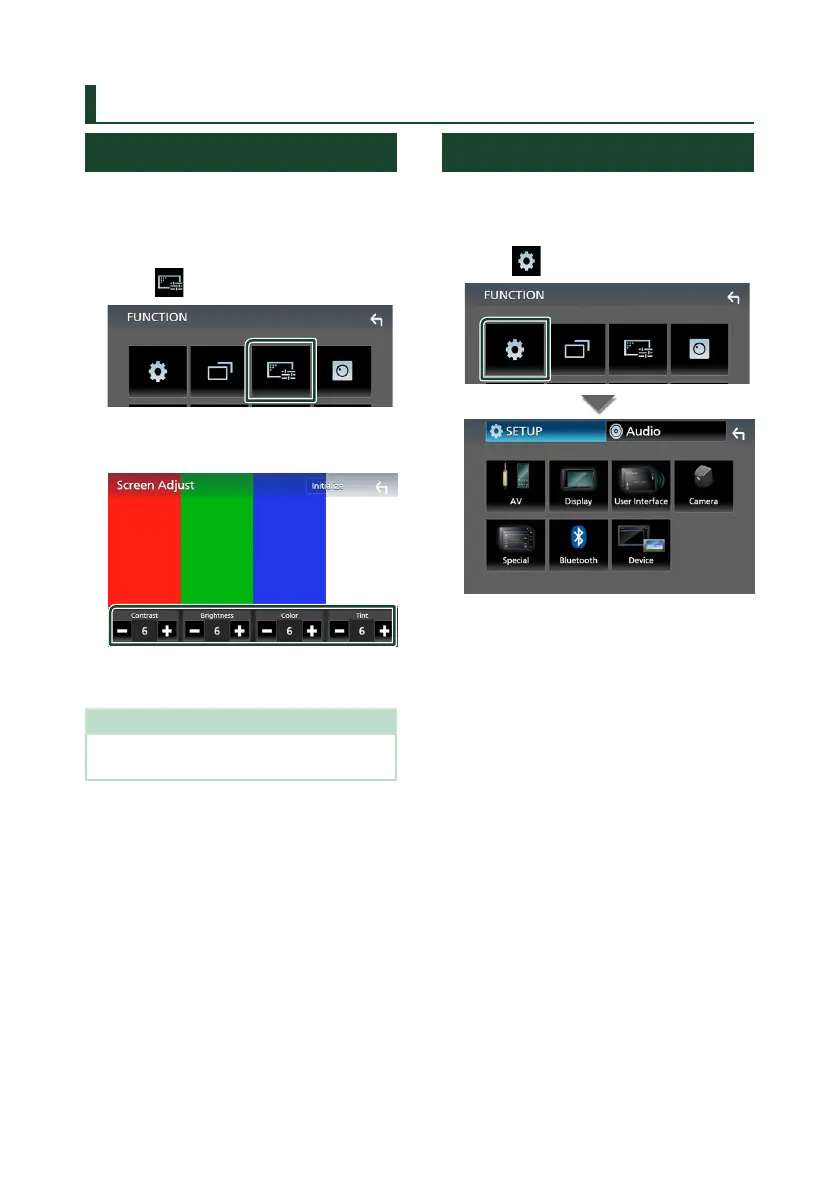
Monitor Screen Setup
You can adjust image quality in video screen.
1
Press the [FNC] button.
FUNCTION screen appears.
2
Touch [ ].
Screen Control screen appears.
3
Adjust each item as follows.
■ [Contrast] / [Brightness] / [Color] / [Tint]
Adjusts each item.
NOTE
• Adjusting items are different depending on the
current source.
System Setup
1
Press the [FNC] button.
FUNCTION screen appears.
2
Touch [ ].
See the following section for each
setting.
• Set up AV (P.47)
• Set up display (P.46)
• Set up the user interface (P.45)
• Set up camera (P.42)
• Set up special (P.45)
• Set up Bluetooth (P.35)
• Set up Device (P.21)
!B5H-0357-03_JVC_KWV_K_En.indb 44 2020/07/09 8:19



 To Next Page
 Loading...






