41
This feature is not available in all countries.
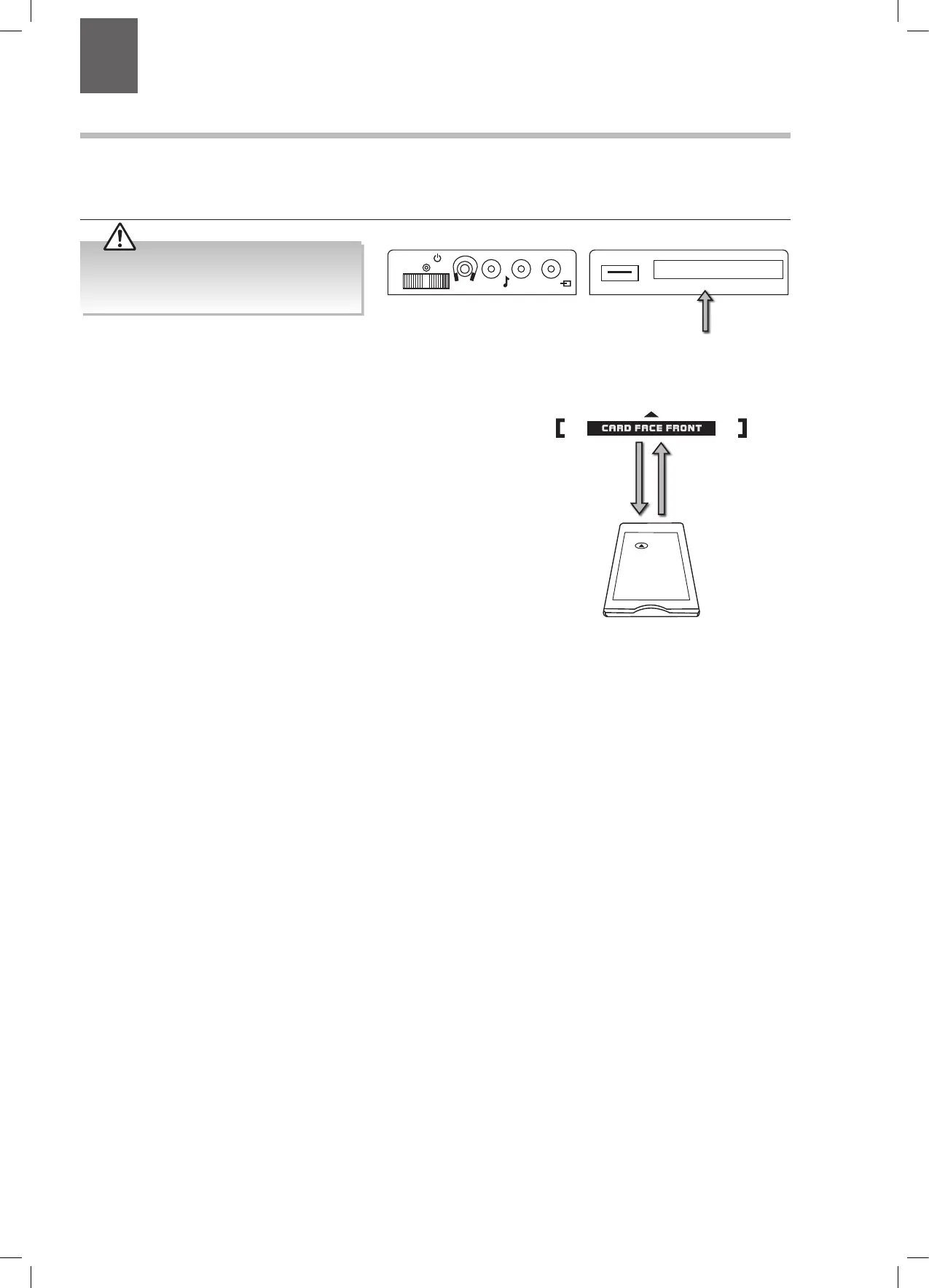
To insert the Common Access Module
1. Before you insert the Common Access Module, ensure that the TV is
switched off and the viewing card is inserted in accordance with the
Service Provider’s instructions.
2. Insert the Common Access Module into the slot. Flip it to the other side
and try again if you feel resistance.
3. Switch the TV on.
To remove the Common Access Module
1. Before you remove the Common Access Module, ensure that the TV is
switched off at the mains.
2. Pull the Common Access Module from the slot.
3. Switch the TV on.
CI (Common Interface) (DTV Mode)
The common interface allows the use of a Common Access Module to enable you to view scrambled (pay-per-view) services. This
is for services that may become available in the future. The Common Access Module and viewing card can be obtained from the
service provider when available.
Common Access
Module
Rear Left Side View of TV
CI (Common Interface)
Allows the Common Access Module to be
inserted and access the content that has
been encrypted.
COMMON INTERFACE
USB
5Vdc
Max. 500mA
LR
MODE - / I
- +
Do not repeatedly insert or remove the
Common Access Module as this may damage
the interface and cause a malfunction.
7 Other Information
Chapter
7
JVC 28' LED Smart HD TV LT-28C680 Manual.indd 41 04/01/2018 09:16


 To Next Page