GB-43
RECORDING AND PLAYBACK (IN DIGITAL TV MODE ONLY)
Trimming the Recorded Programme
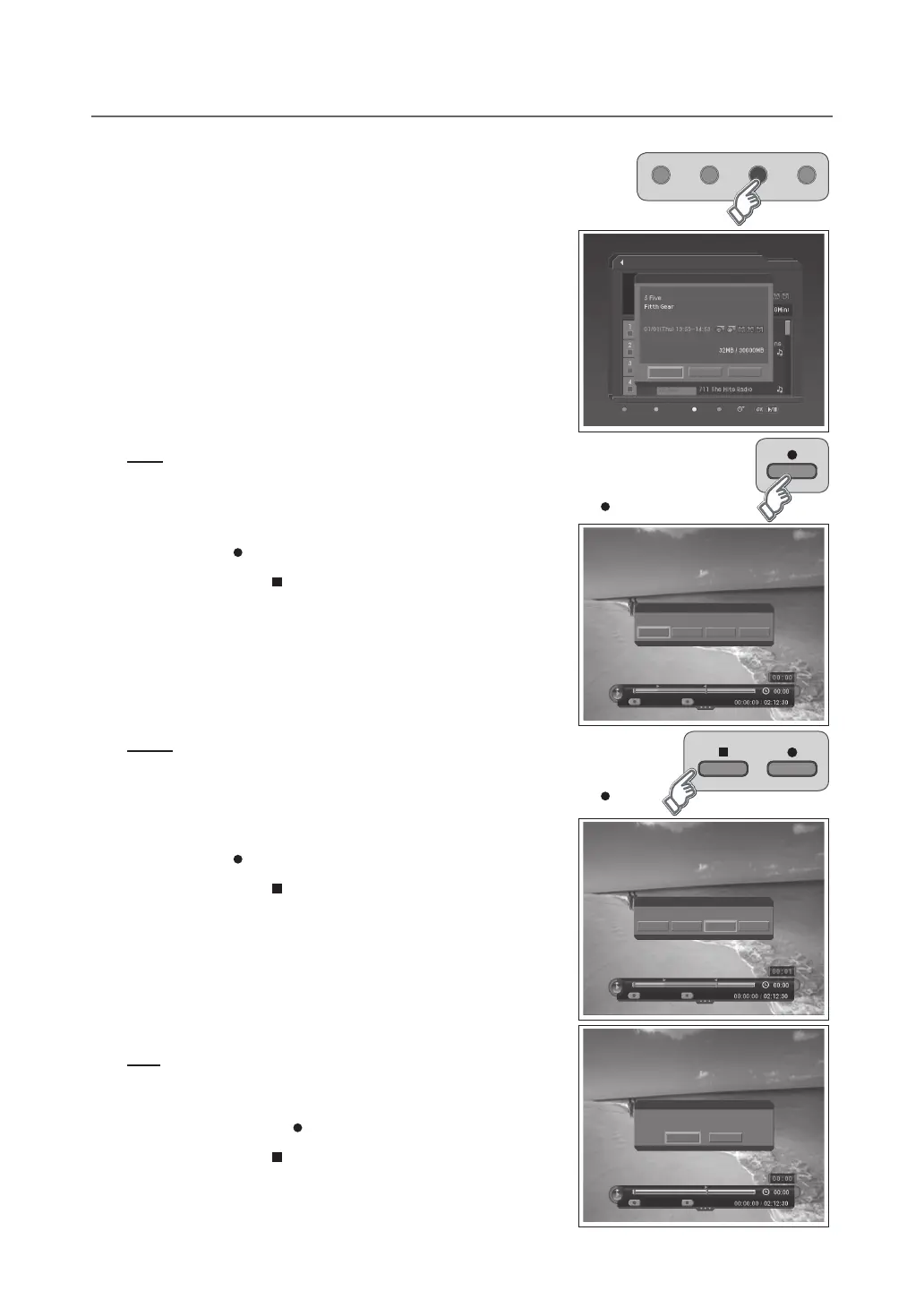
1 Select a programme and press the YELLOW button. A pop-up will appear.
2 Select Trim and press the OK button.
3 You can trim the recorded programme using the following functions.
NOTE:
Whenselectingmultipleprogrammes,Trim
is inactivated.
You can trim recorded TV (Video) channels only.
Save
You can save the selected recording part as a different file.
1 Selectthestartingpointusingthe◄/►buttonandpresstheRECORD ( ) button.
2 Selecttheendingpointusingthe◄/►buttonandpressthe
RECORD ( ) button.
3 Press the STOP ( ) button. A pop-up will appear.
4 Select Save and press the OK button to save the selected part.
5 Select Reset and press the OK button to reset the edit.
WARNING: This function will overwrite the original recording.
Delete
You can delete the selected recording part.
1 Selectthestartingpointusingthe◄/►buttonandpresstheRECORD ( )
button.
2 Selecttheendingpointusingthe◄/►buttonandpressthe
RECORD ( ) button.
3 Press the STOP ( ) button. A pop-up will appear.
4 Select Delete and press the OK button to delete the selected part.
5 Select Reset and press the OK button to reset the edit.
NOTE:
You can select several parts simultaneously.
Afterselectingthepointyouwantusingthe◄/►button,youcanviewthe
scene of the point you select by pressing the OK button.
Split
You can split the recorded programme into separate recordings.
1 Selectthepointyouwanttosplitusingthe◄/►buttonand
press the RECORD ( ) button.
2 Press the STOP ( ) button. A pop-up will appear.
3 Select OK and press the OK button to split the selected point.
▪
▪
▪
▪
Selected Area
Notice
Select an option you wish to carry out.
Cancel Delete ResetSave
Save
Selected Area
Notice
Do you want to split this le?
OK
No
Save
Recorded Programme
Delete Select Edit Sort
Play
Edit
File Size / Used Size
Trim File Cancel
Selected Area
Notice
Select an option you wish to carry out.
Cancel Delete ResetSave
Save



 To Next Page
 Loading...








