Country select
Press on the remote to select the country option, then press OK to conrm.
Select TV mode (Home/Retail)
Home mode is optimized for efficient energy usage for home use.
Retail mode is optimized to store demo with xed settings.
Please be sure in this step, select “Home” if you are using this TV for use at home.
Make sure to conrm once you have selected “Home”.
TM
Chromecast built-in
Select On/Off to make Chromecast built-in available.
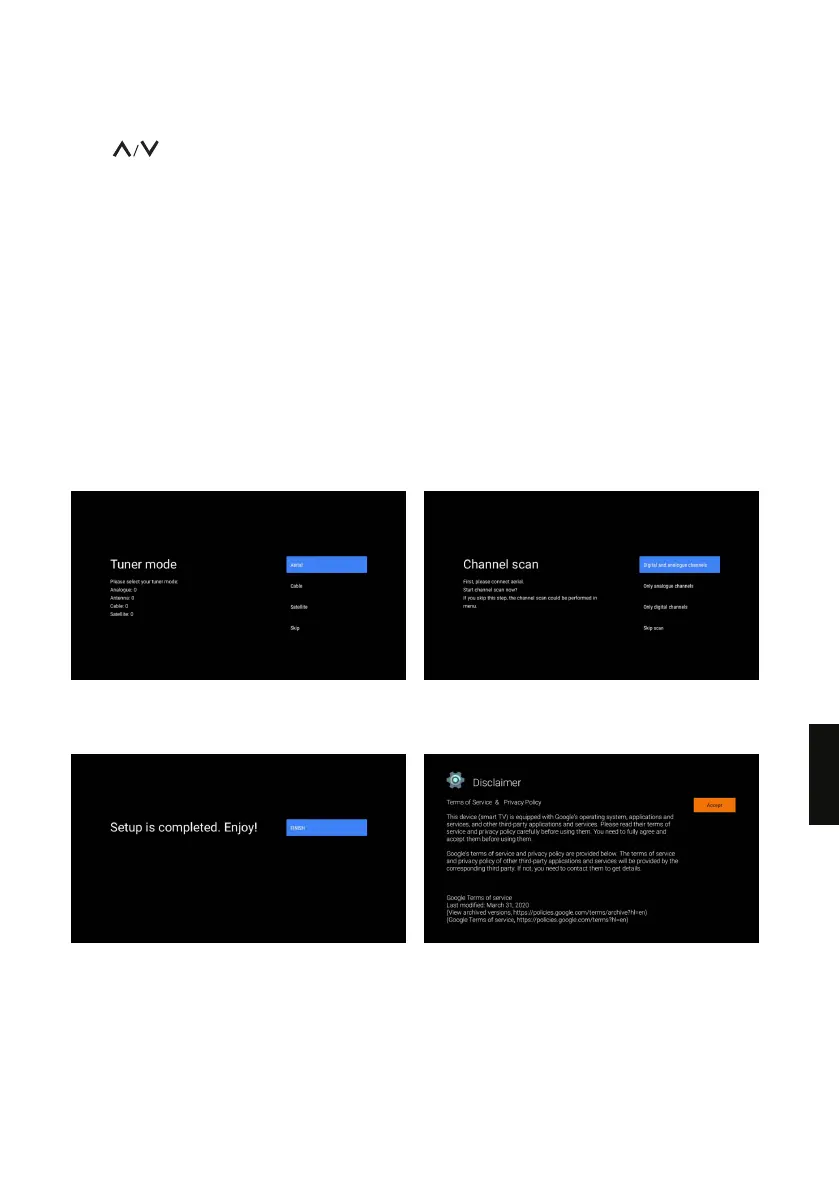
TV Channel Setting
Select Antenna/Cable//Satellite to scan TV channel.
If you select “skip”, the channel scan could be performed in menu.
Setup completed and Disclaimer Terms
169
EN


 To Next Page
 Loading...











