MULTI MEDIA PLAYER (From USB connection)
You can view photos or play your music and videos from a connected USB storage device.
Format : Only use USB storage devices formatted with the FAT32 system provided by Windows
Operating System.
1. Connect the USB storage device to the USB port of your TV.
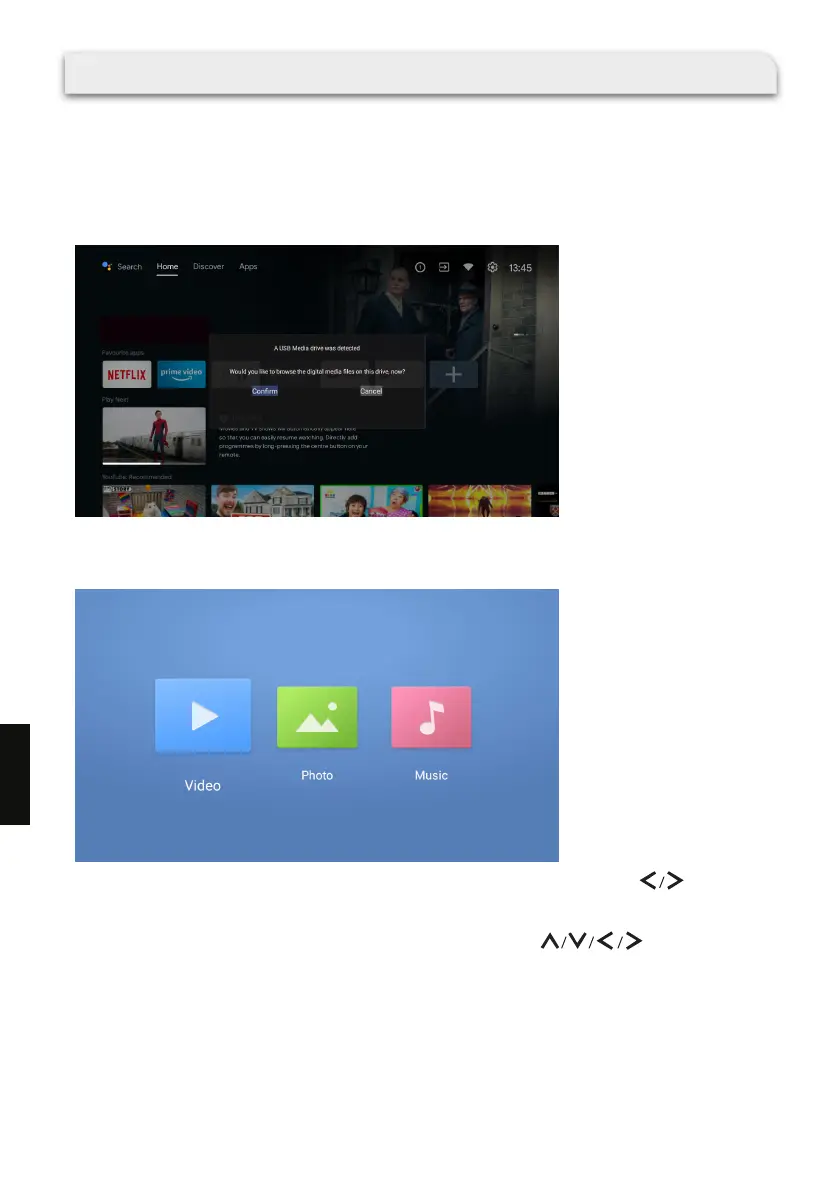
2. The TV will detect the USB device and a message window will pop up.
3. Select [Conrm] and press OK on the remote control to display MMP (multi media player).
· You can also press USB on the remote control to display MMP.
4. On the MMP screen, select the desired media type ( Video, Photo or Music ) using on the
remote control.
5. Press OK to enter the next screen.
6. Browse the list of folders and les and select the desired le using on the remote
control.
7. Press OK and playback will start.
178
EN



 To Next Page