8
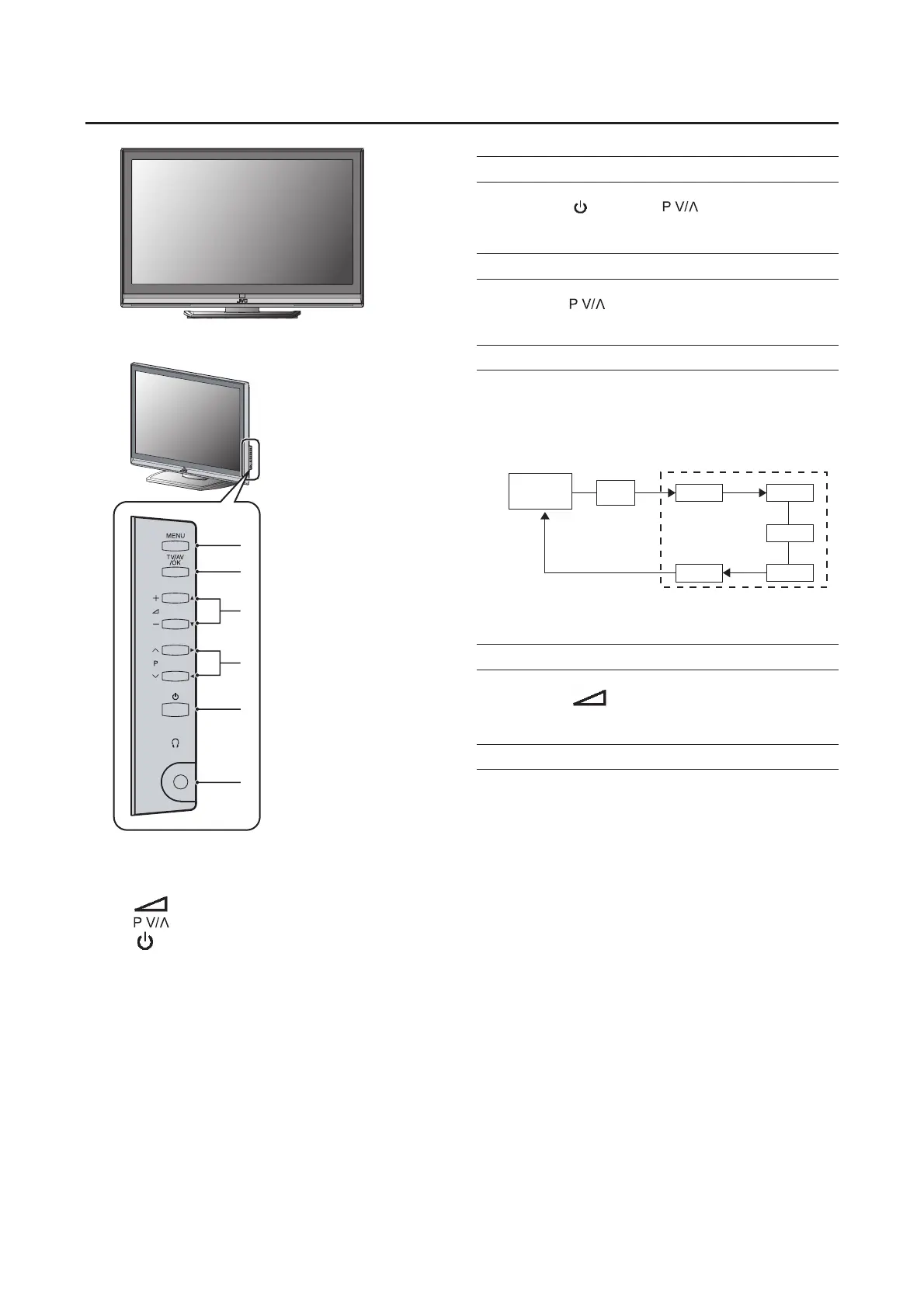
TV buttons and functions
1 MENU switch
2 TV/AV/OK button
3
(Volume)
-/+
buttons
4 buttons
5
(Standby) button
6 Headphone jack (mini jack)
Turn the TV on from standby mode
Press the
button or buttons to turn the
TV on from standby mode
Choose a TV channel
Press the buttons to choose a program
number
Watch images from external devices
Press the TV/AV button to choose a TV/AV
Terminal
Adjust the volume
Press the -/+ buttons
The volume level indicator appears.
Using the Menu
Use the MENU button.
Refer to "Using the TV's menu"(see page 15) for details of
using the menu.
TV mode
EXT mode
Last
program
number
DTV
VIDEO-1
PC
VIDEO-2
VIDEO-3
VIDEO-4
1
2
3
4
5
6



 To Next Page