Operation with the DTV menu
SETTING FAVOURITE CHANNELS
After initial Channel Installation
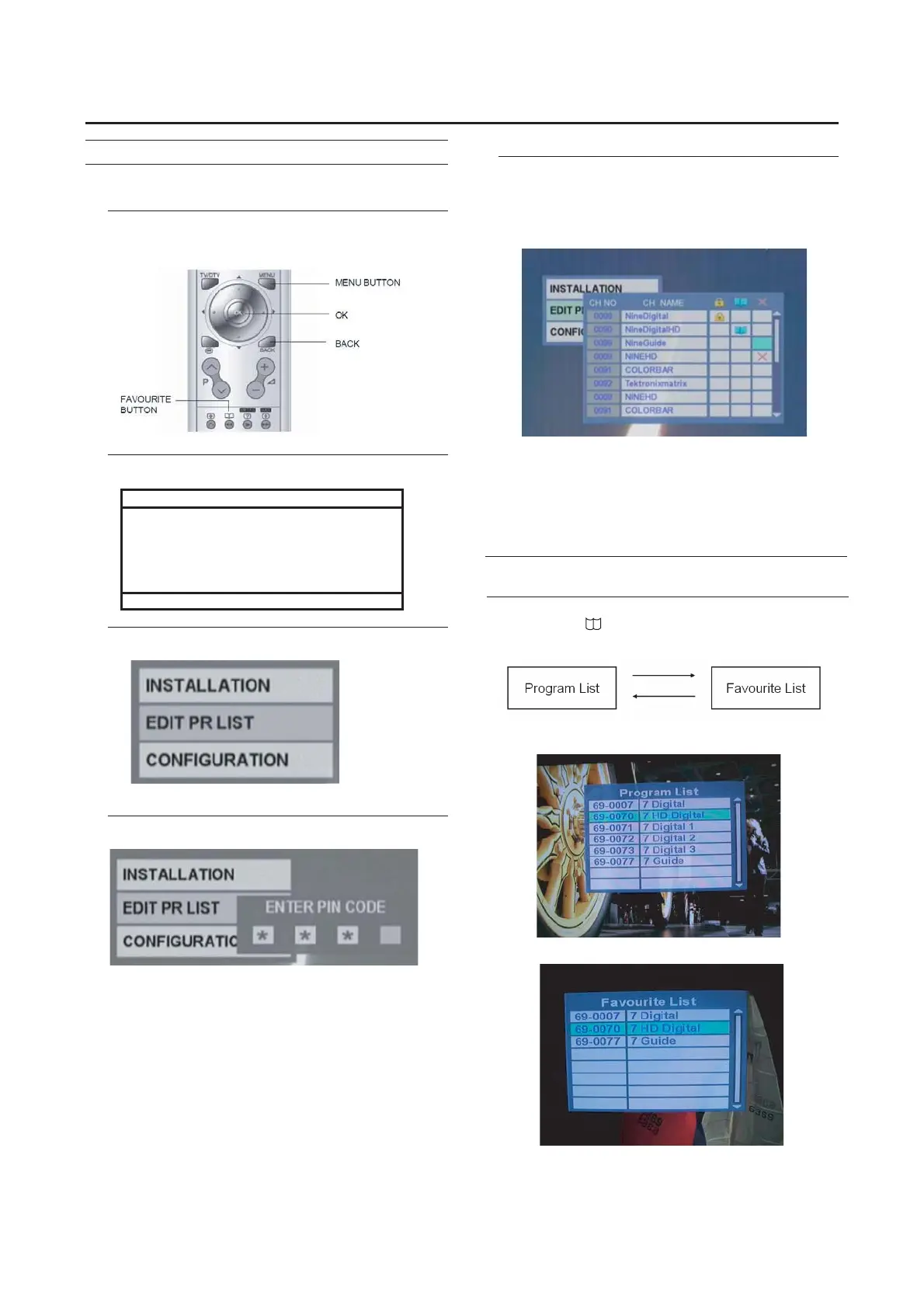
To set favourites
1 Press MENU.
2 Select INSTALL.
MENU
PICTURE
SOUND
FEATURES
►INSTALL
►
►
►
►
▼▲:SELECT OK:MOVE
3 Select EDIT PR LIST.
4 Enter PIN number ( default : 0000)
5 Under book mark row press “OK” once to select
and “OK” a second time to remove.
Note: Channels marked in"EDIT PR LIST" are shown on
"FAVOURITE LIST".
26
WATCH FAVOURITE CHANNELS
1 Press the (favourite) button on the remote
control.
2
l
* Press once to display Program List.
*.
*
* Press second time to display Favourite List.
1
2
*.
*
1
2 Choose the channel you want to view from the
list you made here.
*
To return to the previous menu:
Press the BACK button on the remote control.



 To Next Page