EasyManua.ls Logo

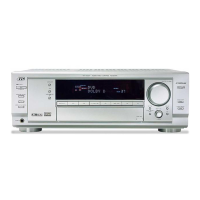
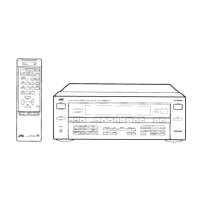
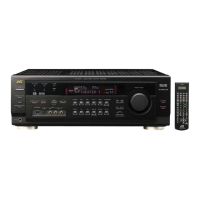
JVC RX-8030VBK - User Manual

JVC RX-8030VBK
109 pages
Print Icon
To Next Page IconTo Next Page
Loading...
For Customer Use:
Enter below the Model No. and Serial
No. which are located either on the rear,
bottom or side of the cabinet. Retain this
information for future reference.
Model No.
Serial No.
LVT1007-002A[C]
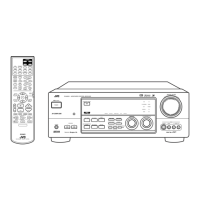
RX-8030VBK
RX-7030VBK
231
564
89
7/P
0
+10
MENU
ENTER
CONTROL
A/V CONTROL RECEIVER
10/0
(For RX-8030VBK)
(For RX-8030VBK)
INSTRUCTIONS
MANUEL D’INSTRUCTIONS
AUDIO/VIDEO CONTROL RECEIVER
AMPLI/TUNER DE COMMANDE AUDIO/VIDEO
English
Français
COVER_8030&7030[C]7.pm6 03.2.13, 2:53 PM1

Table of Contents

Other manuals for JVC RX-8030VBK

Questions and Answers

  • J
    Jennifer PerezAug 27, 2025
    What to do if the JVC RX-8030VBK Receiver remote control does not work?
    • J
      Jennifer PetersonAug 27, 2025
      If your JVC Receiver remote control isn't working, first check for any obstructions between the remote sensor on the receiver and the remote control itself. If there are no obstructions, the batteries may be weak and need replacing.
  • M
    meganandersonAug 27, 2025
    Why is the JVC RX-8030VBK display not lighting up?
    • K
      keithwuAug 27, 2025
      If the display on your JVC Receiver isn't lighting up, the most common reason is that the power cord isn't properly plugged into an AC outlet. Make sure the power cord is securely connected.
  • T
    Tonya JonesAug 25, 2025
    What to do if there is no sound from my JVC Receiver speakers?
    • D
      Donna PerryAug 26, 2025
      If you're not getting any sound from your JVC Receiver speakers, several things could be the cause. First, ensure your speaker signal cables are properly connected. Next, check that the SPEAKERS ON/OFF 1 and SPEAKERS ON/OFF 2 buttons are correctly set. Make sure you've selected the right source and that muting isn't activated by pressing the MUTING button. Finally, verify you've chosen the correct input mode, either analog or digital.
  • K
    Kenneth AlvarezAug 23, 2025
    How to fix overload on JVC Receiver?
    • M
      Melissa DunnAug 25, 2025
      The overload status on your JVC Receiver can be cleared by turning the power off and then on again. As a protection, reduce the volume by 10 steps. If the volume was previously between 0 and 9, set it to 0.

Summary

Warnings, Cautions, and Safety Precautions

Electrical Shock and Moisture Warnings

Safety instructions and warnings regarding electrical shock, moisture exposure, and proper handling of the unit.

Proper Ventilation Guidelines

Specifies required clearance for airflow to prevent overheating and ensure proper operation of the receiver.

Introduction and Features

Important Precautions for Operation

Crucial safety guidelines covering power sources, ventilation, and handling to prevent damage or injury.

Parts Identification

Front Panel Controls and Indicators

Identifies and explains the function of buttons, displays, and indicators on the receiver's front panel.

Getting Started

Before Installation and Setup

Covers general precautions, suitable locations, and proper handling of the receiver before initial setup.

Speaker Connection Guide

Explains how to connect various speaker configurations, including front, surround, and subwoofer, with caution notes.

Speaker Placement Guidelines

Provides recommendations for optimal placement of front, surround, and subwoofer speakers for the best audio effect.

Digital Connections

Power Cord Connection

Instructions for safely connecting the receiver's power cord to an AC outlet.

Basic Operations

Daily Operational Procedure Overview

Outlines the standard sequence for turning on the unit, selecting sources, adjusting volume, and modes.

Powering the Receiver On and Off

Step-by-step guide on how to power the receiver on and off, including standby mode.

Selecting the Source to Play

Explains how to choose different audio and video sources for playback using front panel or remote buttons.

Adjusting Volume Levels

Instructions for increasing or decreasing the audio volume using front panel or remote controls, with a caution.

Digital Input Mode Selection

Details how to set the input mode for digital components to ensure correct signal reception.

Basic Settings

Speaker Configuration Setup

Guides users through configuring speaker size, distance, and type for optimal surround sound.

Room Size and Speaker Distance Adjustment

Explains how speaker distance settings are adjusted based on selected room size for accurate sound staging.

Basic Procedure for Settings

General steps for navigating and applying various settings using the MULTI JOG control.

Setting the Speakers Manually

Details manual configuration of subwoofer presence, speaker sizes, and surround back speaker quantity.

Speaker Distance and Bass Sound Settings

Fine-tunes speaker distance for accurate sound delay and adjusts subwoofer output and crossover frequency.

Adjusting Sound

Basic Procedure for Sound Adjustment

General steps for accessing and modifying sound settings using the ADJUST button and MULTI JOG.

Speaker Output Level Adjustment

Guides on adjusting the output level for each speaker (except subwoofer) using test tones for balance.

Sound Parameters for Surround and DSP Modes

Details adjustments for center tone, effect, room size, liveness, panorama, dimension, and center gain for surround and DSP modes.

Using the Surround Modes

Reproducing Theater Ambience

Explains how the receiver recreates multi-surround sound fields using its speaker system.

Using the DSP Modes

Troubleshooting

Display and Sound Issues

Addresses common problems like no display, no sound, or sound from only one speaker, providing solutions.

Operation and Remote Control Issues

Troubleshooting steps for problems related to surround/DSP effects, overload indicators, standby mode, and remote control malfunctions.

Specifications

JVC RX-8030VBK Specifications

General IconGeneral
Channels5.1
TypeAV Receiver
Supported Audio FormatsDolby Digital, DTS
Remote ControlYes
Power Output100W per channel
InputsDigital coaxial, optical
Outputssubwoofer
Tuning rangeFM
Input sensitivity200 mV (line)
Signal to noise ratio80dB
Speaker load impedance8 ohms
Total Power Output500W
Signal-to-Noise Ratio80dB
Digital Inputs2x optical, 1x coaxial
Dimensions (W x H x D)17 3/16" x 6 7/16" x 15 15/16"

Related product manuals