EasyManua.ls Logo

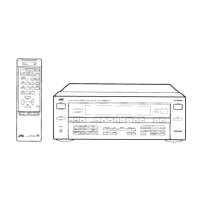
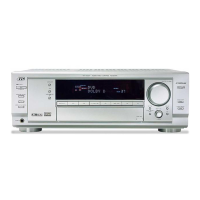
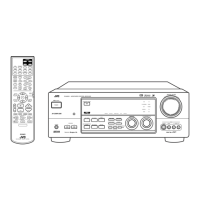
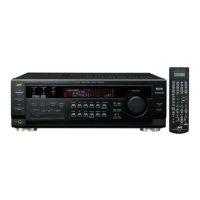
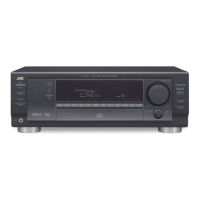
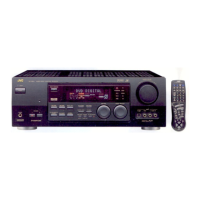
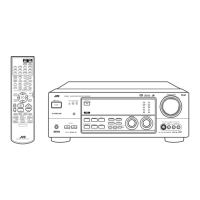
JVC RX-8010PBK - User Manual

JVC RX-8010PBK
63 pages
Print Icon
To Next Page IconTo Next Page
Loading...
For Customer Use:
Enter below the Model No. and Serial
No. which are located either on the rear,
bottom or side of the cabinet. Retain this
information for future reference.
Model No.
Serial No.
LVT0618-003A
[US, UN, UJ]
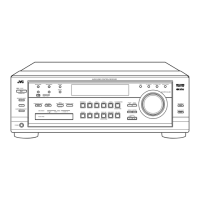
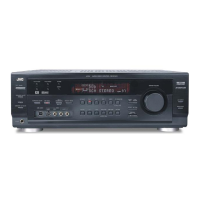
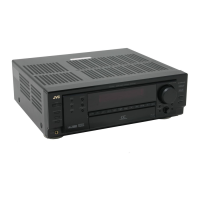
RX-8010PBK / RX-8010VBK
RX-8012PSL
INSTRUCTIONS
DIGITAL
CONTROL
+
+
+
231
564
89
7/P
0 +1010
LINE DIF.ECT BOOST EFFECT
MENU
ENTER
SIZE
ROOMBASS
MODE
TEST CTR TONE
LIVENESS
MIDNIGHT
SOUND
SUBWFR
DIGITAL EQ
REAR L
REAR R
L/R BAL
CENTER
MUTING
CH/
LEVEL TV VOL
PLAY
STOP
/REW
DOWN – TUNING – UP
FF/
EXIT
BAL L
BAL R
VOLUME
CATV/DBS
CONTROL
TV/VIDEO
MENU
TEXT
REC
DISPLAY
PAUSE
PAUSE
SET
RETURN FM MODE 100
+
CONTROL
A/V CONTROL RECEIVER
CATV/DBS VCR 1 TV AUDIO
DSP
MODE INPUTON/OFF
DVD MUILTIDVD
USB
CD
CDR
TAPE/MD
TV/DBS VIDEO PHONO
FM/AM
VCR 1 VCR 2
SURROUND
ANALOG/DIGITAL
SLEEP
AUDIO/VIDEO CONTROL RECEIVER
CONTROL
DOWN UP
EFFECT SETTING
DIGITAL
EQ
TV SOUND/DBSVIDEOVCR 2VCR 1DVDDVD MULTI
MIDNIGHT MODEDSP MODE
S-VIDEO VIDEO
VIDEO
L—AUDIO—R
SURROUND ON/OFF
SUBWOOFER OUT ON/OFF
SPEAKERS ON/OFF
FM/AM TUNING FM/AM PRESET FM MODE
MEMORY
PHONES
1
STANDBY
USB AUDIO
PUSH OPEN
INPUT
ANALOG/DIGITAL
INPUT ATT
FM / AMUSB AUDIOTAPE / MDCDRCDPHONO
LEVEL
ADJUST
AUDIO/VIDEO CONTROL RECEIVER
LINE DIRECT
BASS BOOST
MASTER VOLUME
DIGITAL
SURROUND
DIGITAL
2
SOUCE NAME
SOUCE NAME
STANDBY/ON

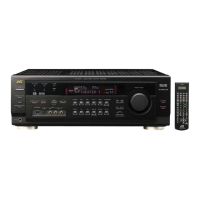
Table of Contents

Questions and Answers

  • M
    mcguirekellyAug 17, 2025
    How to fix a JVC RX-8010PBK remote control that is not working?
    • P
      Pam ColeAug 17, 2025
      If the remote control for your JVC Receiver isn't working, start by removing any obstructions in front of the remote sensor on the receiver. Then, replace the batteries. Finally, make sure the correct remote control operation mode is selected.
  • A
    Alejandra MartinAug 20, 2025
    What to do if “OVERLOAD” starts flashing on the JVC RX-8010PBK Receiver display?
    • E
      Erin GreenAug 20, 2025
      If the JVC Receiver displays 'OVERLOAD,' it means the speakers are overloaded. First, turn off the receiver and stop the playback source. Turn the receiver back on and adjust the volume. If the speakers are overloaded because of a short circuit, turn off the receiver and check the speaker wiring. If the issue persists, turn off the receiver, check the speaker wiring, and if 'OVERLOAD' remains, unplug the AC power cord and plug it back in. If the wiring is not short-circuited, contact your dealer.
  • A
    allisonashleyAug 22, 2025
    Why is there no sound from my JVC RX-8010PBK Receiver speakers?
    • J
      Jose ThompsonAug 22, 2025
      If you're not getting any sound from your JVC Receiver speakers, first check the speaker wiring and reconnect if necessary. Ensure that the SPEAKERS ON/OFF 1 and SPEAKERS ON/OFF 2 buttons are correctly set. Select the correct source and make sure muting is not activated by pressing the MUTING button. Verify that the correct input mode (analog or digital) is selected, and double-check all connections.
  • M
    Melissa MckenzieAug 26, 2025
    How to eliminate noise while reproducing PC sound connected with a USB cable to my JVC Receiver?
    • D
      Dana Howe MDAug 26, 2025
      To resolve noise issues when reproducing PC sound connected via USB on your JVC Receiver, move the PC away from devices like TVs that emit strong electromagnetic waves. Also, close any unused applications on your PC to reduce its load.
  • L
    Lisa JohnsonAug 27, 2025
    Why is sound only coming from one speaker on my JVC RX-8010PBK Receiver?
    • M
      Michael BryantAug 28, 2025
      To fix the issue of sound coming from only one speaker on your JVC Receiver, check the speaker wiring and reconnect if necessary. Also, adjust the balance properly.
  • M
    Matthew CainAug 30, 2025
    What causes continuous hiss or buzzing during FM reception on my JVC RX-8010PBK?
    • L
      Lori GouldAug 31, 2025
      If you are experiencing a continuous hiss or buzzing during FM reception on your JVC Receiver, try connecting an outdoor FM antenna or contact your dealer. You might also try selecting a new station. Check with your dealer to ensure you have the correct antenna, and verify that all antenna connections are properly connected.
  • J
    jkennedySep 2, 2025
    What to do if there is no sound from PC connected with a USB cable to my JVC Receiver?
    • M
      Michael RomeroSep 2, 2025
      If you're not getting any sound from your PC connected with a USB cable to your JVC Receiver, turn off and on the receiver once, then restart the application installed in the PC. Select 'USB Audio Device [1]' for 'Playback' of 'Audio' on your computer. Also, check if the volume is set at low level or mute is selected on the PC.
  • D
    Diana BerrySep 5, 2025
    How to stop occasional cracking noise during FM reception on my JVC RX-8010PBK?
    • J
      jpayneSep 5, 2025
      If you experience occasional cracking noise during FM reception on your JVC Receiver, move the antenna farther from automobile traffic.
  • C
    Cathy FrancoSep 8, 2025
    What to do if the JVC RX-8010PBK Receiver turns off into standby mode soon after turning on?
    • S
      stokesjudithSep 8, 2025
      If the STANDBY lamp lights up after turning on the power of your JVC Receiver, but soon the receiver turns off again (into standby mode), turn off the receiver. After unplugging the AC power cord, consult your dealer.
  • T
    Tracie LambertSep 12, 2025
    How to fix a JVC RX-8010PBK Receiver display that does not light up?
    • B
      Brett KentSep 12, 2025
      If the display of your JVC Receiver does not light up, plug the power cord into an AC outlet.

JVC RX-8010PBK Specifications

General IconGeneral
ModelRX-8010PBK
Channels5.1
Total Harmonic Distortion0.08%
Input Sensitivity200mV (line)
Input Impedance47 kΩ
HDMI Outputs1
Optical Digital Inputs2
Coaxial Digital Inputs1
Composite Video Inputs3
Composite Video Outputs1
Component Video Inputs1
Component Video Outputs1
USB PortNo
Ethernet PortNo
BluetoothNo
Wi-FiNo
Supported Audio FormatsDolby Digital, DTS
Tuning rangeFM/AM
Frequency Response20 Hz - 20 kHz
Speaker load impedance8 Ω

Related product manuals