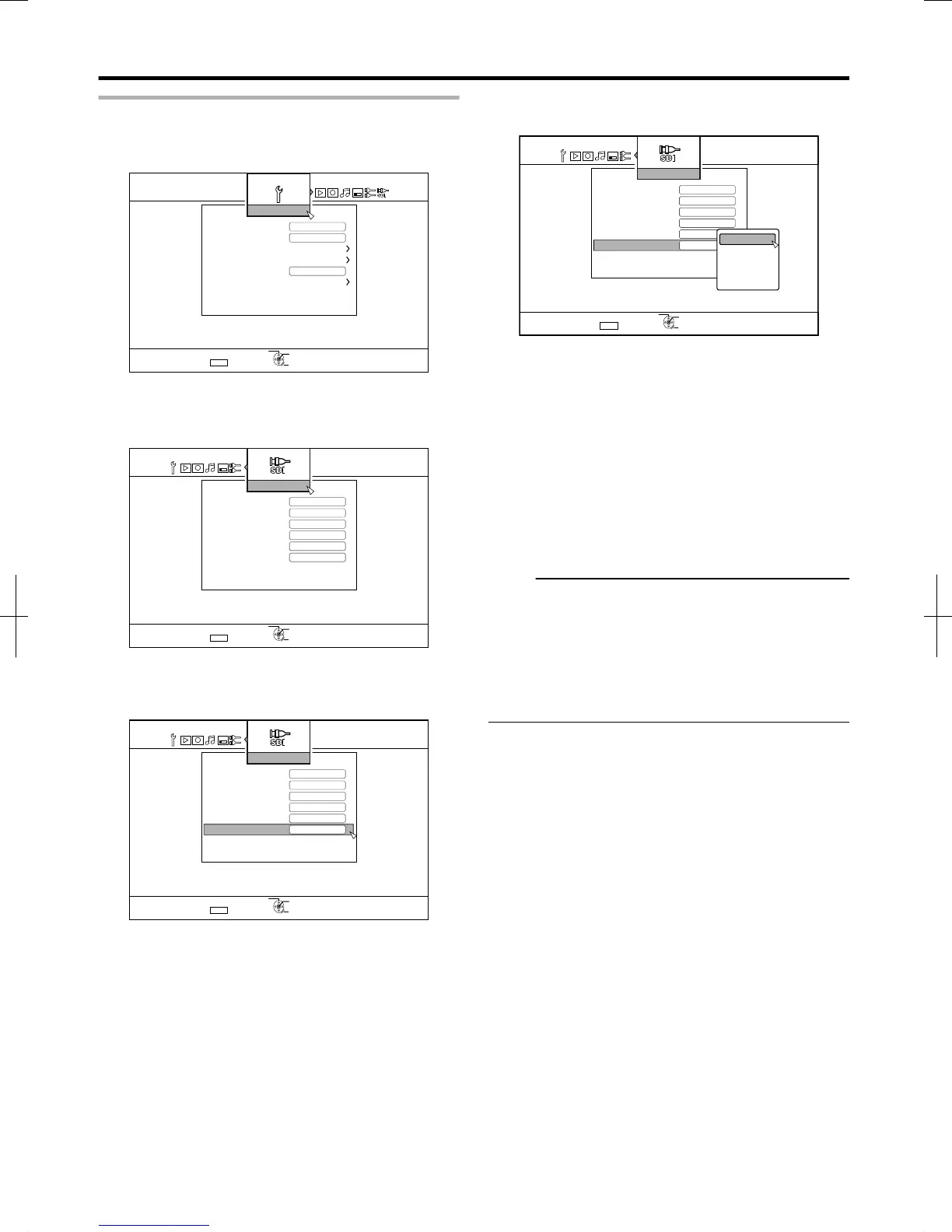
Setting “TIME CODE DISPLAY POSITION”
1
Press the [SET UP] button on the remote control unit
v
The Settings menu screen appears.
.
2
Press the [ I ] button, and select “SDI
CONNECTION”
The “SDI CONNECTION” screen appears.
.
3
Press the [ J ] or the [ K ] button, select “TIME
CODE DISPLAY POSITION”, and press the [OK]
button
.
LOWER LEFT
:
Sets the time code display position to the
bottom left.
LOWER
RIGHT
:
Sets the time code display position to the
bottom right.
UPPER LEFT
:
Sets the time code display position to the
top left.
UPPER RIGHT
:
Sets the time code display position to the
top right.
CENTER
:
Sets the time code display position to the
center.
5
Press the [OK] button after making a selection
The time code display position is saved.
Memo:
v
Setting is now complete. If multiple time code inputs are not
detected from the SDI signals, time code is displayed as
“TC--:--:--:--”.
v
If you have not set a date after selecting “DATE & TIME”
and completing the setting, time code will be displayed as
“--:--:--:--”.
v
Time code is not displayed when the monitor is connected
to the [SDI OUT THROUGH] terminal.
Preparation
24
2012/3/8 13:53:0



 To Next Page