Lower Order
Higher Order
0123456789ABCDEF
0 Complete Error Cassette
Out
Not
Target
ACK NAK
1
2
3 Play Stop
4 Still
5 Clear
6 Sense
Chapter
Title
Sense
7
8 Chapter
Search
Title
Search
Date
Preset
Clock
Preset
9 Finalize
Cancel-
Disc
Finalization
Disc
Erase
TOP
MENU
MENU NEXT
CHAPTER
PREV
CHAPTER
Setup SET UP DOWN RIGHT LEFT Next
Title
Prev
Title
Remote
Data
A Standby
On
Standby
Off
Eject FF REW Fwd
Field
Step
Rev
Field
Step
B Fwd Shtl Rev Shtl Select
Preset
Select
Sense
Date
Data
Sense
Clock
Data
Sense
C Rec
D Status
Sense
Tc Data
Sense
CTL
Data
Sense
JVC
Status
Sense
E
F Command
Target
Rec/Dub
Request
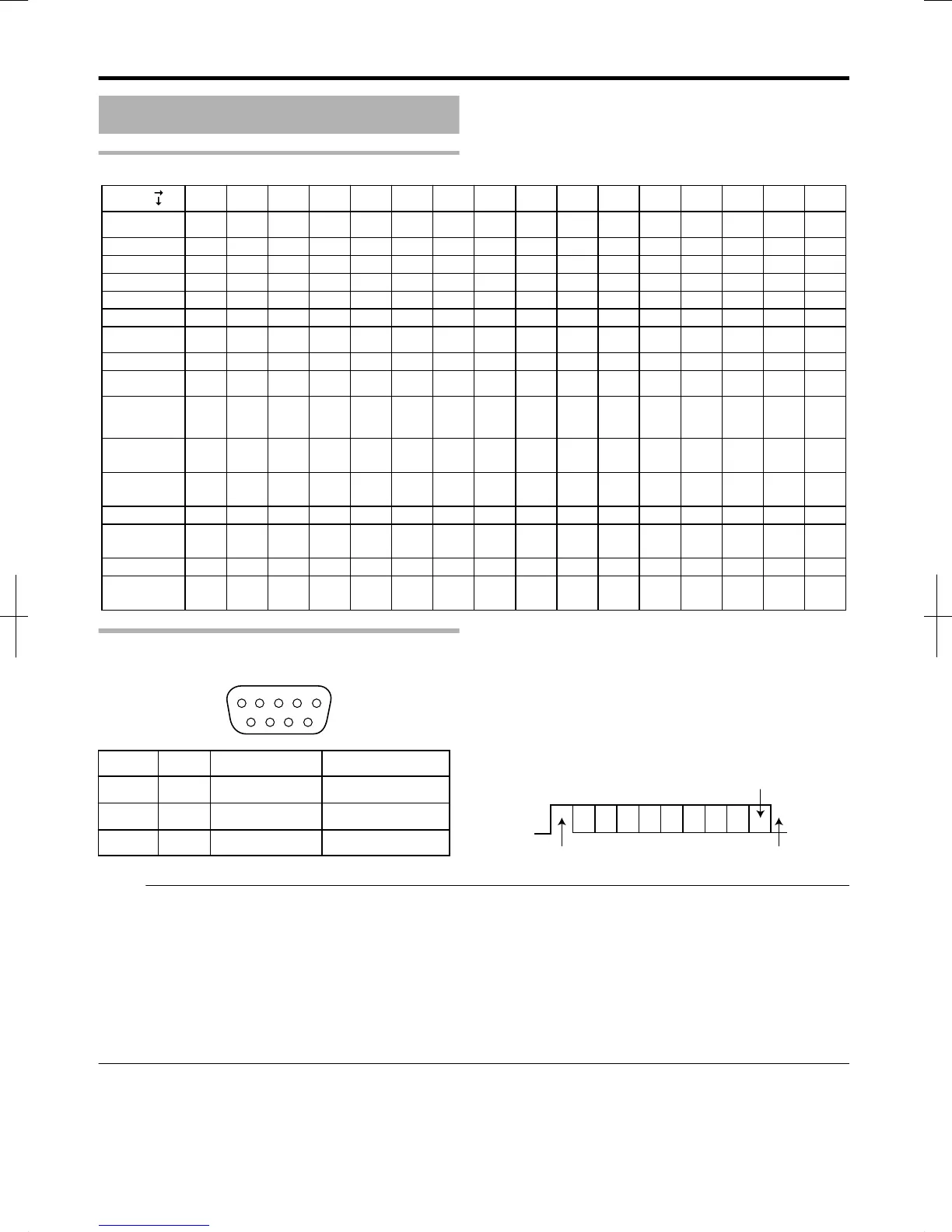
PIN No. Signal Operation Direction of signal
2 TxD Transmit data This unit h PC
3 RxD Receive data This unit i PC
5 GND Signal grounding
Mode
:
Non-synchronous
Character length
:
8 bits
Parity check
:
Odd
Start bit
:
1
Stop bit
:
1
Data rate
:
9600 bps
v
Bit configuration
.
Memo:
v
When using the Serial Command Connector, the cable to be used should be a RS-232C interface cable (straight type, 3 m or
shorter).
v
When using RS-232C, set “QUICK STARTUP” in the settings menu to “ON”.
v
During command transmission, a minimum interval of About 50 milliseconds is required between each command.
v
During command transmission, do not send the next command until the ACK (refer to “System Commands” (A page 95) ) or
response (refer to “Response Commands” (A page 95) ) for each command is received.
v
The recommended maximum waiting time for the ACK or response for each command is as follows.
ACK
:
About 50 milliseconds
Response
:
About 5 seconds
Others
88
2012/3/8 13:53:0



 To Next Page