To Next Page

T
taylorbrianSep 13, 2025
Why timer programming will not work on my JVC SR-V101US?
- DDorothy ZamoraSep 13, 2025
Timer programming cannot be performed on your JVC VCR when timer recording is in progress. Wait until it finishes.

Why timer programming will not work on my JVC SR-V101US?
Timer programming cannot be performed on your JVC VCR when timer recording is in progress. Wait until it finishes.
Details precautions to prevent electric shock and hazards from internal components.
Explains the meaning of the lightning flash and exclamation point warning symbols.
Covers fire/shock hazards from rain/moisture and correct power source usage.
Prompts for recording model and serial numbers for future reference.
Covers grounding, power sources, overloading, cord protection, ventilation, and mounting precautions.
Details grounding and lightning protection for outdoor antennas and related components.
Covers handling accessories, carts, water, objects, cleaning, and heat placement.
Details when to seek qualified service, damage requiring service, and part replacement.
Explains basic remote usage, including phone interference and VCR placement.
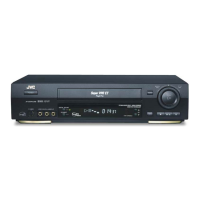
Identifies the buttons, input connectors, and indicators on the VCR's front panel.
Explains the various indicators shown on the VCR's front display panel.
Details the input and output connectors located on the rear panel of the VCR.
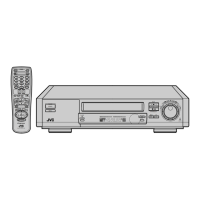
Details the buttons and their functions on the remote control for various operations.
Explains how to view VCR status information on the TV screen and recall indications.
Covers checking contents, VCR placement, and connecting to TV via RF, AV, or S-Video.
Details automatic clock/channel setup and troubleshooting steps if it fails.
Guides on setting the VCR channel and final preparations before basic playback or recording.
Explains how to set the clock automatically, semiautomatically, or manually.
Provides steps for setting host channel, DST, and time zone for semiautomatic clock setup.
Guides on manually setting the time, date, year, and DST for precise clock configuration.
Describes the Auto Channel Set process for automatically finding and tuning TV channels.
Explains how to add desired channels or skip unwanted ones manually.
Guides on inserting cassettes and initiating playback, including automatic functions.
Details stopping, pausing, frame-by-frame, and picture search during playback.
Explains rewinding, fast-forwarding, ejecting, turning off, and mode lock during playback.
Covers automatic/manual tracking and selecting audio monitor modes for playback.
Explains auto-rewind functions, repeat play, and index search for navigating tapes.
Details skip search, playback resume, and locating timer recordings for playback efficiency.
Explains how to use the record safety tab to prevent accidental recording on tapes.
Guides on loading cassettes, selecting channels, setting speed, and starting basic recording.
Details pausing, stopping, repeat recording, and the recording resume function.
Explains how to select and use S-VHS, S-VHS ET, and standard VHS recording modes.
Details connecting multiple VCRs for alternating playback of cassettes.
Guides on making connections between VCRs and other equipment for extended recording.
Details loading cassettes, starting, stopping, and using Mode Lock for series recording operations.
Introduces timer programming methods and initial notes for setting up recordings.
Guides on setting up guide channel numbers for VCR Plus+ programming to ensure correct recording.
Step-by-step guide for using PlusCode numbers to program recordings via the VCR Plus+ system.
Covers manual timer entry and 24HR Quick Programming for setting recordings.
Guides on checking, canceling, or changing programmed timer settings and resolving overlaps.
Explains how to handle warnings indicating overlapping timer recording programs.
Details timer warning displays, tape position, display information, and function settings.
Explains Digital TBC/NR, Video Calibration, and Picture Control options for image enhancement.
Covers Auto Timer, On Screen displays, and Auto SP-EP Timer for recording optimization.
Details Digital R3 and Video Stabilizer functions for improving video signal quality.
Covers 2nd Audio, Audio Monitor, S-VHS Mode, and S-VHS ET for audio and recording configuration.
Details Aux Inputs, Rec End Return, Day/Time Insert, Rec Safety, and Daily T. Record functions.
Guides on automatically recording satellite programs by linking with a DBS receiver.
Explains how to enable and disable VCR operation lock to prevent unauthorized use.
Instructions for programming the remote control to operate a specific TV brand.
Guides on programming the remote to control cable boxes or DBS receivers.
How to switch control codes for the remote and VCR to operate multiple units separately.
Guides on connecting and performing video editing operations with another VCR.
Guides on making connections, selecting modes, and preparing the VCR for audio dubbing.
Details the steps for starting, pausing, and ending audio dubbing to replace soundtracks.
Explains how to replace recorded scenes and sounds with new material during editing.
Details performing AV dubbing to replace pictures and sounds simultaneously from different sources.
Details power requirements, dimensions, signal system, and tuner coverage for the VCR.
Lists timer capacity, memory backup time, and included accessories provided with the VCR.
Addresses common problems with power, picture display, and general playback failures.
Provides solutions for recording failures, timer programming issues, and VCR Plus+ system errors.
Helps resolve issues with button functionality, incorrect clock settings, and mode lock activation.
 General