10
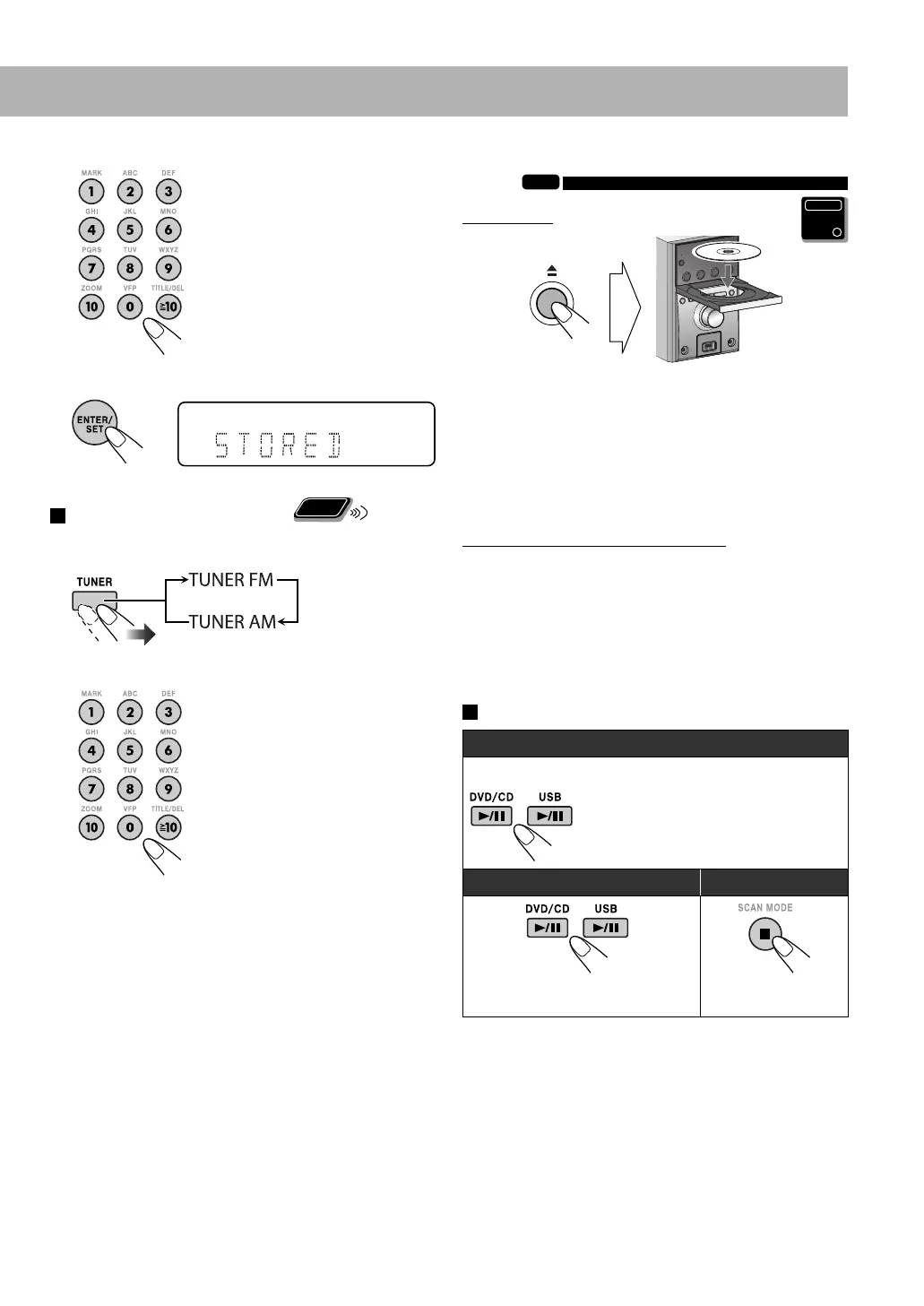
3 Select a preset number for the station you store.
• To select a number, see “How
to select a number” on page 9.
• You can also use the ¡ or
1 button.
4 Store the station.
To tune in to a preset station
Remote
ONLY
1 Select the band (FM or AM).
2 Select the preset number for the station you stored.
• To select a number, see “How
to select a number” on page 9.
• You can also use the ¡ or
1 button.
Playing Back a Disc/USB Mass Storage Class
Device
INFO
To insert a disc
• When using an 8 cm disc, place it on the inner circle of
the disc tray.
To close the disc tray, press 0 again.
• If you press DVD/CD 6, disc tray closes automatically
and playback starts (depending on how the disc is
programmed internally).
To connect a USB mass storage class device
• For connecting a USB mass storage class device, see page
6.
• Always set volume level to the minimum level when
connecting or disconnecting a USB mass storage class
device.
• To disconnect a USB mass storage class device safely,
turn off the System before disconnecting it.
To play back a disc/USB mass storage class device
To start:
To pause: To stop:
To release, press the same button
again.
USB mass storage class deviceDisc
Main Unit
ONLY
EN09-18_UX-G500V[U]1.indd 10EN09-18_UX-G500V[U]1.indd 10 3/11/08 12:57:41 PM3/11/08 12:57:41 PM


 To Next Page
 Loading...