19
USB 6
DVD/CD 6
ZOOM
SUBTITLE
AUDIO/MPX
SLOW ,
Unique Video Disc/File Operations
Remote control
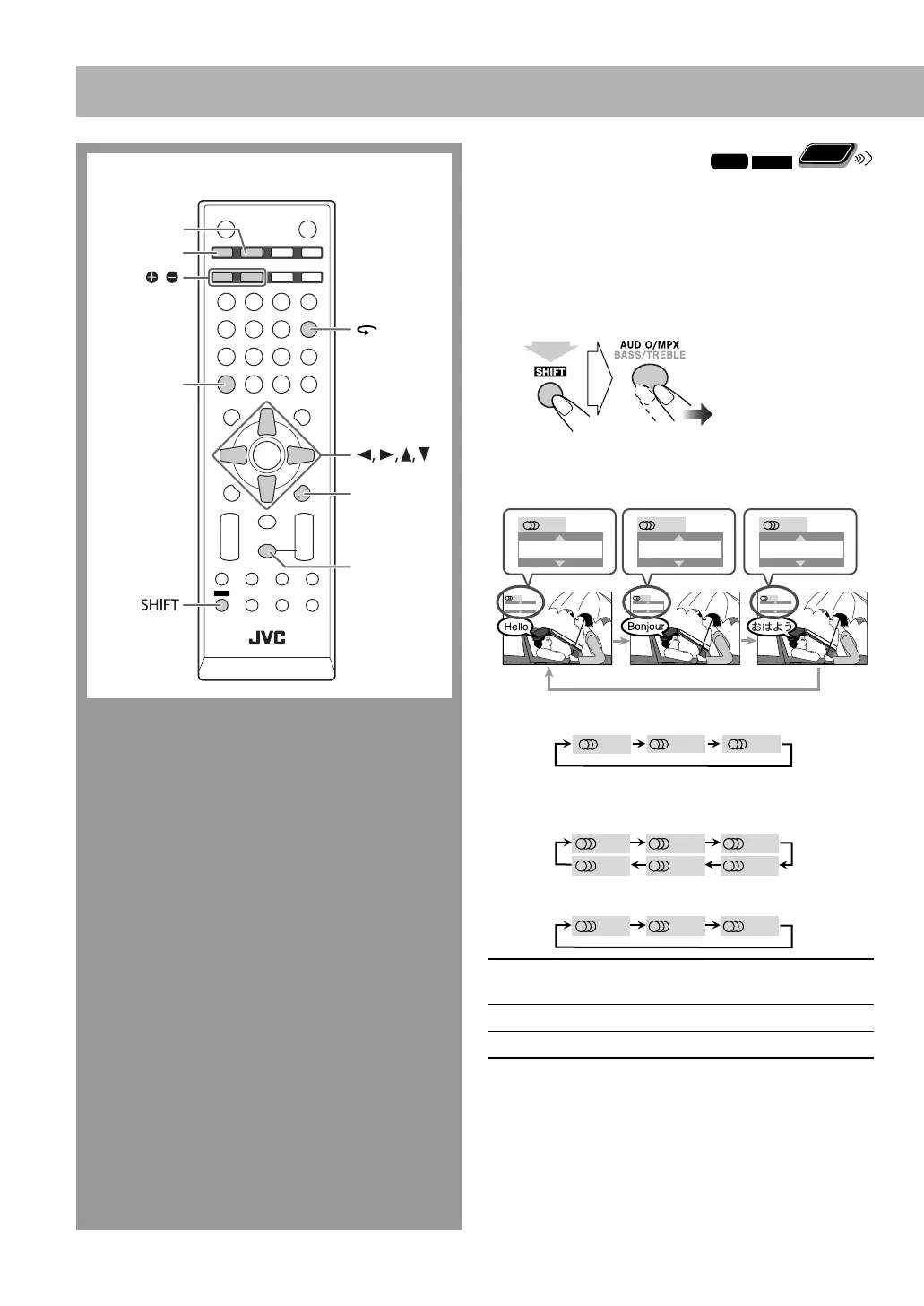
Selecting the Audio Track
INFO
Remote
ONLY
For DivX files/DVD Video: While playing back a chapter/
file containing several audio languages, you can select the
language to listen to.
For DVD-VR/SVCD/VCD: While playing back a track,
you can select the audio channel to listen to.
• For DVD Video/DVD-VR/SVCD/VCD: You can also
select the audio track using the on-screen bar (see page
29).
While playing a DVD Video...
Ex.:
While playing a DivX file...
While playing a DVD-VR or SVCD/VCD...
ST1/ST2/ST
To listen to normal stereo
(2-channel) playback.
L1/L2/L
To listen to the left audio channel.
R1/R2/R
To listen to the right audio channel.
• SVCD can have 4 audio channels. SVCD usually uses
these 4 channels to record two 2-channel recordings
(ST1/ST2).
ENGLISH
1/3
3/3
FRENCH
2/3
JAPANESE
ENGLISH
1/3
FRENCH
2/3
JAPANESE
3/3
1/3
2/3
3/3
(while holding...)
ST1 ST2 L1
R2 L2 R1
ST L R
SVCD
DVD-VR/VCD
EN19-24_UX-G500V[U]2.indd 19EN19-24_UX-G500V[U]2.indd 19 3/25/08 3:51:14 PM3/25/08 3:51:14 PM


 To Next Page
 Loading...