23
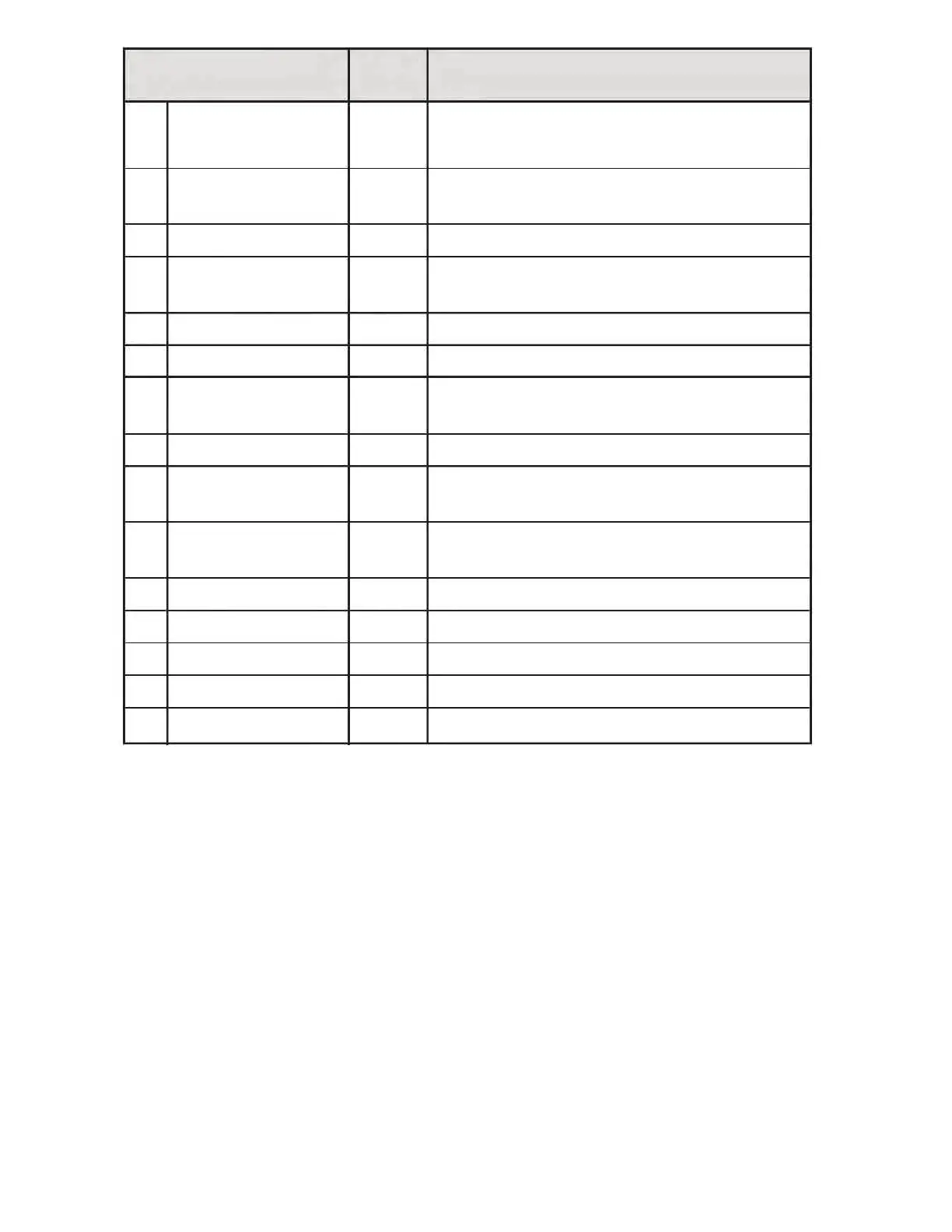
14 Ka Band Filter Off Enables filtration of Ka-Band non-police
radar signals.
15 Traffic Sensor Filter Off Enables filtration of K-Band signals from traffic
flow radar sensors to reduce false alerts.
16 MRCD/CT Off Enables MRCD/CT photo radar detection.
17 MRCD/CT Filter Off Reduces false alerts when MRCD/CT detection
is enabled.
18 Laser On Enables the detection of Laser.
19 Optional Defuser Off Enables the Laser Defuser.
20 Laser Settings Constant Choose Constant, Pulse, or Receive transmit
mode of the K40 Laser Defuser system.
21 Speed Units mph Choose miles per hour of kilometers per hour.
22 Low Battery Off Warning tone sounds if vehicle battery power
drops below 11V.
23 Auto Power Off Turns power off if speed stays at zero or if GPS
not connected for one hour.
24 Mute Locations N/A Clears all stored muted locations. See page 19.
25 Alert Locations N/A Clears all stored alert locations. See page 20.
26 Firmware Current firmware version.
27 Factory Reset Reset Original Factory default settings.
“EXIT” “EXIT” Exit the settings menu and save your selections.
Default
Setting
Menu Options
(in order displayed)
Description



 To Next Page