EasyManua.ls Logo

K40 ELECTRONICS Platinum 100 - Wireless Remote Control Functions; Operating the Wireless Remote

Default Icon
33 pages
Print Icon
To Next Page IconTo Next Page
To Previous Page IconTo Previous Page
Loading...
25
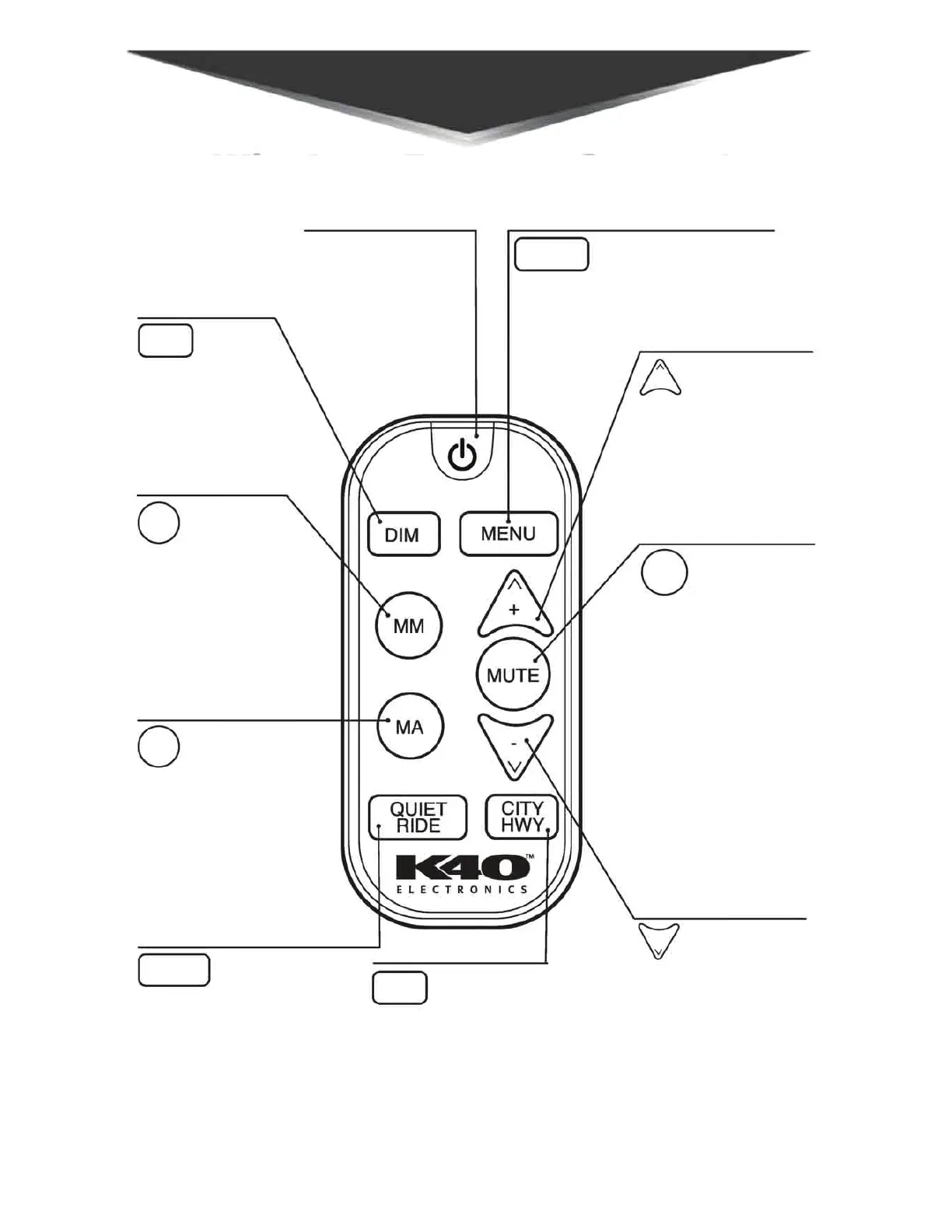
Press and release
to mute audio alerts
for 30 seconds or the
duration of the alert.
Press and hold for 3
seconds to engage
Extended Mute.
Press to automati-
cally put Laser De-
fuser in Receive
Only mode duing
a police laser alert.
MARK TO ALERT
Press and release to
“mark” specific points
of interest.
Press and release to
select level of radar
detector sensitivity
Press and hold for 3
seconds to enter Speed
Monitor menu.
UP
Press and release to
increase volume.
Use to scroll/change
menu options.
DOWN
Press and release
to decrease volume.
Use to scroll and
change menu op-
tions.
POWER
Press to turn off
only. Must turn on
from Platinum100.
Press and release
to adjust brightness
display.
Press and release to
confirm speed setting
and enter Quiet Ride
menu.
MARK TO MUTE
Press and release to
“mute” a specific
radar band/laser
alert in a location.
Press and release to
enter customizable
menu settings.
DIM
MM
MA
QUIET
RIDE
MENU
+
MUTE
-
CITY
HWY
Wireless Remote Control
Functions
( )
D
0
MENU
0
0
11<40
ELECTRONICS
V
( )
D