EasyManua.ls Logo

kaarta STENCIL PRO - Page 12

kaarta STENCIL PRO
116 pages
Print Icon
To Next Page IconTo Next Page
To Previous Page IconTo Previous Page
Loading...
WWW.KAARTA.COM 11
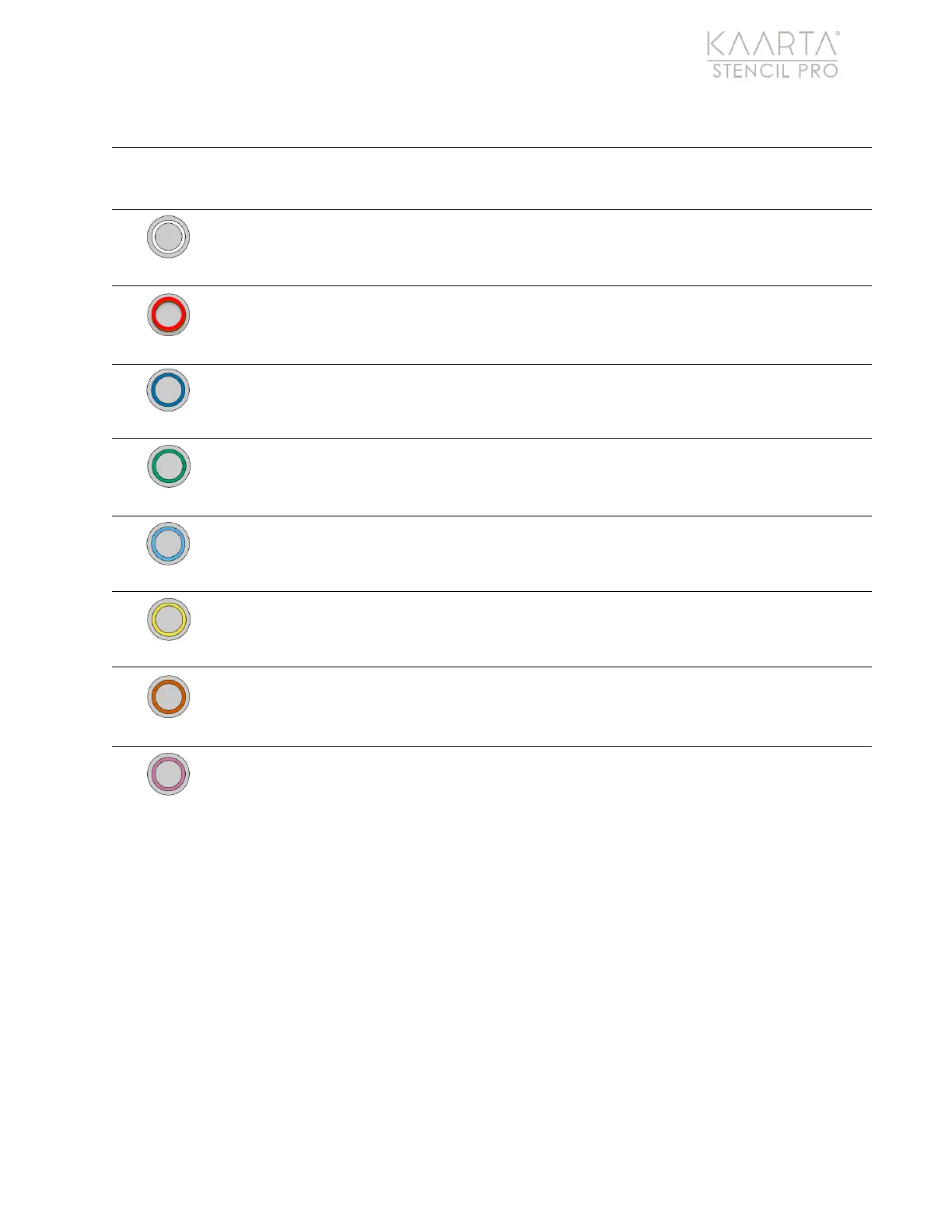
SCAN BUTTON LED STATUS COLORS
SOLID
SLOW BLINK
(1.0S)
MEDIUM BLINK
(0.5S)
FAST BLINK
(0.1S)
White
Scanner Booting
Scanner
Successfully
Booted
Red
Scanner Initializing
Blue
Kaarta Software
Ready < 6 Satellites
Kaarta Software
Ready >= 6 Satellites
Green
Ready to Scan,
GPS Lock
< 6 Satellites
Scanning,
GPS Lock
< 6 Satellites
Teal
Ready to Scan,
GPS Lock
>= 6 Satellites
Scanning,
GPS Lock
>= 6 Satellites
Yellow
Processing
Orange
Scanning Error
Disk Critical,
< 5GB
Not Licensed
Scanner Error
Pink
Disk Level Low,
< 25GB
Disk Very Low,
< 12.5GB
Lost
Communication
with Controller

Other manuals for kaarta STENCIL PRO

Related product manuals