WWW.KAARTA.COM 77
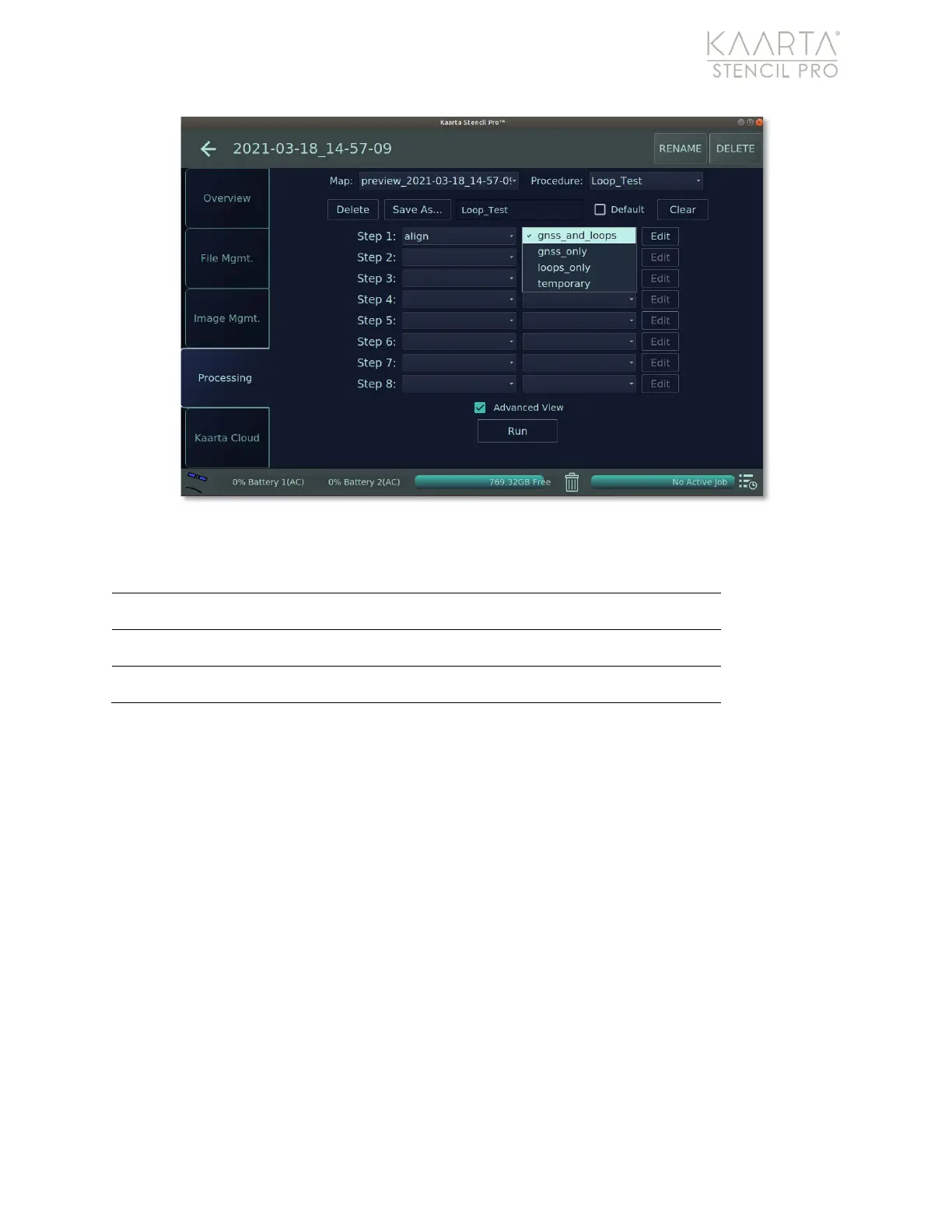
Figure 54: Align presets.
ALIGN PRESETS
Align with both GPS data and loop closure techniques.
Align using GNSS data and no loop closure.
Align with loop closure techniques only.
Once an Align preset is chosen, click the Edit button to the right of the preset to change
Align configuration settings, including changing the minimum point spacing, adjusting the
minimum GNSS fix quality of points, and loop closure ranges (Figure 55). Many of these
parameter settings are calibrated to the preset chosen previously; further editing may not
be needed or warranted. In general, parameters related to GNSS are found in the left
column, while loop closure parameters are in the right column. GNSS parameters are
disabled if Alignment to GNSS is unchecked, as are the loop closure parameters if the
Enable Loop Closure checkbox is disabled.
The GNSS Min Point Spacing sets the point spacing between GNSS points (in meters) to
select for use in alignment. Generally, GNSS systems produce more data than is needed
to do global alignment. Setting this number too small tends to significantly increase
processing time and adds choppiness/blurring to the scan matches. Five meters is the
default setting. If you find that the resulting trajectory does not line up with the GNSS
data from the original data collection, decrease this number to get a closer alignment in
the turns. For very large distances and data sets, you might want to increase this to 100 or



 To Next Page