WWW.KAARTA.COM 97
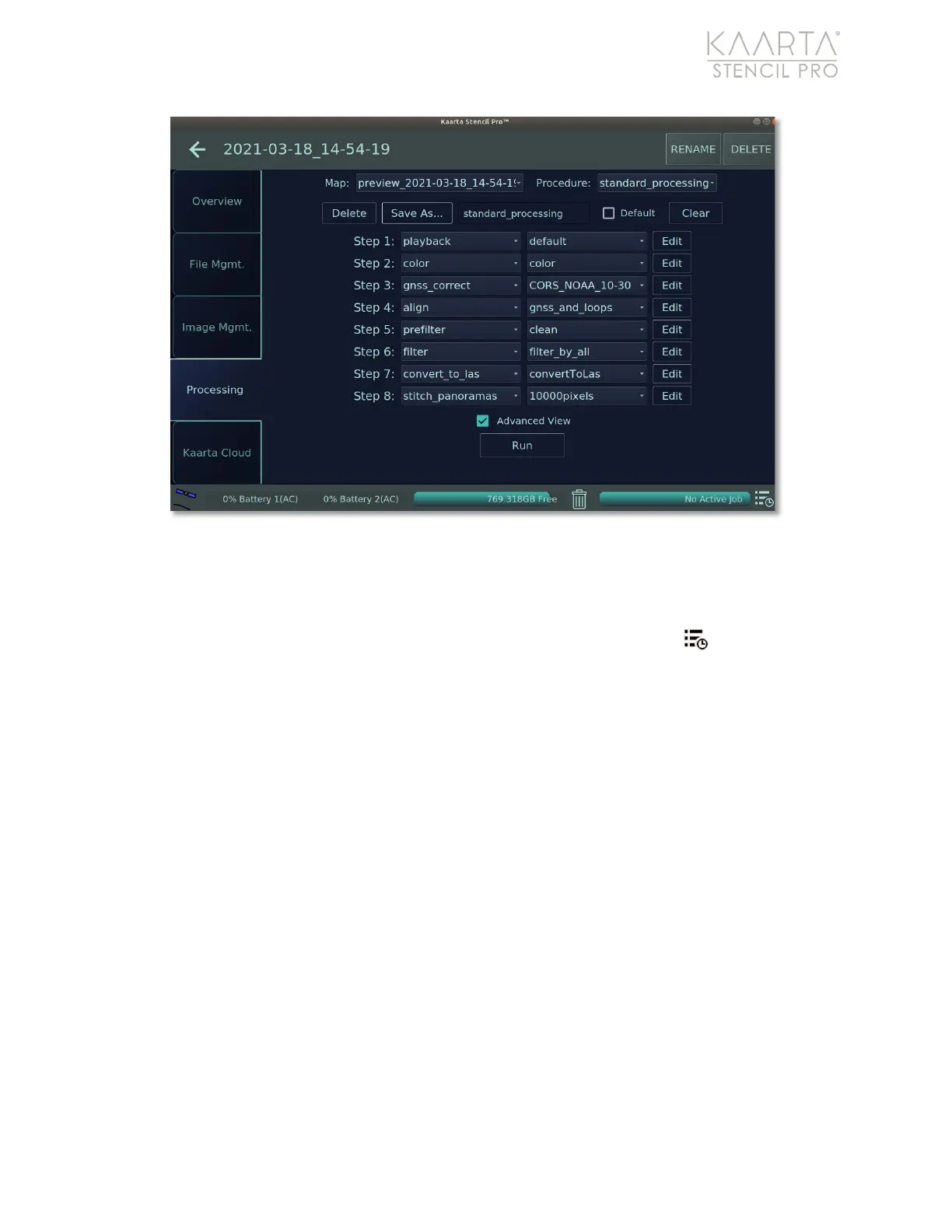
Figure 70: Standard Processing procedure.
Jobs Queue
If you run post-processing on multiple scans, they can be queued to run unattended in
the Jobs Queue. To view pending scans, select the Pending Jobs button in the lower
right of the UI. The Jobs Queue shows you which scans are currently being processed, and
which scans are scheduled to run or have run. Change the order of the queue using the
Move to Top button, remove jobs, or restart a job from the Jobs Queue screen (Figure
71).
Once a job is completed, a detailed list of tasks performed on the job is displayed in the
display box (Figure 72). You can choose to copy the information to the clipboard (Copy to
Clipboard or open the file in a separate window (Open File).



 To Next Page