EasyManua.ls Logo

Kaba RAC 3.5 - User Manual

Kaba RAC 3.5
8 pages
Print Icon
To Next Page IconTo Next Page
Loading...
INSTALLATION GUIDE
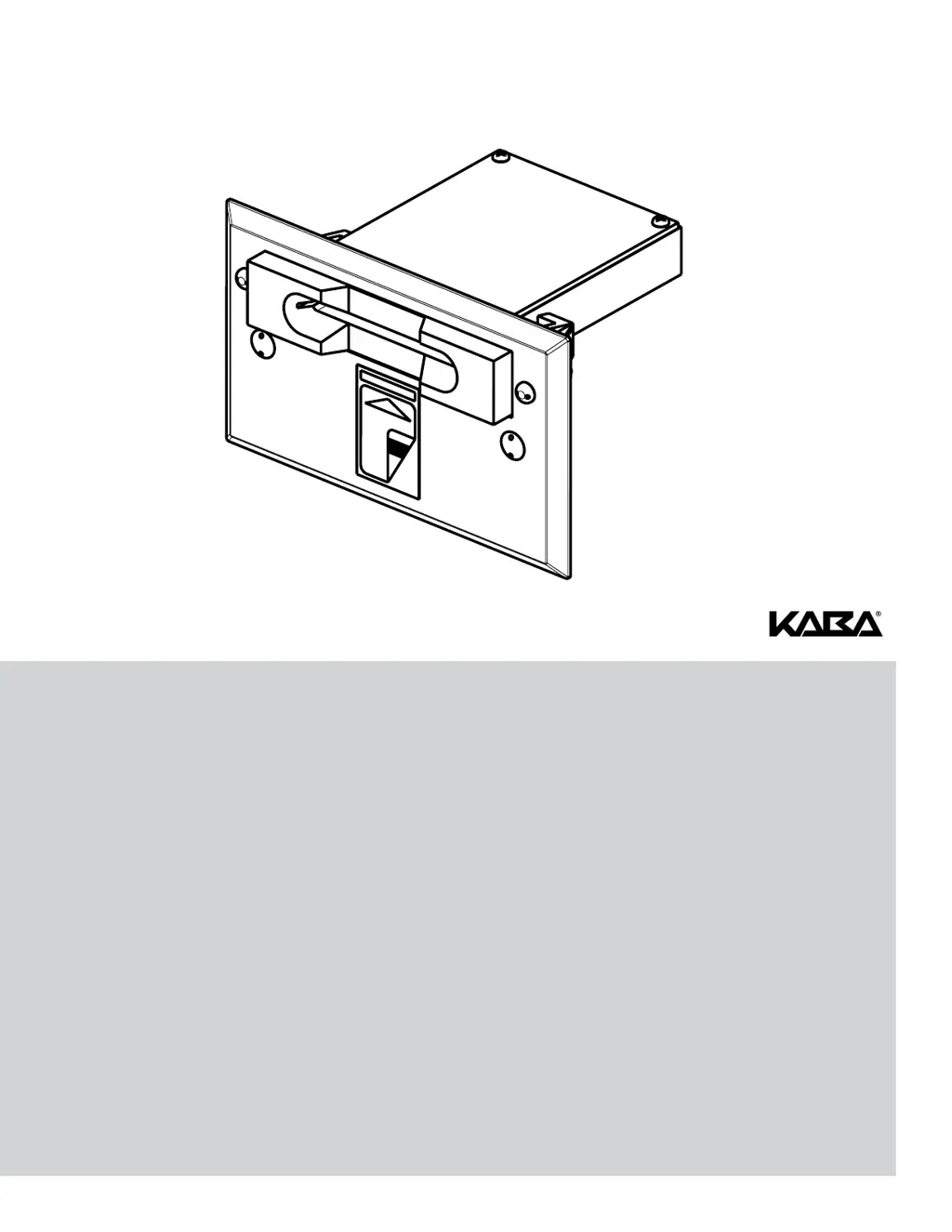
RAC 3.5 / RAC 4 / RAC 4XT Insert Reader
PK3166-T

Questions and Answers

  • S
    Samuel RichardsAug 17, 2025
    What to do if Kaba RAC 3.5 swipe reader has no feedback with programmed card?
    • S
      Stephanie GutierrezAug 17, 2025
      If you're not getting feedback from the swipe reader when using a programmed card with your Kaba IP Access Controllers, here are a few things to check: * First, make sure the RAC 4 controller is active by checking if the Functionality 1 (D45) and Functionality 2 (D46) LEDs are blinking. If they aren't, try resetting the controller by pressing the Reset switch (SW1) or disconnecting and reconnecting the power. * Check the wiring to the reader. * Ensure the data present LED (D34) illuminates during swiping. * Verify that the card is encoded properly. * Confirm the time is correct on both the RAC 4 and the FDU (or Atlas). If it's not, perform a Reset Lock Time. * Consider re-programming the RAC 4.
  • S
    Sierra PageAug 19, 2025
    Why Kaba RAC 3.5 locking device does not unlock?
    • T
      Teresa JohnsonAug 19, 2025
      If the locking device on your Kaba IP Access Controllers isn't unlocking, consider these potential causes: * If the Locking Device Relay LED (D31) turns on, ensure the Fire Alarm input is not active, meaning the input contact is not closed, and the Fire Alarm LED (D47) is off. * Check the wiring to the locking device and verify the polarity of any installed diode. * If the Locking Device Relay LED (D31) does not turn on, verify that the Request to Exit or Remote Unlock activation unlocks the door. * Also, make sure the card is encoded properly, the RAC 4 is not in Lockout mode, and is programmed correctly.
  • J
    John AllenAug 22, 2025
    How to fix Kaba IP Access Controllers when unable to program or audit RAC 4?
    • C
      Curtis BlackburnAug 22, 2025
      If you're having trouble programming or auditing your Kaba IP Access Controllers RAC 4, check the following: * First, ensure the RAC 4 controller is active. Look for blinking Functionality 1 (D45) and Functionality 2 (D46) LEDs. If they're not blinking, reset the controller by pressing the Reset switch (SW1) or disconnecting and reconnecting the power. * Verify the cable connection between the RAC 4 and the FDU or IPM. * If the RAC 4 is not initialized (Initialization LED, D41, is OFF), create an Initialization card with the FDU or Atlas and swipe it to initialize the RAC 4. The Initialization LED (D41) should turn on. * If the RAC 4 was already initialized, it may need to be re-initialized.
  • L
    leebrianAug 25, 2025
    What to do if Kaba RAC 3.5 locking device is always unlocked?
    • B
      Brittany ScottAug 26, 2025
      If the locking device on your Kaba IP Access Controllers is always unlocked, consider these potential reasons: * If the Locking Device Relay LED (D31) on the RAC 4 controller is ON, verify that the delay setting of the DIP switch (SW2) is correct. * Make sure that the lock is not in Passage Mode. * If the Locking Device Relay LED (D31) on the RAC 4 controller is OFF, verify that the Bypass switch is not active (Bypass LED, D21, is OFF). * Ensure the Fire Alarm input is not active (Input contact closed, Fire Alarm LED, D47, is ON). * Also, verify the wiring to the locking device.
  • M
    Marissa MccarthyAug 28, 2025
    What to do if Kaba IP Access Controllers initialization card not accepted?
    • J
      Jesse ParkerAug 28, 2025
      If your Kaba IP Access Controllers are not accepting the initialization card, it could be due to a couple of reasons: * The RAC 4 might have already been initialized. * If the Initialization LED (D41) on the RAC 4 controller is OFF, create a new Initialization card with the FDU or ATLAS and swipe it in the card reader. The Initialization LED (D41) should now be on.
  • J
    jackpetersonAug 30, 2025
    Why Kaba RAC 3.5 IP Access Controllers fire alarm does not unlock the door?
    • R
      Richard VillegasAug 30, 2025
      If the fire alarm is not unlocking the door on your Kaba IP Access Controllers, check the following: * Verify that the Fire Alarm input is connected to a Normally Closed contact. * Ensure that the Fire Alarm LED (D47) is normally on and turns off when the Fire Alarm is present. * Confirm that the 12V_Lock output of the RAC 4 controller is connected to the COMMON of the locking device relay.
  • R
    Robert JohnsonSep 2, 2025
    What to do if Kaba RAC 3.5 IP Access Controllers remote unlock does not work?
    • A
      Alexandra FreemanSep 2, 2025
      If the remote unlock feature isn't working on your Kaba IP Access Controllers, verify that the Remote Unlock LED (D36) on the RAC 4 controller turns on when the button is pressed. If it doesn't, check the wiring to the Remote Unlock button.
  • R
    Rachel WilliamsSep 4, 2025
    How to troubleshoot Kaba RAC 3.5 IP Access Controllers request to exit not working?
    • K
      Katherine WashingtonSep 5, 2025
      If the Request to Exit function isn't working on your Kaba IP Access Controllers, verify that the REX LED (D33) on the RAC 4 controller turns on when the button is pressed. If it doesn't, check the wiring to the Request to Exit button.
  • M
    matthewwardSep 8, 2025
    Why Kaba IP Access Controllers RAC 4 Controller PCB resets when relay activates?
    • N
      Natalie HowellSep 8, 2025
      If the RAC 4 Controller PCB resets when the relay is activated in your Kaba IP Access Controllers, check for the following: * Verify that there is no short-circuit on the locking device wiring. * If a diode is installed on the locking device, verify the polarity.
  • R
    Richard SmithSep 12, 2025
    How to fix Kaba RAC 3.5 swipe reader green arrow LED is off?
    • J
      Jillian CallahanSep 12, 2025
      If the green arrow LED on the swipe reader of your Kaba IP Access Controllers is off: * Verify that the RAC 4 is powered. * Verify the wiring to the card reader.

Kaba RAC 3.5 Specifications

General IconGeneral
BrandKaba
ModelRAC 3.5
CategoryIP Access Controllers
LanguageEnglish

Related product manuals